How to show Matplotlib plots inline in Jupyter
Jupyter notebooks keep code, output, and notes in one document, so Matplotlib figures should appear directly under the cell that produced them. Inline display is useful for static charts that need to stay with the notebook when it is saved, shared, or exported.
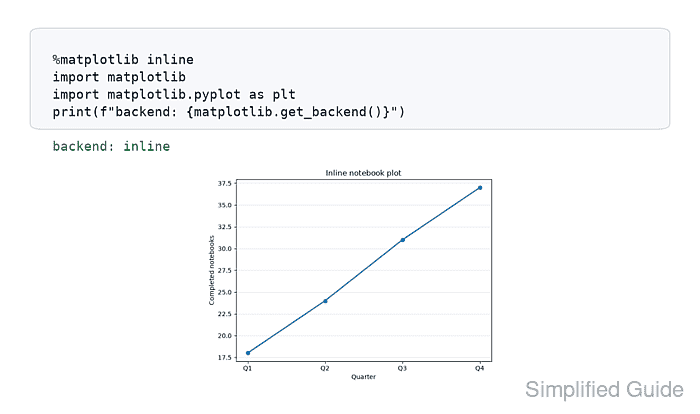
The IPython kernel handles inline plotting through the %matplotlib inline magic. That magic selects the matplotlib_inline backend for the running kernel, and Matplotlib publishes a static image output when the plotting cell finishes.
Use the inline backend for ordinary notebook charts that do not need pan, zoom, toolbar controls, or live updates from later cells. Interactive notebooks in current JupyterLab or Notebook 7 usually use the separate ipympl widget backend instead.
Related: How to set an interactive Matplotlib backend
Related: How to set figure size in Matplotlib
Related: How to save a Matplotlib figure
Steps to show Matplotlib plots inline in Jupyter:
- Open a Jupyter notebook that uses the Python kernel where Matplotlib is installed.
- Select the inline backend before creating figures.
%matplotlib inline
import matplotlib
import matplotlib.pyplot as plt

print(f"backend: {matplotlib.get_backend()}")

backend: inline
%matplotlib is an IPython magic. It works in Jupyter notebooks that use the IPython kernel; other kernels decide their own plotting and magic syntax. Restart the kernel first if a previous cell selected a different Matplotlib backend.
- Create a test figure in the next notebook cell.
quarters = ["Q1", "Q2", "Q3", "Q4"]
completed = [18, 24, 31, 37]

fig, ax = plt.subplots(layout="constrained")
ax.plot(quarters, completed, marker="o", linewidth=2)
ax.set_title("Inline notebook plot")
ax.set_xlabel("Quarter")
ax.set_ylabel("Completed notebooks")
ax.grid(True, axis="y", alpha=0.25)

plt.show()
Jupyter backends normally display figures at the end of a cell. Calling plt.show() keeps the displayed figure unambiguous.
- Confirm that the output appears below the plotting cell as a static image.
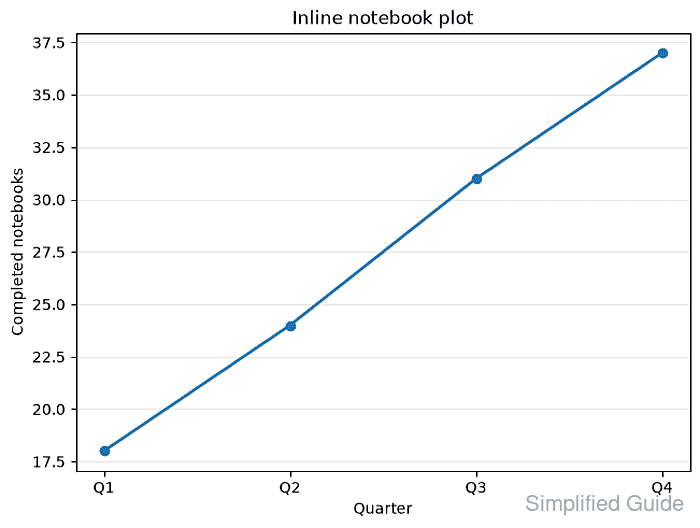
The inline backend stores the rendered image with the notebook output. Use a widget or notebook backend instead when the figure must support pan, zoom, toolbar buttons, or updates from later cells.