How to post a status thread with the Mastodon API
Long Mastodon updates often need to stay in one conversation instead of appearing as separate posts. The statuses API can build that thread by publishing an opening status, saving its returned status ID, and sending later statuses as replies to the previous part.
The posting endpoint accepts form data and returns a Status object when the request publishes immediately. For a thread, the important field is in_reply_to_id, which names the status being replied to; each returned id becomes the parent ID for the next part.
Use a token that belongs to the account that should own the thread, and keep the visibility explicit on every status. Unlisted visibility on social.example.com keeps the sample posts out of public timelines, but the same pattern works with public, private, or direct visibility when the token and audience match that choice.
Steps to post a Mastodon status thread with the API:
- Set the Mastodon server URL.
$ export MASTODON_URL="https://social.example.com"
- Set the access token for the posting account.
$ export MASTODON_ACCESS_TOKEN="paste-user-token-here"
The token needs write:statuses to create each part. Add read:statuses for context checks on non-public posts, and add profile or read:accounts when using the account identity check.
- Check which account the token belongs to.
$ curl --request GET "$MASTODON_URL/api/v1/accounts/verify_credentials" \ --header "Authorization: Bearer $MASTODON_ACCESS_TOKEN" { "id": "109900000000000001", "username": "alice", "acct": "alice", "display_name": "Alice Example", ##### snipped ##### } - Post the opening status.
$ curl --request POST "$MASTODON_URL/api/v1/statuses" \
  --header "Authorization: Bearer $MASTODON_ACCESS_TOKEN" \
  --header "Idempotency-Key: thread-maintenance-part-1" \
  --form "status=Maintenance update: database checks are starting now." \
  --form "visibility=unlisted"
{
  "id": "113923000100000001",
  "in_reply_to_id": null,
  "visibility": "unlisted",
  "url": "https://social.example.com/@alice/113923000100000001",
  "content": "<p>Maintenance update: database checks are starting now.</p>"
}
Use a different Idempotency-Key for each status part. Reusing the same key for up to an hour can return the earlier submission instead of creating the next part.
- Save the opening status ID.
$ export ROOT_STATUS_ID="113923000100000001"
- Post the second part as a reply to the opening status.
$ curl --request POST "$MASTODON_URL/api/v1/statuses" \ --header "Authorization: Bearer $MASTODON_ACCESS_TOKEN" \ --header "Idempotency-Key: thread-maintenance-part-2" \ --form "status=Part 2: read-only checks are complete." \ --form "visibility=unlisted" \ --form "in_reply_to_id=$ROOT_STATUS_ID" { "id": "113923000100000002", "in_reply_to_id": "113923000100000001", "visibility": "unlisted", "url": "https://social.example.com/@alice/113923000100000002", "content": "<p>Part 2: read-only checks are complete.</p>" } - Save the second status ID.
$ export SECOND_STATUS_ID="113923000100000002"
- Post the final part as a reply to the second status.
$ curl --request POST "$MASTODON_URL/api/v1/statuses" \
  --header "Authorization: Bearer $MASTODON_ACCESS_TOKEN" \
  --header "Idempotency-Key: thread-maintenance-part-3" \
  --form "status=Part 3: maintenance is complete and the site is accepting writes again." \
  --form "visibility=unlisted" \
  --form "in_reply_to_id=$SECOND_STATUS_ID"
{
  "id": "113923000100000003",
  "in_reply_to_id": "113923000100000002",
  "visibility": "unlisted",
  "url": "https://social.example.com/@alice/113923000100000003",
  "content": "<p>Part 3: maintenance is complete and the site is accepting writes again.</p>"
}
Posting is live account activity. Use disposable wording or a private test account before running the sequence against a production audience.
- Save the final status ID.
$ export THIRD_STATUS_ID="113923000100000003"
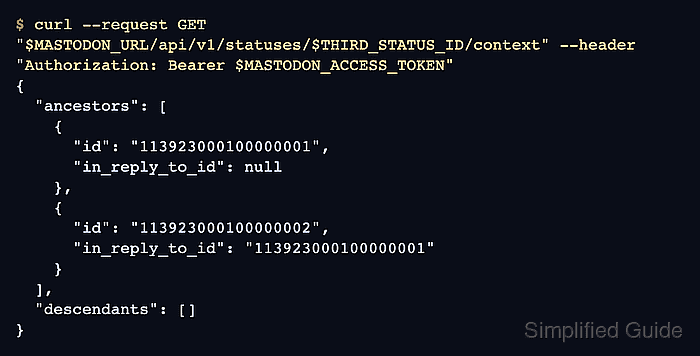
- Verify the thread context from the final status.
$ curl --request GET "$MASTODON_URL/api/v1/statuses/$THIRD_STATUS_ID/context" \
  --header "Authorization: Bearer $MASTODON_ACCESS_TOKEN"
{
  "ancestors": [
    {
      "id": "113923000100000001",
      "in_reply_to_id": null,
      "content": "<p>Maintenance update: database checks are starting now.</p>"
    },
    {
      "id": "113923000100000002",
      "in_reply_to_id": "113923000100000001",
      "content": "<p>Part 2: read-only checks are complete.</p>"
    }
  ],
  "descendants": []
}
The final status should show the opening status and second part as ancestors. If the context is missing a parent, check that the previous response id was copied into in_reply_to_id before posting the next part.