How to migrate Mastodon to a new machine
A Mastodon server is more than the application files on disk. The database, /home/mastodon/live/.env.production secrets, local media files, Redis state, reverse proxy, certificate path, and DNS record all have to move together when a new machine takes over the same public instance.
A source-install move on Linux usually starts with Mastodon in /home/mastodon/live and systemd units named mastodon-web, mastodon-sidekiq, and mastodon-streaming. Prepare the new machine with the same Mastodon release and dependencies before the final cutover, but do not run a fresh instance setup that would generate a different environment file or empty identity.
The final migration window starts when the old services stop accepting writes. Keep the old host available but read-only until the new machine serves the HTTPS API, WebFinger resolves the same account identity, and background services have restarted with the restored database and media state.
Related: How to back up a Mastodon server
Related: How to configure a Mastodon domain
Related: How to configure S3 media storage for Mastodon
Related: How to upgrade Mastodon
Steps to migrate a Mastodon server to a new machine:
- Record the source host, target host, public domain, and final migration directory.
Instance domain: social.example.com
Source host: mastodon-old.example.net
Target host: mastodon-new.example.net
Target address: 203.0.113.20
Migration directory: /home/mastodon/migration/2026-06-27
Use neutral staging paths that are outside /home/mastodon/live so application deploys do not mix with migration artifacts.
- Lower the DNS TTL for the Mastodon web host before the maintenance window.
Lower the record early enough for older cached answers to expire before the address changes.
Tool: DNS TTL Change Window Calculator - Prepare the target machine with the same Mastodon release, dependencies, PostgreSQL, Redis, Nginx, and systemd unit layout.
Leave Mastodon application services stopped on the target until the restored environment file, database, media, and Redis dump are in place.
Related: How to install Mastodon from source - Create a private migration directory on the source host.
$ sudo -u mastodon install -d -m 700 /home/mastodon/migration/2026-06-27
- Stop the Mastodon application services on the source host.
$ sudo systemctl stop mastodon-web mastodon-sidekiq mastodon-streaming
This starts the write-free window. Keep PostgreSQL and Redis running until their dump and snapshot steps complete.
- Copy the source environment file into the migration directory.
$ sudo -u mastodon cp /home/mastodon/live/.env.production /home/mastodon/migration/2026-06-27/env.production
Protect env.production like a password vault. Losing or replacing these secrets breaks sessions, two-factor authentication, web push subscriptions, and federation signatures.
- Dump the PostgreSQL database in custom format.
$ sudo -u mastodon pg_dump -Fc mastodon_production -f /home/mastodon/migration/2026-06-27/mastodon_production.dump
- Check that pg_restore can read the database dump.
$ sudo -u mastodon pg_restore --list /home/mastodon/migration/2026-06-27/mastodon_production.dump
;
; Archive created at 2026-06-27 09:12:44 UTC
;     dbname: mastodon_production
;     Format: CUSTOM
##### snipped #####
3475; 0 16387 TABLE DATA public statuses mastodon
- Sync local media files to the target host when the instance uses filesystem storage.
$ sudo -u mastodon rsync -aH /home/mastodon/live/public/system/ mastodon@mastodon-new.example.net:/home/mastodon/live/public/system/
Skip this path only when media already lives in object storage and the restored env.production points at the same bucket and media hostname.
Related: How to configure S3 media storage for Mastodon - Save the Redis database snapshot on the source host.
$ sudo redis-cli SAVE
OK
Redis mainly preserves Sidekiq queues, scheduled retries, and feed cache state. Home feeds can be rebuilt, but a copied dump keeps in-flight background work closer to the source state.
- Copy the Redis dump into the migration directory.
$ sudo install -m 600 -o mastodon -g mastodon /var/lib/redis/dump.rdb /home/mastodon/migration/2026-06-27/redis-dump.rdb
Use the actual Redis dump path when the source server stores dump.rdb somewhere other than /var/lib/redis/dump.rdb.
- Generate checksums for the files that must arrive intact.
$ sudo -u mastodon sha256sum /home/mastodon/migration/2026-06-27/env.production /home/mastodon/migration/2026-06-27/mastodon_production.dump /home/mastodon/migration/2026-06-27/redis-dump.rdb
a4f3cc9e43c7ff5e73ec01dbe27a9fc7ddbaff042f95d63b47e45807a2c04e89  /home/mastodon/migration/2026-06-27/env.production
c38fd5f584f6f9d02e179dad42ff58cfb99999371b5ff6ad39fbc1c2c090ecb5  /home/mastodon/migration/2026-06-27/mastodon_production.dump
22ebe168a91f8b5e9cadc90ac93fa6f8f2ab70bb54df20cf9dacdcdf42bdd87b  /home/mastodon/migration/2026-06-27/redis-dump.rdb
- Create the same migration directory on the target host.
$ ssh mastodon@mastodon-new.example.net 'install -d -m 700 /home/mastodon/migration/2026-06-27'
- Transfer the migration directory to the target host.
$ sudo -u mastodon rsync -aH /home/mastodon/migration/2026-06-27/ mastodon@mastodon-new.example.net:/home/mastodon/migration/2026-06-27/
- Install the restored environment file on the target host.
$ sudo -u mastodon install -m 600 /home/mastodon/migration/2026-06-27/env.production /home/mastodon/live/.env.production
- Create an empty target database from template0.
$ sudo -u mastodon createdb -T template0 mastodon_production
Run this only against an empty target database. Drop or rename any accidental test database before restoring the production dump.
- Restore the PostgreSQL dump into the target database.
$ sudo -u mastodon pg_restore --jobs=4 --schema=public --no-owner --role=mastodon --dbname=mastodon_production /home/mastodon/migration/2026-06-27/mastodon_production.dump
Set --jobs to a value the target database server can handle. The restore can take a long time on large instances.
- Confirm that restored account data is visible on the target database.
$ sudo -u mastodon psql -d mastodon_production -c "SELECT username, domain FROM accounts WHERE username = 'alice' LIMIT 1;"
 username | domain
----------+--------
 alice    |
(1 row)
- Stop Redis on the target host before replacing its dump file.
$ sudo systemctl stop redis-server
- Restore the Redis dump on the target host.
$ sudo install -m 660 -o redis -g redis /home/mastodon/migration/2026-06-27/redis-dump.rdb /var/lib/redis/dump.rdb
Keep Redis stopped while replacing dump.rdb so it cannot overwrite the restored file.
- Compile Mastodon assets after the restored environment file is in place.
$ sudo -u mastodon env RAILS_ENV=production /home/mastodon/live/bin/rails assets:precompile
Done in 38.42s.
- Test the Nginx configuration on the target host.
$ sudo nginx -t
nginx: the configuration file /etc/nginx/nginx.conf syntax is ok
nginx: configuration file /etc/nginx/nginx.conf test is successful
- Start Redis and Mastodon services on the target host.
$ sudo systemctl start redis-server mastodon-web mastodon-sidekiq mastodon-streaming
- Check that all Mastodon services report active state.
$ sudo systemctl is-active mastodon-web mastodon-sidekiq mastodon-streaming
active
active
active
- Rebuild home feeds on the target host.
$ sudo -u mastodon env RAILS_ENV=production /home/mastodon/live/bin/tootctl feeds build
This can take a long time on instances with many local users. Home feed state can be regenerated after the database, environment, and services are restored.
- Rebuild search indices when the instance uses Elasticsearch or OpenSearch.
$ sudo -u mastodon env RAILS_ENV=production /home/mastodon/live/bin/tootctl search deploy
Skip this step only when full-text search is not configured.
Related: How to configure Mastodon full-text search - Point DNS for the Mastodon web host to the target address.
Keep the old host available during the DNS transition so stale resolvers do not reach a powered-off machine.
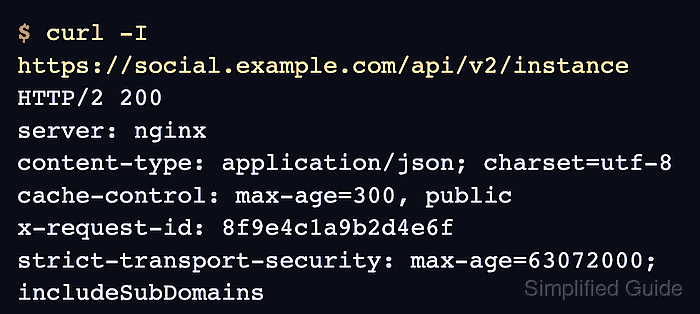
Tool: DNS Propagation Checker - Verify that the public HTTPS API now answers from the migrated host.
$ curl -I https://social.example.com/api/v2/instance
HTTP/2 200
server: nginx
content-type: application/json; charset=utf-8
cache-control: max-age=300, public
x-request-id: 8f9e4c1a9b2d4e6f
strict-transport-security: max-age=63072000; includeSubDomains
- Verify that WebFinger still resolves the local account identity.
$ curl -s 'https://social.example.com/.well-known/webfinger?resource=acct:alice@social.example.com'
{"subject":"acct:alice@social.example.com","links":[{"rel":"self","type":"application/activity+json","href":"https://social.example.com/users/alice"}]}
For a split-domain setup, send the WebFinger request to the account domain and keep resource aligned with LOCAL_DOMAIN.
Related: How to configure a Mastodon domain - Remove the migration directory from the target host after the restore evidence is recorded.
$ sudo rm -rf /home/mastodon/migration/2026-06-27
Do not remove the source backup or shut down the old host until DNS, API access, WebFinger, Sidekiq processing, and media loading have been checked through the maintenance window.