How to upload media with the Mastodon API
Mastodon stores media attachments separately from the status that later uses them. Uploading the file first gives automation a media attachment ID, alternate text, and processing state before a post references the image, video, audio file, or GIF.
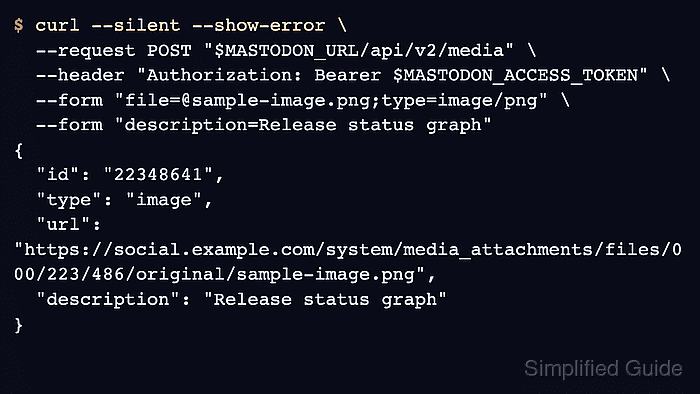
The current upload path is POST /api/v2/media with multipart form data and a user access token that includes write:media. Smaller image uploads can return a processed attachment immediately, while larger uploads can be accepted for background processing before the full-size URL is ready.
Use the same account and server URL for the media upload and the status creation request. A token that also includes write:statuses can run the final smoke test by attaching the returned media ID to an unlisted status.
Steps to upload media through the Mastodon API:
- Set the Mastodon server URL for the current shell.
$ MASTODON_URL="https://social.example.com"
- Read the user access token into a silent shell variable.
$ read -s MASTODON_ACCESS_TOKEN
The token must belong to the posting account and include write:media. Add write:statuses when the same token will create the status that uses the media ID.
- Upload the media file with alternate text.
$ curl --silent --show-error \
  --request POST "$MASTODON_URL/api/v2/media" \
  --header "Authorization: Bearer $MASTODON_ACCESS_TOKEN" \
  --form "file=@sample-image.png;type=image/png" \
  --form "description=Network status graph for the release note" \
  --form "focus=0.0,0.0"
{
  "id": "22348641",
  "type": "image",
  "url": "https://social.example.com/system/media_attachments/files/000/223/486/original/sample-image.png",
  "preview_url": "https://social.example.com/system/media_attachments/files/000/223/486/small/sample-image.png",
  "description": "Network status graph for the release note",
  "meta": {
    "focus": {
      "x": 0.0,
      "y": 0.0
    }
  }
}
The description field becomes the media alternate text. Use focus only when thumbnail cropping should favor a specific point in the image.
Tool: Application Programming Interface (API) Testing Tool - Save the returned media attachment ID.
$ MEDIA_ID="22348641"
Mastodon treats attachment IDs as strings. Keep the value exactly as returned, even when it contains only digits.
- Check processing status when the upload returns HTTP 202 or a null url field.
$ curl --silent --show-error --include \
  --request GET "$MASTODON_URL/api/v1/media/$MEDIA_ID" \
  --header "Authorization: Bearer $MASTODON_ACCESS_TOKEN"
HTTP/2 200
content-type: application/json; charset=utf-8

{
  "id": "22348641",
  "type": "image",
  "url": "https://social.example.com/system/media_attachments/files/000/223/486/original/sample-image.png",
  "preview_url": "https://social.example.com/system/media_attachments/files/000/223/486/small/sample-image.png",
  "description": "Network status graph for the release note"
}
HTTP 206 means the attachment is still processing. Wait and repeat the media lookup before creating a status with that media ID.
- Create an unlisted status with the media ID.
$ curl --silent --show-error \
  --request POST "$MASTODON_URL/api/v1/statuses" \
  --header "Authorization: Bearer $MASTODON_ACCESS_TOKEN" \
  --data-urlencode "status=Media upload smoke test." \
  --data-urlencode "visibility=unlisted" \
  --data-urlencode "media_ids[]=$MEDIA_ID"
{
  "id": "115123456789012345",
  "visibility": "unlisted",
  "content": "<p>Media upload smoke test.</p>",
  "url": "https://social.example.com/@alice/115123456789012345",
  "media_attachments": [
    {
      "id": "22348641",
      "type": "image",
      "description": "Network status graph for the release note"
    }
  ]
}
Repeat media_ids[] for each attachment when posting multiple uploaded files, and stay within the server's advertised media attachment limit.
- Remove the temporary shell variables after the upload and post check.
$ unset MASTODON_ACCESS_TOKEN MASTODON_URL MEDIA_ID