How to constrain llama.cpp server output with JSON schema
Structured local inference is easier to wire into an application when the model response already has the object shape a parser expects. The llama.cpp server can apply a JSON Schema to an OpenAI-compatible chat request so the assistant message is generated as JSON instead of free-form prose.
The request uses /v1/chat/completions with response_format set to json_schema. The nested schema becomes a generation constraint, while the system and user messages still need to describe the field meanings because the model does not automatically see the schema as prompt text.
Keep the first schema small while testing a model and client. Complex JSON Schema features can be unsupported during grammar conversion, and reasoning-oriented templates can add thinking text unless the request disables thinking for structured responses.
Steps to constrain llama.cpp server output with JSON schema:
- Start llama-server with the model alias used by the request.
$ llama-server -m ./models/instruct-model.gguf --alias local-struct --host 127.0.0.1 --port 8080
##### snipped #####
srv  llama_server: model loaded
srv  llama_server: listening on http://127.0.0.1:8080
Use an instruction-tuned model with a supported chat template for /v1/chat/completions.
Related: How to start the llama.cpp server - Check the server readiness endpoint.
$ curl --silent --show-error http://127.0.0.1:8080/health
{"status":"ok"}
Wait for ok before sending a structured-output request.
Related: How to check llama.cpp server health - Confirm the API model alias.
$ curl --silent --show-error http://127.0.0.1:8080/v1/models
{"object":"list","data":[{"id":"local-struct","object":"model","owned_by":"llamacpp","meta":{"n_ctx":512}}]}
- Create the request body with a JSON schema response format.
- deployment-status-request.json
{
  "model": "local-struct",
  "messages": [
    {
      "role": "system",
      "content": "Return only JSON that matches the requested schema."
    },
    {
      "role": "user",
      "content": "Create one fictional deployment status for an edge inference service. Use a short service name and a numeric priority from 1 to 5."
    }
  ],
  "max_tokens": 80,
  "temperature": 0,
  "response_format": {
    "type": "json_schema",
    "json_schema": {
      "name": "deployment_status",
      "strict": true,
      "schema": {
        "type": "object",
        "properties": {
          "service": {
            "type": "string",
            "minLength": 3
          },
          "status": {
            "type": "string",
            "enum": [
              "ready",
              "blocked"
            ]
          },
          "priority": {
            "type": "integer",
            "minimum": 1,
            "maximum": 5
          }
        },
        "required": [
          "service",
          "status",
          "priority"
        ],
        "additionalProperties": false
      }
    }
  },
  "chat_template_kwargs": {
    "enable_thinking": false
  }
}
The json_schema.schema object defines the generated JSON shape. The prompt still describes the intended field meanings because llama.cpp uses the schema as a generation constraint, not as prompt text.
Tool: JSON Schema Generator - Send the request and save the API response.
$ curl --silent --show-error http://127.0.0.1:8080/v1/chat/completions \
  --header "Content-Type: application/json" \
  --header "Authorization: Bearer no-key" \
  --data @deployment-status-request.json \
  --output deployment-status-response.json
llama-server does not require Authorization unless it was started with --api-key or --api-key-file. Keep the header when an OpenAI-compatible client requires one.
- Extract the structured assistant message.
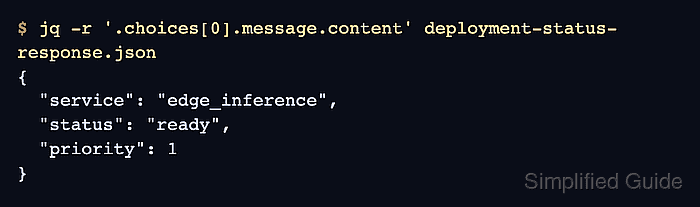
$ jq -r '.choices[0].message.content' deployment-status-response.json
{
  "service": "edge_inference",
  "status": "ready",
  "priority": 1
}
- Parse the assistant message and check the expected fields.
$ jq -e '
  (.choices[0].message.content | fromjson) as $o |
  ($o | keys | sort) == ["priority","service","status"] and
  ($o.status == "ready" or $o.status == "blocked") and
  ($o.priority >= 1 and $o.priority <= 5)
' deployment-status-response.json
true
Run the same validation in the application before trusting the response. Server-side schema constraints reduce free-form text, but application code still owns business validation and error handling.
- Remove the temporary request and response files.
$ rm deployment-status-request.json deployment-status-response.json