Health checks for llama-server answer whether the HTTP process has reached a state where clients can start using it. A listening TCP port can appear before the model is ready, so checking the health response is safer than treating an open socket as readiness.
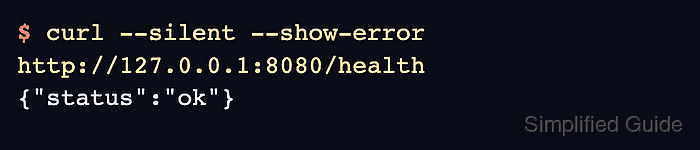
/health returns JSON and does not require an API key. The /v1/health path uses the same check for clients or proxies that route all OpenAI-compatible requests under /v1.
A ready server returns status set to ok with HTTP 200. A loading model returns an unavailable_error response with HTTP 503, and idle-sleep setups need a separate /props check because /health does not wake the model or reset the idle timer.
Related: Start the llama.cpp server
Related: Run llama.cpp with Docker
Related: Call the llama.cpp chat completions API
Steps to check llama.cpp server health:
- Request the default health endpoint.
$ curl --silent --show-error http://127.0.0.1:8080/health
{"status":"ok"}
Replace 127.0.0.1:8080 with the host and port exposed by --host and --port when the server is not using the local default.
- Include the HTTP status code when checking readiness for a monitor or script.
$ curl --silent --show-error --write-out '\nHTTP %{http_code}\n' http://127.0.0.1:8080/health
{"status":"ok"}
HTTP 200
HTTP 200 with status set to ok means the model has loaded and the server is ready for client requests.
- Wait and rerun the check when the model is still loading.
$ curl --silent --show-error --write-out '\nHTTP %{http_code}\n' http://127.0.0.1:8080/health
{"error":{"code":503,"message":"Loading model","type":"unavailable_error"}}
HTTP 503
HTTP 503 is not a successful readiness state. Keep the service running and retry after the startup log reports that the model loaded.
- Check the /v1/health path when the client route uses the OpenAI-compatible prefix.
$ curl --silent --show-error --write-out '\nHTTP %{http_code}\n' http://127.0.0.1:8080/v1/health
{"status":"ok"}
HTTP 200
/v1/health returns the same readiness state as /health.
- Use curl fail mode when the check only needs an exit status.
$ curl --fail --silent --show-error http://127.0.0.1:8080/health
{"status":"ok"}
--fail makes curl exit nonzero for HTTP 503 or other HTTP error responses, which fits container health checks and service monitors that do not need the JSON error body.

Mohd Shakir Zakaria is a cloud architect with deep roots in software development and open-source advocacy. Certified in AWS, Red Hat, VMware, ITIL, and Linux, he specializes in designing and managing robust cloud and on-premises infrastructures.


