How to run a local GGUF model with llama-cli
A local GGUF file is the direct input that llama.cpp loads for terminal inference. llama-cli provides the terminal path for checking that the file opens, the model evaluates a prompt, and text comes back before the same model is used by a server or application.
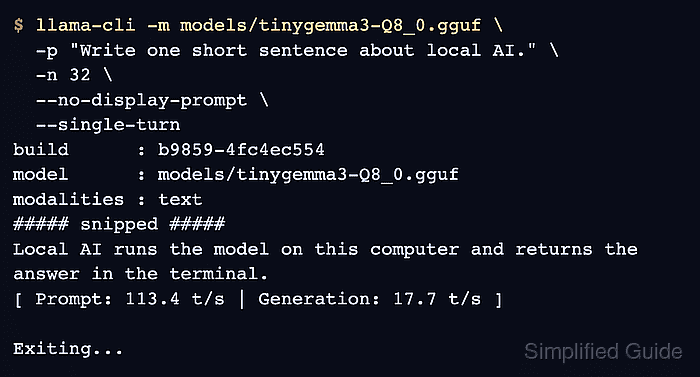
A non-interactive smoke test needs the model path, a prompt, and a token budget. --single-turn exits after the first answer, which matters for chat-template models that otherwise keep the terminal open for another prompt.
Start with a small model when checking a new build, then use the production quantization planned for the workload. A successful run shows the loaded model path, returned text, timing line, and clean Exiting… line.
Related: Run a Hugging Face GGUF model with llama.cpp
Related: Set llama.cpp GPU layers
Related: Run llama.cpp with Docker
Steps to run a local GGUF model with llama-cli:
- Run a single-turn prompt against the local model file.
$ llama-cli -m models/tinygemma3-Q8_0.gguf \
  -p "Write one short sentence about local AI." \
  -n 32 \
  --no-display-prompt \
  --single-turn
build      : b9859-4fc4ec554
model      : models/tinygemma3-Q8_0.gguf
modalities : text
##### snipped #####
Local AI runs the model on this computer and returns the answer in the terminal.
[ Prompt: 113.4 t/s | Generation: 17.7 t/s ]

Exiting...
-m selects the GGUF file, -p supplies the prompt, -n limits generated tokens, and --single-turn makes the process return to the shell after the first response.
- Confirm the startup output names the intended model file.
If llama-cli reports that the model cannot be opened, fix the path or file permissions before changing prompt or sampling options.
- Confirm generated text appears before the timing line.
The exact sentence changes with the model, quantization, seed, and sampling options. The smoke test succeeds when a response appears and the command exits without a load or runtime error.
- Start an interactive session when the single-turn smoke test succeeds.
$ llama-cli -m models/tinygemma3-Q8_0.gguf
> Say hello in one sentence.
Hello from the local model.
> /exit
Exiting...
Models with a chat template can enter conversation mode automatically. Use /exit or Ctrl+C to leave the session when finished.