GGUF repositories on Hugging Face publish model weights ready for local inference. llama.cpp can download and run a model by repository name, keeping the weights in a local cache for later use without an internet connection.
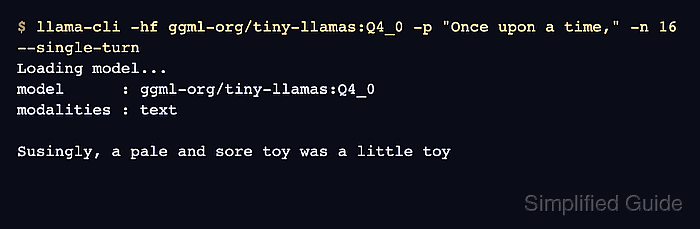
The -hf option points llama-cli at a Hugging Face repository, and a suffix such as :Q4_K_M selects a matching quantization. The -hff option selects an exact filename instead, avoiding ambiguity when a repository publishes several GGUF files.
Public, ungated models need no account or access token. The download occupies disk space in addition to the memory needed for inference, so a small quantized model is a suitable first CPU test.
Steps to run a Hugging Face GGUF model with llama.cpp:
- Check the Hugging Face model cache before downloading.
$ llama-cli --cache-list
number of models in cache: 0
An empty cache reports zero models; an existing cache may already contain entries. This requires a recent llama-cli installation on PATH.
Related: How to install llama.cpp with Homebrew
Related: How to build llama.cpp from source with CMake - Download the public Qwen2.5-0.5B-Instruct Q4_K_M file with a single-turn prompt.
$ llama-cli -hf Qwen/Qwen2.5-0.5B-Instruct-GGUF \
  -hff qwen2.5-0.5b-instruct-q4_k_m.gguf \
  -p "What is two plus two?" -n 32 --single-turn
##### snipped #####
build      : b11913-7aca0d2ea
model      : Qwen/Qwen2.5-0.5B-Instruct-GGUF
ftype      : Q4_K - Medium
modalities : text
##### snipped #####
> What is two plus two?
Two plus two equals four.
##### snipped #####
Exiting...
The publisher's repository lists the exact filename. This file is about 491 MB; larger models need more disk space and memory. The first run needs internet access. -hff overrides any quantization suffix on -hf. -n 32 limits generated tokens, and --single-turn exits after the response. Wording and timing vary between runs.
- List the downloaded model in the cache.
$ llama-cli --cache-list
number of models in cache: 1
   1. Qwen/Qwen2.5-0.5B-Instruct-GGUF:Q4_K_M
Current builds use the standard Hugging Face cache, normally ~/.cache/huggingface/hub on Linux and macOS. HF_HUB_CACHE or HF_HOME can redirect it; LLAMA_CACHE takes precedence when set.
- Run the downloaded model in offline mode.
$ llama-cli -hf Qwen/Qwen2.5-0.5B-Instruct-GGUF \
  -hff qwen2.5-0.5b-instruct-q4_k_m.gguf --offline \
  -p "What is two plus two?" -n 32 --single-turn
##### snipped #####
> What is two plus two?
Two plus two equals four.
##### snipped #####
Exiting...
A generated answer followed by Exiting… shows that the cached model remains usable. --offline prevents network access and fails when the required file is absent. If a cache miss occurs, repeat the online download with the same repository, filename, and cache settings.