How to view thermal information in Linux
Thermal readings matter when a Linux system slows down under load, runs fans at full speed, or shuts itself off unexpectedly. Viewing hardware sensor data shows whether the processor, board, or firmware-reported zones are approaching warning or critical thresholds before changing cooling, firmware, or workload settings.
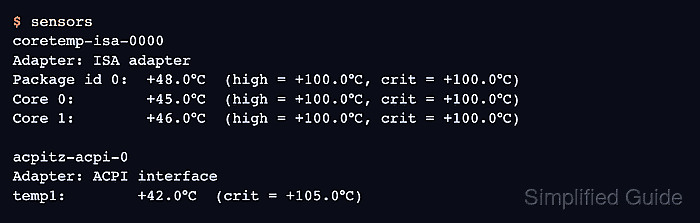
The sensors command from lm-sensors reads hardware-monitoring data exposed by kernel drivers under /sys/class/hwmon and related thermal interfaces. It presents package, core, fan, voltage, and board readings in a readable terminal format when the kernel has a driver for the hardware.
Sensor coverage depends on the machine, firmware, kernel driver, and runtime environment. Containers and many virtual machines often report no sensors because host hardware is not exposed, while disk temperature normally comes from drive S.M.A.R.T. data rather than lm-sensors.
Related: How to view CPU temperature
Related: How to check disk temperature in Linux
Steps to view thermal information in Linux:
- Install lm-sensors if the sensors command is missing.
$ sudo apt install lm-sensors
On Fedora and openSUSE, the package is commonly named lm_sensors. Install it with the native package manager for that distribution.
- Display the current readable sensor report.
$ sensors
coretemp-isa-0000
Adapter: ISA adapter
Package id 0:  +48.0°C  (high = +100.0°C, crit = +100.0°C)
Core 0:        +45.0°C  (high = +100.0°C, crit = +100.0°C)
Core 1:        +46.0°C  (high = +100.0°C, crit = +100.0°C)

acpitz-acpi-0
Adapter: ACPI interface
temp1:        +42.0°C  (crit = +105.0°C)
Look for processor, board, fan, or ACPI thermal lines that match the hardware being checked. Exact chip names and labels vary by driver and system board.
- Treat missing sensor output as missing exposure rather than a safe temperature state.
$ sensors
No sensors found!
Make sure you loaded all the kernel drivers you need.
Try sensors-detect to find out which these are.
This output is common in containers and many virtual machines. On physical hardware, continue only when hardware probing is acceptable.
- Probe for sensor drivers on a physical host when sensors has no useful readings.
$ sudo sensors-detect --auto
# sensors-detect version 3.6.2
# Kernel: 6.14.0-24-generic x86_64
##### snipped #####
Driver `coretemp':
  * Chip `Intel digital thermal sensor' (confidence: 9)
##### snipped #####
To load everything that is needed, add this to /etc/modules:
coretemp
sensors-detect probes hardware buses and may recommend kernel modules. Run it during a maintenance window on production hosts, and review the reported modules before loading drivers.
- Load a detected sensor module for the current boot.
$ sudo modprobe coretemp
Replace coretemp with the module name reported by sensors-detect. Skip this step when sensors already shows the needed readings.
- Enable the lm-sensors service when detected modules should load at boot.
$ sudo systemctl enable --now lm-sensors.service
Some distributions or hardware paths do not need this unit because the relevant drivers are already built in or loaded another way.
Related: How to manage a Linux service with systemctl - Display raw sensor names for monitoring tools or scripts.
$ sensors -u
coretemp-isa-0000
Adapter: ISA adapter
Package id 0:
  temp1_input: 48.000
  temp1_max: 100.000
  temp1_crit: 100.000
Core 0:
  temp2_input: 45.000
  temp2_max: 100.000
  temp2_crit: 100.000
sensors -u uses raw feature names such as temp1_input, which are easier for scripts and collectors to map than localized display labels.
- List kernel thermal devices exposed through sysfs.
$ ls /sys/class/thermal
cooling_device0  cooling_device1  thermal_zone0  thermal_zone1
The kernel thermal interface exposes thermal zones and cooling devices even when lm-sensors labels are limited. Availability still depends on the platform.
- Read the type of the thermal zone being inspected.
$ cat /sys/class/thermal/thermal_zone0/type
x86_pkg_temp
Substitute the thermal zone number that exists on the target system. Names such as x86_pkg_temp, acpitz, or vendor-specific labels identify the driver-reported zone.
- Read the raw thermal zone temperature.
$ cat /sys/class/thermal/thermal_zone0/temp
48000
Thermal zone temperatures are commonly reported in millidegrees Celsius, so 48000 represents about 48°C.
- Verify live monitoring by refreshing the readable sensor report while load or fan behavior changes.
$ watch -n 2 sensors
Press Ctrl+C to stop watch after confirming that the readings update over several refresh intervals.