How to lock a user account in Linux
Account locking is the right hold when a local Linux login must stop accepting new sessions but the account record, UID, home directory, and file ownership still need to remain in place. It fits offboarding pauses, incident containment, and temporary access freezes where deleting the user would create ownership cleanup work.
Local shadow-managed accounts keep separate state for password usability and account expiration. A password-only lock blocks password authentication, but an expired account also stops login paths that can use another token, such as public-key SSH.
Local account changes do not disable directory-backed identities. Users from LDAP, Active Directory, or SSSD must be disabled in the upstream identity provider, and existing shells or background processes need separate termination when access must stop immediately.
Steps to lock a Linux user account with usermod:
- Confirm the target account record.
$ getent passwd audituser
audituser:x:1001:1001:Audit User:/home/audituser:/bin/bash
Replace audituser with the login that should be suspended. Confirm the UID, comment, home directory, and shell match the intended local account.
- Check for running processes owned by the account.
$ ps -u audituser -o pid,tty,stat,cmd
    PID TT       STAT CMD
No rows below the header means this check found no current processes. Locking the account does not end sessions that are already running.
Related: How to show logged-in users in Linux
Related: How to force a user to log out in Linux - Check the current password status.
$ sudo passwd --status audituser
audituser P 2026-06-13 0 99999 7 -1
The second field shows password state. P means a usable password hash exists, L means locked, and NP means no password hash is set.
- Lock the password and expire the account.
$ sudo usermod --lock --expiredate 1 audituser
Confirm the target is not an automation or service login before locking it. The account record, home directory, group memberships, and files remain on disk.
- Verify that the password status is locked.
$ sudo passwd --status audituser
audituser L 2026-06-13 0 99999 7 -1
- Verify that the account expiration is in the past.
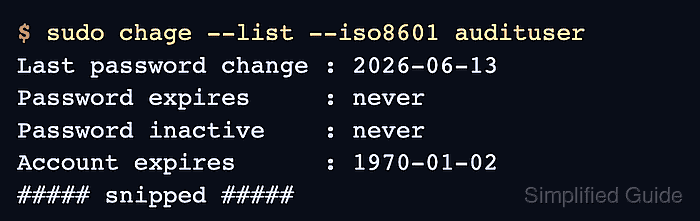
$ sudo chage --list --iso8601 audituser
Last password change					: 2026-06-13
Password expires					: never
Password inactive					: never
Account expires						: 1970-01-02
Minimum number of days between password change		: 0
Maximum number of days between password change		: 99999
Number of days of warning before password expires	: 7
--expiredate 1 records the disabled account date as 1970-01-02. Use the unlock procedure before handing the account back to a user.
Related: How to unlock a user account in Linux