How to build a basic web host on Linux
Building a first web host fails most often when the package, web root, server block, firewall rule, and hostname check are treated as separate jobs. A baseline HTTP host should serve one known page from one known directory before TLS, reverse proxying, or application deployment is added.
On Ubuntu and Debian package builds, this setup uses Nginx and creates one named site for www.example.net. The packaged layout reads enabled site files from /etc/nginx/sites-enabled, maps matching requests to a document root, and lets nginx -t catch syntax or missing-file errors before the running service is reloaded.
Keep SSH allowed before changing a host firewall, and treat port 80 as the bootstrap path. Public reachability still depends on DNS pointing to the server and any cloud firewall or network security group allowing inbound HTTP traffic.
Steps to build a basic Nginx web host on Linux:
- Open a terminal with a user account that can run sudo.
- Refresh the package index.
$ sudo apt update
- Install Nginx and curl.
$ sudo apt install nginx curl
The Ubuntu package starts the Nginx service after installation. Running systemctl enable --now nginx makes the boot state clear for new hosts and rebuilds.
- Enable Nginx at boot and start it now.
$ sudo systemctl enable --now nginx
Related: How to manage the Nginx service
- Create the document root for the site.
$ sudo install -d -m 0755 /var/www/www.example.net/html
Replace www.example.net with the hostname or site label used for the host. Keep one directory per site so later TLS and application changes do not mix files from unrelated hosts.
- Create the test page in the document root.
$ sudoedit /var/www/www.example.net/html/index.html
<!doctype html>
<title>www.example.net</title>
<h1>www.example.net is online</h1>
- Create the Nginx site file.
$ sudoedit /etc/nginx/sites-available/www.example.net
server {
    listen 80;
    listen [::]:80;
    server_name www.example.net example.net;

    root /var/www/www.example.net/html;
    index index.html;

    location / {
        try_files $uri $uri/ =404;
    }
}
Use the real hostname in server_name. Keep example.net only when documenting or testing with reserved example names.
- Enable the site.
$ sudo ln -s /etc/nginx/sites-available/www.example.net /etc/nginx/sites-enabled/www.example.net
- Test the Nginx configuration.
$ sudo nginx -t
nginx: the configuration file /etc/nginx/nginx.conf syntax is ok
nginx: configuration file /etc/nginx/nginx.conf test is successful
Related: How to test Nginx configuration
- Reload Nginx after the configuration test passes.
$ sudo systemctl reload nginx
Related: How to manage the Nginx service
- Allow inbound HTTP traffic when the host uses UFW.
$ sudo ufw allow 'Nginx HTTP'
Confirm SSH is already allowed before enabling or tightening UFW on a remote server, or the current session can be locked out. Cloud firewalls and network security groups need an equivalent inbound rule for port 80.
- Verify the site locally with the intended hostname.
$ curl --silent --show-error --header 'Host: www.example.net' http://127.0.0.1/
<!doctype html>
<title>www.example.net</title>
<h1>www.example.net is online</h1>
This checks the Nginx server block before public DNS or external firewall rules are involved.
- Point the hostname to the server address in DNS or the local hosts file used for testing.
Use the server public address for an internet-facing host. Use a local hosts-file entry only for a private test or before public DNS is ready.
- Verify the host from another machine or network path.
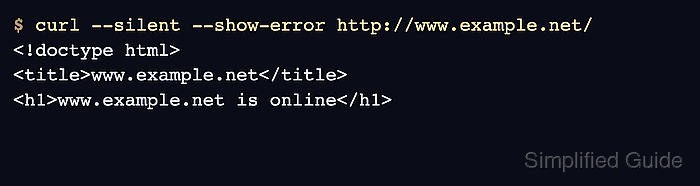
$ curl --silent --show-error http://www.example.net/
<!doctype html>
<title>www.example.net</title>
<h1>www.example.net is online</h1>
The response should match the page created in /var/www/www.example.net/html. The Web Server Detector can also confirm the visible public server headers after DNS and firewall rules are live.
Tool: Web Server Detector