Table of Contents
How to allow a port through the firewall in Linux
A listening service can stay unreachable when the host firewall still blocks its port. Opening only the required port and protocol lets expected clients reach the service without changing the rest of the inbound policy.
Most Linux hosts expose firewall policy through one active manager, commonly ufw on Ubuntu or Debian systems, firewalld on RHEL-family and Fedora systems, or a direct nftables ruleset on leaner servers. Use the active manager for the host instead of editing the backend rules behind another tool, because mixed firewall frontends can overwrite or hide each other's changes.
Firewall changes affect live access, so confirm the management path before opening or enabling rules on a remote server. The port must also match the application's transport protocol, and a persistent rule is needed when the port should stay open after a reload or reboot.
Related: How to check firewall status in Linux
Related: How to list open ports on Linux
Related: How to remove a firewall port allow rule in Linux
Tool: Port List Checker
Methods to allow a port through the firewall in Linux:
Steps to allow a port through the firewall in Linux:
Allow a port with ufw
Use this method when ufw is the active firewall manager. ufw allow stores the rule immediately, and active ufw systems apply the new ingress rule as soon as the command completes.
- Check the current ufw status.
$ sudo ufw status verbose
Status: active
Logging: on (low)
Default: deny (incoming), allow (outgoing), deny (routed)
New profiles: skip

To                         Action      From
--                         ------      ----
22/tcp                     ALLOW IN    Anywhere
22/tcp (v6)                ALLOW IN    Anywhere (v6)
If ufw is inactive on a remote host, add the management rule before enabling it so existing SSH or VPN access is not cut off.
- Allow the service port, replacing 8080/tcp with the port and protocol the application uses.
$ sudo ufw allow 8080/tcp
Rules updated
Rules updated (v6)
Use /udp instead of /tcp only when the application documentation says the listener uses UDP.
- Enable ufw if the status check showed it was inactive.
$ sudo ufw --force enable
Firewall is active and enabled on system startup
Do not enable ufw over a remote session until the current management port, such as 22/tcp for SSH, is already allowed.
- Verify that the allow rule appears in the active ufw rules.
$ sudo ufw status numbered
Status: active

     To                         Action      From
     --                         ------      ----
[ 1] 22/tcp                     ALLOW IN    Anywhere
[ 2] 8080/tcp                   ALLOW IN    Anywhere
[ 3] 22/tcp (v6)                ALLOW IN    Anywhere (v6)
[ 4] 8080/tcp (v6)              ALLOW IN    Anywhere (v6)
Allow a port with firewalld
Use this method when firewalld manages the host firewall. Add the rule to the zone that receives the traffic, because opening a port in the wrong zone leaves the intended interface unchanged.
- Confirm that firewalld is running.
$ sudo firewall-cmd --state
running
- Identify the active zone for the network interface.
$ sudo firewall-cmd --get-active-zones
public
  interfaces: enp0s5
Replace public in the next commands with the zone shown on the host if it is different.
- Allow the port in the runtime zone.
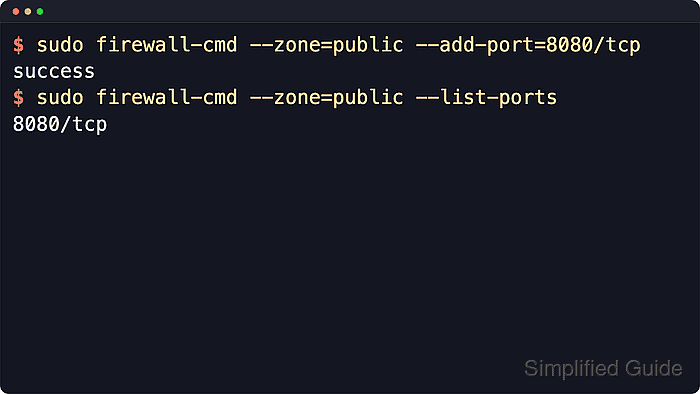
$ sudo firewall-cmd --zone=public --add-port=8080/tcp
success
The runtime rule takes effect immediately but does not survive a firewalld reload or reboot by itself.
- Add the same port to the permanent zone configuration.
$ sudo firewall-cmd --permanent --zone=public --add-port=8080/tcp
success
- Reload firewalld so the permanent configuration repopulates the runtime rules.
$ sudo firewall-cmd --reload
success
- Verify that the zone now lists the allowed port.
$ sudo firewall-cmd --zone=public --list-ports
8080/tcp
If the rule is present but clients still cannot connect, check the listening service, the zone assignment, and any upstream cloud or network firewall.
Allow a port with direct nftables rules
Use this method only when nftables is the primary firewall and no frontend such as ufw or firewalld owns the ruleset. Direct nftables changes belong in the persistent rules file so the port remains open after the ruleset is reloaded.
- Inspect the current ruleset before editing the persistent file.
$ sudo nft list ruleset
table inet filter {
	chain input {
		type filter hook input priority filter; policy drop;
		iif "lo" accept
		ct state established,related accept
		tcp dport 22 accept
	}
}
If the output contains ufw or firewalld chain names, use that frontend instead of editing nftables directly.
- Open the persistent nftables configuration.
$ sudo vi /etc/nftables.conf
- Add the service port to the input chain while keeping loopback, established connection, and management access rules in place.
flush ruleset
table inet filter {
    chain input {
        type filter hook input priority filter; policy drop;
        iif "lo" accept
        ct state established,related accept
        tcp dport 22 accept
        tcp dport 8080 accept
    }
}
Replacing the file with a partial snippet can remove required management access and lock the host out of the network.
- Check the nftables file before applying it.
$ sudo nft -c -f /etc/nftables.conf
No output means the file parsed successfully.
- Apply the updated nftables file.
$ sudo nft -f /etc/nftables.conf
- Confirm that the new port rule is active.
$ sudo nft list ruleset
table inet filter {
	chain input {
		type filter hook input priority filter; policy drop;
		iif "lo" accept
		ct state established,related accept
		tcp dport 22 accept
		tcp dport 8080 accept
	}
}
Verify the open port
The firewall rule only permits traffic to reach the host. The application still needs to be listening on the same address, port, and protocol before another system can connect.
- Confirm that the service is listening on the expected local port.
$ sudo ss -ltnp 'sport = :8080' State Recv-Q Send-Q Local Address:Port Peer Address:PortProcess LISTEN 0 128 0.0.0.0:8080 0.0.0.0:* users:(("myapp",pid=1842,fd=7)) - Test the port from another host on the expected network path.
$ nc -vz server.example.net 8080
Connection to server.example.net 8080 port [tcp/http-alt] succeeded!
A loopback test proves only that the service is listening locally. A test from another host proves that the firewall and surrounding network path allow the connection.