How to set extended file attributes in Linux
Extended attributes let a Linux file carry metadata that normal ls -l output does not show. Setting a custom user.* attribute gives an application, backup process, or handoff script a small named value without changing the file contents, owner, group, mode bits, or ACL entries.
The setfattr command writes and removes extended attributes, and getfattr reads one attribute or dumps the matching set. Attribute names use a namespace and a name, such as user.review_state. Ordinary custom metadata belongs in the user. namespace because system., security., and trusted. entries may be owned by the kernel, security policy, ACLs, or privileged software.
Changing an extended attribute replaces the whole value for that name. Use the exact file path, keep values small enough for the target filesystem, and avoid manually editing security, ACL, or capability attributes unless the tool that owns that metadata documents the change. If setfattr or getfattr is missing, install the distribution package named attr first.
Steps to set extended file attributes with setfattr:
- Check the target file before changing its extended attributes.
$ ls -l /srv/reports/q1.txt
-rw-r--r-- 1 analyst analyst 18 Jun 13 11:32 /srv/reports/q1.txt
The examples use a regular file owned by analyst. Use sudo only when the file ownership, permissions, or namespace requires elevated access.
- Set a custom attribute in the user. namespace.
$ setfattr --name user.review_state --value approved /srv/reports/q1.txt
No output indicates setfattr accepted the change. Quote the value when it contains spaces or shell-sensitive characters.
- Read the attribute by name.
$ getfattr --absolute-names --name user.review_state /srv/reports/q1.txt
# file: /srv/reports/q1.txt
user.review_state="approved"
- Print only the attribute value when a script needs raw text.
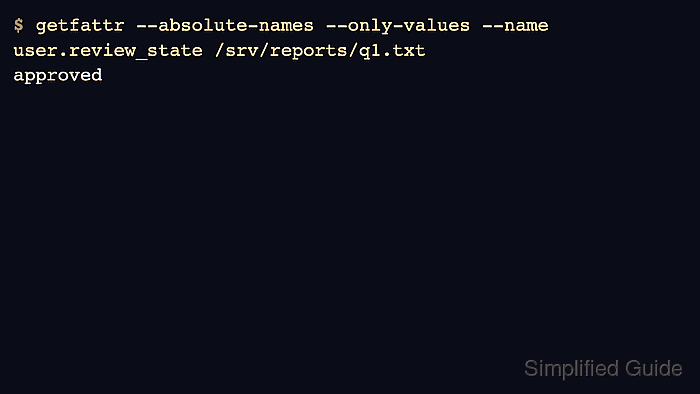
$ getfattr --absolute-names --only-values --name user.review_state /srv/reports/q1.txt
approved
--only-values omits the file header and attribute name. Keep --absolute-names when the command uses an absolute path, so getfattr does not print a path-normalization warning.
- Dump the file's matching user. attributes.
$ getfattr --absolute-names --dump /srv/reports/q1.txt
# file: /srv/reports/q1.txt
user.review_state="approved"
getfattr dumps the user. namespace by default. Inspect other readable namespaces only when the owning tool or policy requires it, and do not rewrite ACL, SELinux, or capability metadata directly with setfattr.
- Replace the attribute value when the file state changes.
$ setfattr --name user.review_state --value needs-review /srv/reports/q1.txt
- Verify the replacement value.
$ getfattr --absolute-names --name user.review_state /srv/reports/q1.txt
# file: /srv/reports/q1.txt
user.review_state="needs-review"
- Remove the attribute when the marker no longer applies.
$ setfattr --remove user.review_state /srv/reports/q1.txt
- Confirm that no matching user. attributes remain.
$ getfattr --absolute-names --dump /srv/reports/q1.txt
No output means getfattr found no matching user. namespace attributes on the file.