Critical configuration files sometimes need a temporary guard that stops accidental edits during maintenance. The Linux immutable attribute blocks writes, renames, hard links, and deletes on the selected file until an administrator clears the flag.
The chattr command changes inode flags on supported Linux filesystems, and lsattr shows those flags. The immutable flag is separate from ownership, mode bits, and ACLs, so a file can look writable in ls -l while the kernel still refuses write access because the i attribute is present.
Setting or clearing the immutable flag requires root or the CAP_LINUX_IMMUTABLE capability. Not every filesystem supports every chattr flag, and already-open write file descriptors may keep writing after the flag is set, so close or restart writers before relying on the protection.
Steps to make a file immutable with chattr:
- Confirm the exact file path before changing its attributes.
$ ls -l /srv/app/app.conf
-rw-r--r-- 1 root root 14 Jun 13 09:30 /srv/app/app.conf
Apply the immutable flag only to the intended file. Services that need to update the file will fail until the flag is removed.
- Check the current file attributes.
$ sudo lsattr /srv/app/app.conf
--------------e------- /srv/app/app.conf
The i position is empty here, so the file is not immutable yet. The e flag is a normal ext4 extent flag and is not changed in this workflow.
- Add the immutable attribute to the file.
$ sudo chattr +i /srv/app/app.conf
No output indicates chattr accepted the change. If it reports Operation not supported or Operation not permitted, confirm the filesystem supports the flag and that the command has the required privilege.
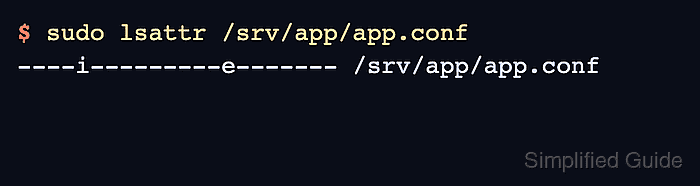
- Verify that lsattr shows the immutable flag.
$ sudo lsattr /srv/app/app.conf
----i---------e------- /srv/app/app.conf
- Try a controlled write to prove that the file cannot be changed.
$ sudo sh -c 'printf "enabled=false\n" > /srv/app/app.conf'
sh: 1: cannot create /srv/app/app.conf: Operation not permitted
The failure happens even with sudo because the immutable flag blocks opening the file for writing.
- Try a controlled delete to prove that the file cannot be removed while immutable.
$ sudo rm /srv/app/app.conf
rm: cannot remove '/srv/app/app.conf': Operation not permitted
A rename operation fails for the same reason; clear the flag before replacing, rotating, or deleting the file.
- Clear the immutable attribute when the file must be edited again.
$ sudo chattr -i /srv/app/app.conf
- Confirm that the immutable flag is gone.
$ sudo lsattr /srv/app/app.conf
--------------e------- /srv/app/app.conf
- Write to the file again after clearing the flag.
$ sudo sh -c 'printf "enabled=false\n" > /srv/app/app.conf'
No output indicates the shell opened the file for writing and replaced the contents.
- Confirm that the file contains the updated value.
$ cat /srv/app/app.conf
enabled=false

Mohd Shakir Zakaria is a cloud architect with deep roots in software development and open-source advocacy. Certified in AWS, Red Hat, VMware, ITIL, and Linux, he specializes in designing and managing robust cloud and on-premises infrastructures.


