Granting a Linux program one kernel capability can replace a broad setuid-root wrapper when the program needs only one privileged operation. A web helper that only needs to bind to port 80 should not need full root privileges just because low ports are restricted.
setcap writes a file capability to an executable, and getcap reads the capability back from the file. The capability text names the privilege and the file sets to apply at execution time, such as cap_net_bind_service=+ep for the permitted and effective sets.
File capabilities are attached to regular executable files through the security.capability extended attribute. Use them on dedicated binaries owned by root, not on writable paths or broad interpreter copies, because every account that can execute that file receives the assigned capability for that program. Package upgrades or file replacements can remove the attribute, so verify it after upgrades.
Steps to set Linux file capabilities with setcap:
- Create a reversible copy of the target executable for the example.
$ sudo install -o root -g root -m 0755 /usr/bin/python3 /usr/local/bin/python-web
Use the real dedicated application binary in production. If setcap or getcap is missing, install the distribution package that provides libcap tools, such as libcap2-bin on Debian and Ubuntu systems.
- Create a temporary low-port probe.
$ cat > /tmp/bind-low-port.py <<'PY' import socket import sys sock = socket.socket() try: sock.bind(("127.0.0.1", 80)) except PermissionError as exc: print(f"bind failed: {exc}") sys.exit(1) print("bound 127.0.0.1:80") PY - Confirm the probe cannot bind to port 80 without the file capability.
$ sudo -u nobody /usr/local/bin/python-web /tmp/bind-low-port.py
bind failed: [Errno 13] Permission denied
Replace nobody with the service account that normally runs the program. If the bind succeeds before adding the capability, the host may allow unprivileged low ports through net.ipv4.ip_unprivileged_port_start.
- Assign the low-port binding capability to the executable.
$ sudo setcap cap_net_bind_service=+ep /usr/local/bin/python-web
File capabilities grant privilege to the executable, not to one user. Do not assign powerful capabilities to shared interpreters, writable files, or tools that can be repurposed to act on arbitrary targets.
- Verify the capability stored on the file.
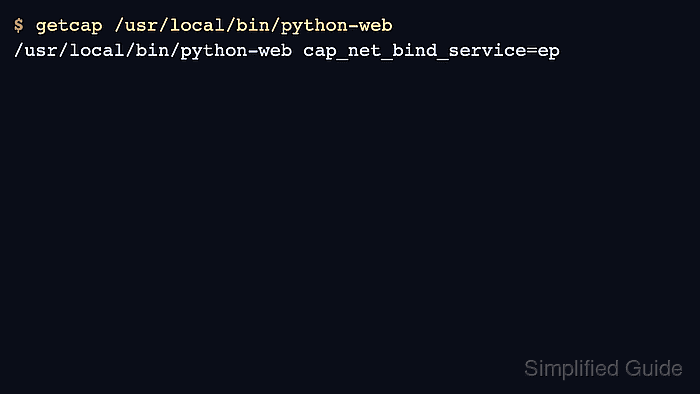
$ getcap /usr/local/bin/python-web
/usr/local/bin/python-web cap_net_bind_service=ep
The e flag places the capability in the effective set at execution time, and the p flag makes it available in the permitted set for that process.
- Run the probe as the unprivileged account.
$ sudo -u nobody /usr/local/bin/python-web /tmp/bind-low-port.py
bound 127.0.0.1:80
- Verify the exact capability assignment with setcap.
$ sudo setcap -v cap_net_bind_service=+ep /usr/local/bin/python-web
/usr/local/bin/python-web: OK
setcap -v exits with an error if the file does not match the capability text supplied on the command line.
- Remove the file capability when the exception is no longer needed.
$ sudo setcap -r /usr/local/bin/python-web
- Confirm no file capability remains.
$ getcap /usr/local/bin/python-web
No output from getcap means the executable no longer has a file capability assigned.
- Confirm the unprivileged behavior is restored.
$ sudo -u nobody /usr/local/bin/python-web /tmp/bind-low-port.py
bind failed: [Errno 13] Permission denied
- Remove the temporary executable and probe.
$ sudo rm -f /usr/local/bin/python-web /tmp/bind-low-port.py

Mohd Shakir Zakaria is a cloud architect with deep roots in software development and open-source advocacy. Certified in AWS, Red Hat, VMware, ITIL, and Linux, he specializes in designing and managing robust cloud and on-premises infrastructures.


