How to accelerate file downloads in Linux terminal
Large ISO images, release archives, and backup bundles can stall when a mirror limits each connection below the local link speed. A terminal download accelerator opens several range requests for the same file so unused bandwidth can be used without switching to a graphical download manager.
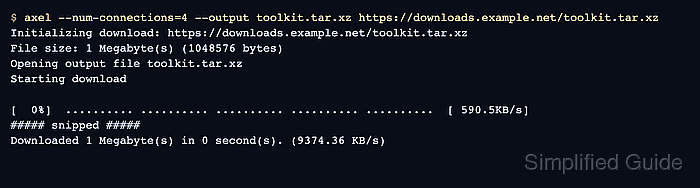
Axel is a lightweight command-line download accelerator for HTTP, HTTPS, FTP, and FTPS URLs. It writes the downloaded ranges directly into the destination file, and its --num-connections option controls how many connections are opened for the same transfer.
Acceleration depends on the remote server allowing byte ranges. Direct file URLs work best, while release pages, login redirects, signed URLs, and mirrors that return a full 200 OK response to every request usually prevent Axel from splitting the file. Start with a small connection count because aggressive fan-out can trigger mirror throttling or resets.
Related: Run parallel downloads with cURL
Related: Resume a download with cURL
Related: Throttle download speed with wget
Steps to accelerate file downloads with Axel in Linux terminal:
- Copy the direct file URL for the archive or image.
Axel needs the file URL itself, not the surrounding release page. Install Axel from the distribution package repository first if the axel command is not available.
- Check whether the server supports byte ranges.
$ curl --silent --show-error --dump-header - --output /dev/null --range 0-0 https://downloads.example.net/toolkit.tar.xz
HTTP/2 206
content-type: application/octet-stream
accept-ranges: bytes
content-range: bytes 0-0/1048576
content-length: 1
206 Partial Content plus content-range shows that the server returned only the requested byte. If the response is 200 OK, Axel may fall back to a single connection.
Tool: HTTP Header Checker - Start the accelerated download with a modest connection count.
$ axel --num-connections=4 --output toolkit.tar.xz https://downloads.example.net/toolkit.tar.xz
Initializing download: https://downloads.example.net/toolkit.tar.xz
File size: 1 Megabyte(s) (1048576 bytes)
Opening output file toolkit.tar.xz
Starting download

[  0%]  .......... .......... .......... .......... ..........  [ 590.5KB/s]
##### snipped #####
Downloaded 1 Megabyte(s) in 0 second(s). (9374.36 KB/s)
Use 2 or 4 connections first. Increase the value only when the mirror allows it and the local link still has unused bandwidth.
- Compare the local byte count with the remote file size.
$ wc --bytes toolkit.tar.xz
1048576 toolkit.tar.xz
The number after the slash in content-range is the full remote object size. A matching local byte count confirms that the file reached the advertised length.
- Remove the sample file if it was only a download test.
$ rm toolkit.tar.xz