How to create a virtual environment for LangChain
LangChain projects combine the core framework, provider integrations, vector store clients, and local development tools in one Python package set. A project virtual environment keeps those packages tied to one source tree instead of changing the interpreter used by the operating system or another application.
The built-in venv module is enough for a simple LangChain project environment. A POSIX shell with python3 creates .venv from the project directory; after activation, python and pip resolve to the environment interpreter.
LangChain requires Python 3.10 or newer. The core package installs without provider credentials, while model providers such as OpenAI or Anthropic need separate integration packages after the base environment is working.
Related: Create a Python virtual environment
Related: How to install LangChain with pip
Steps to create a LangChain virtual environment:
- Change to the LangChain project directory.
$ cd ~/langchain-demo
Create the directory first if this is a new project. Keep source files outside .venv because virtual environments are disposable.
- Confirm that the base interpreter is new enough for LangChain.
$ python3 --version
Python 3.14.4
LangChain requires Python 3.10+. On Windows, use py --version and py -m venv .venv when the launcher selects the intended interpreter.
- Create the environment in .venv.
$ python3 -m venv .venv
The command normally prints no output and bootstraps pip unless --without-pip is used. If Debian or Ubuntu reports that ensurepip is unavailable, install the matching python3-venv package and rerun the command.
Related: Install Python on Ubuntu or Debian - Activate the environment in the current shell.
$ source .venv/bin/activate
Use .venv\Scripts\activate in Windows Command Prompt or .venv\Scripts\Activate.ps1 in PowerShell.
Related: Activate a Python virtual environment - Confirm that pip belongs to the virtual environment.
(.venv)$ python -m pip --version
pip 25.1.1 from /home/developer/langchain-demo/.venv/lib/python3.14/site-packages/pip (python 3.14)
The path after from should point inside the project .venv directory before package installs start.
- Upgrade pip inside the environment.
(.venv)$ python -m pip install --upgrade pip
Requirement already satisfied: pip in ./.venv/lib/python3.14/site-packages (25.1.1)
Collecting pip
##### snipped #####
Successfully installed pip-26.1.2
This changes only the active virtual environment because python resolves from .venv after activation.
- Install the core LangChain package.
(.venv)$ python -m pip install --upgrade langchain
Collecting langchain
  Downloading langchain-1.3.11-py3-none-any.whl.metadata (6.0 kB)
Collecting langchain-core<2.0.0,>=1.4.7 (from langchain)
##### snipped #####
Installing collected packages: zstandard, xxhash, websockets, uuid-utils, urllib3
##### snipped #####
Successfully installed langchain-1.3.11 langchain-core-1.4.8 langgraph-1.2.7 pydantic-2.13.4
Exact dependency versions change as pip resolves newer releases. Install provider integrations separately when a project needs a hosted model, embedding provider, vector store, or document loader.
Related: How to install LangChain with pip - Confirm that LangChain is installed under .venv.
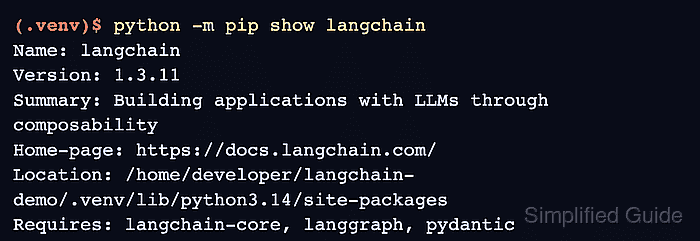
(.venv)$ python -m pip show langchain
Name: langchain
Version: 1.3.11
Summary: Building applications with LLMs through composability
Home-page: https://docs.langchain.com/
Location: /home/developer/langchain-demo/.venv/lib/python3.14/site-packages
Requires: langchain-core, langgraph, pydantic
Required-by:
- Run an import check from the active environment.
(.venv)$ python -c 'import sys, langchain; print(sys.prefix); print(langchain.__version__)'
/home/developer/langchain-demo/.venv
1.3.11
The first output line should point at the project .venv directory, and the second line should print the installed LangChain version.
- Check the environment for broken dependency metadata.
(.venv)$ python -m pip check
No broken requirements found.