How to format chat messages in LangChain
Chat model calls in LangChain use ordered message histories rather than a single transcript string when an application needs roles, prior assistant replies, or tool output. Each item tells the model provider whether the content is system instruction, user input, assistant text, or a tool result, so the message shape becomes part of the application contract.
Current LangChain accepts message objects such as SystemMessage, HumanMessage, AIMessage, and ToolMessage. It also accepts OpenAI-style dictionaries with role and content keys, which fit small payloads or API inputs before application code converts them to objects.
A local fake chat model can validate the message list without a provider key or billable API call. Include a tool-call round trip when the application will send tool results back to the model, because ToolMessage.tool_call_id must point to the AIMessage.tool_calls entry that requested the tool.
Steps to format LangChain chat messages:
- Open an activated Python project environment.
- Install LangChain if the project does not already use the current package.
$ python3 -m pip install --upgrade langchain
Related: How to install LangChain with pip
- Create format_chat_messages.py with object and dictionary message histories.
- format_chat_messages.py
from langchain.messages import AIMessage, HumanMessage, SystemMessage, ToolMessage
from langchain_core.language_models.fake_chat_models import FakeListChatModel


def print_history(label: str, messages: list) -> None:
    print(label)
    for position, message in enumerate(messages, start=1):
        if isinstance(message, dict):
            role = message["role"]
            content = message["content"]
        else:
            role = message.type
            content = message.content
        print(f"{position}. {role}: {content}")


object_messages = [
    SystemMessage("You answer support questions with concise status updates."),
    HumanMessage("Check order A1001 and answer with the shipping status."),
    AIMessage(
        content="I will look up the order before answering.",
        tool_calls=[
            {
                "name": "lookup_order",
                "args": {"order_id": "A1001"},
                "id": "call_lookup_order",
            }
        ],
    ),
    ToolMessage(
        content='{"order_id": "A1001", "status": "shipped"}',
        tool_call_id="call_lookup_order",
    ),
    HumanMessage("Reply to the customer in one sentence."),
]

dict_messages = [
    {"role": "system", "content": "You classify support requests."},
    {"role": "user", "content": "The customer says they cannot reset a password."},
    {"role": "assistant", "content": "Ask for the account email before changing credentials."},
    {"role": "user", "content": "Account email confirmed."},
]

model = FakeListChatModel(
    responses=[
        "Order A1001 shipped and is ready for delivery tracking.",
        "The account email is confirmed for support replies.",
    ]
)

print_history("message objects", object_messages)
print()
print_history("dictionary messages", dict_messages)

object_response = model.invoke(object_messages)
dict_response = model.invoke(dict_messages)

print()
print(f"object response: {type(object_response).__name__}: {object_response.content}")
print(f"dict response: {type(dict_response).__name__}: {dict_response.content}")
SystemMessage, HumanMessage, AIMessage, and ToolMessage preserve LangChain message metadata. Dictionary messages use provider-facing roles such as system, user, and assistant.
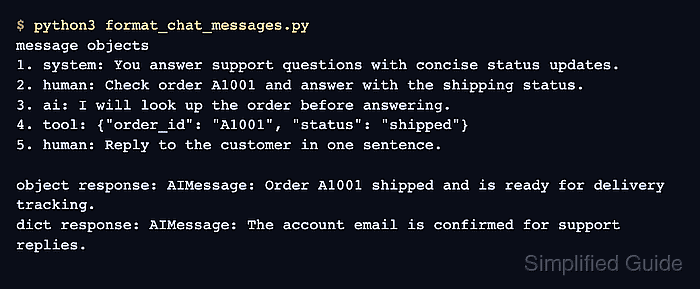
- Run the script to confirm both message shapes invoke the chat model.
$ python3 format_chat_messages.py
message objects
1. system: You answer support questions with concise status updates.
2. human: Check order A1001 and answer with the shipping status.
3. ai: I will look up the order before answering.
4. tool: {"order_id": "A1001", "status": "shipped"}
5. human: Reply to the customer in one sentence.

dictionary messages
1. system: You classify support requests.
2. user: The customer says they cannot reset a password.
3. assistant: Ask for the account email before changing credentials.
4. user: Account email confirmed.

object response: AIMessage: Order A1001 shipped and is ready for delivery tracking.
dict response: AIMessage: The account email is confirmed for support replies.
The object history prints human because HumanMessage.type uses LangChain's internal type name. The dictionary history keeps the provider-facing user role.
- Move the validated message list into the real chat model call.
response = model.invoke(object_messages)
Do not append a ToolMessage unless the previous AIMessage requested the tool and the tool_call_id matches that request. Mismatched tool-call IDs can make provider calls fail before a normal model response is returned.
- Remove the temporary validation script.
$ rm format_chat_messages.py