How to generate OpenAI embeddings in LangChain
OpenAI embedding models turn text into numeric vectors that LangChain can pass to retrievers, vector stores, and semantic search code. A small smoke test confirms that the hosted embedding integration can encode both a search query and source documents before a larger index is built.
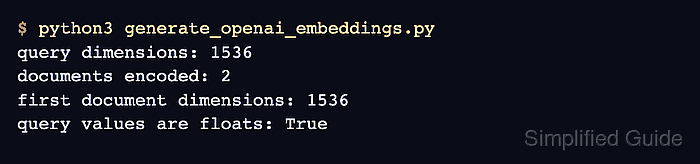
The Python integration lives in the langchain-openai package and uses the OPENAI_API_KEY environment variable through the OpenAI SDK. OpenAIEmbeddings exposes embed_query() for one search string and embed_documents() for batches of source text, so both paths can be checked with one script.
The first smoke test uses text-embedding-3-small because it returns 1536-dimensional vectors by default and is enough to prove the application path. Keep the same embedding model and vector dimension when documents are indexed and queried, because changing either one usually requires re-embedding stored documents.
Steps to generate OpenAI embeddings in LangChain:
- Open an activated Python project environment.
- Install the LangChain OpenAI integration.
$ python3 -m pip install --upgrade langchain-openai
langchain-openai includes the OpenAIEmbeddings class and the current OpenAI Python client dependency.
Related: How to install LangChain with pip - Set the OpenAI API key in the shell session that will run the script.
$ export OPENAI_API_KEY="sk-proj-REPLACE_WITH_YOUR_KEY"
Do not save production API keys inside source files, screenshots, shell history snippets, or committed task notes. Use a secret manager or deployment environment variable for long-running applications.
- Create the embedding smoke-test script.
$ cat > generate_openai_embeddings.py <<'PY'
from langchain_openai import OpenAIEmbeddings

texts = [
    "Password reset requests belong to the identity team.",
    "Billing export issues belong to the finance queue.",
]

embeddings = OpenAIEmbeddings(model="text-embedding-3-small")

query_vector = embeddings.embed_query("Where should password resets go?")
document_vectors = embeddings.embed_documents(texts)

print(f"query dimensions: {len(query_vector)}")
print(f"documents encoded: {len(document_vectors)}")
print(f"first document dimensions: {len(document_vectors[0])}")
print(f"query values are floats: {all(isinstance(value, float) for value in query_vector[:3])}")
PY
embed_query() sends one query string. embed_documents() sends the list of source texts and returns one vector per item.
- Run the script.
$ python3 generate_openai_embeddings.py
query dimensions: 1536
documents encoded: 2
first document dimensions: 1536
query values are floats: True
The dimension count should match the model used to create the vectors. Set OPENAI_API_BASE only when routing through an OpenAI-compatible gateway or service emulator.
Related: How to set an OpenAI-compatible base URL in LangChain - Remove the temporary smoke-test script.
$ rm generate_openai_embeddings.py