How to load a web page in LangChain
Web pages often become retrieval source material after a team has already published reference docs, release notes, or long-form posts online. Loading a static page into LangChain Document objects gives the rest of an ingestion pipeline a consistent content and metadata shape without copying text by hand.
The current Python RAG documentation shows a small requests and BeautifulSoup helper for this path. That keeps the fetch, HTTP error handling, parsing rule, and source metadata visible in one script, which is easier to verify than a hidden scraper when the target page has known HTML classes.
Use this pattern for static pages that return useful HTML to a normal GET request. Browser-rendered apps, login-gated pages, and sites that disallow scraping need a different loader or an approved crawl path, and any retrieved text should be treated as data rather than trusted instructions.
Related: How to install LangChain with pip
Related: How to load a text file in LangChain
Related: How to configure a text splitter in LangChain
Steps to load a web page into LangChain documents:
- Open an activated Python project environment.
- Install LangChain and the parser dependencies.
$ python3 -m pip install -U langchain requests beautifulsoup4
LangChain v1 requires Python 3.10 or newer. The requests package fetches the page, and beautifulsoup4 extracts text from the returned HTML.
Related: How to install LangChain with pip - Save the web page loader script.
- load_web_page.py
import bs4
import requests
from langchain_core.documents import Document


def load_web_page(url: str, bs_kwargs: dict | None = None) -> list[Document]:
    response = requests.get(url, timeout=20)
    response.raise_for_status()
    soup = bs4.BeautifulSoup(response.text, "html.parser", **(bs_kwargs or {}))
    text = soup.get_text("\n", strip=True)
    return [Document(page_content=text, metadata={"source": url})]


page_url = "https://lilianweng.github.io/posts/2023-06-23-agent/"
main_content = bs4.SoupStrainer(class_=("post-title", "post-header", "post-content"))
docs = load_web_page(page_url, bs_kwargs={"parse_only": main_content})
doc = docs[0]

print(f"documents: {len(docs)}")
print(f"source: {doc.metadata['source']}")
print(f"characters: {len(doc.page_content)}")
print("excerpt:")
print(doc.page_content[:320])
SoupStrainer limits parsing to the page title, header, and main post content in this sample. Replace the URL and class names with selectors that match the page your application is allowed to ingest.
- Run the loader script.
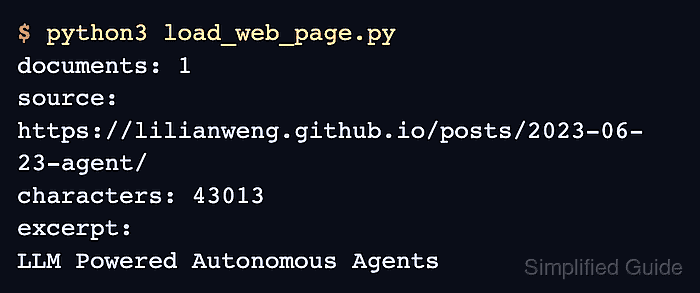
$ python3 load_web_page.py
documents: 1
source: https://lilianweng.github.io/posts/2023-06-23-agent/
characters: 43013
excerpt:
LLM Powered Autonomous Agents
Date: June 23, 2023  |  Estimated Reading Time: 31 min  |  Author: Lilian Weng
Building agents with LLM (large language model) as its core controller is a cool concept. Several proof-of-concepts demos, such as
AutoGPT
,
GPT-Engineer
and
BabyAGI
, serve as inspiring examples. The potentiali
The document count should be 1 for this single page, and the source metadata should match the URL passed to the helper. A small character-count change usually means the public source page changed.
- Remove the sample script if it was only a smoke test.
$ rm load_web_page.py