Plain text files are often the first source material for a retrieval prototype because they carry content without parser-specific layout concerns. In LangChain, loading a .txt file into Document objects gives splitters, retrievers, and vector stores the same input shape used by other loaders.
The Python TextLoader currently lives in the langchain_community package. It reads the file into one document by default, stores the text in page_content, and records the source path in metadata so later chunks or search results can still point back to the original file.
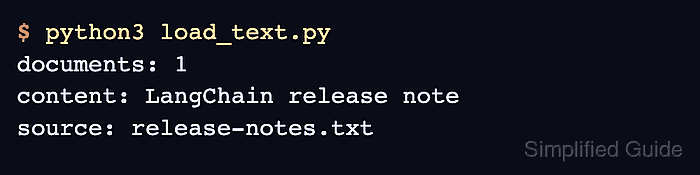
A minimal UTF-8 check should show the loaded document count, first content line, and source metadata. Recent langchain-community releases can print a sunset warning before the script output, so treat that warning as a package-maintenance signal rather than a failed load and pin or retest the loader before using it in long-lived ingestion jobs.
Related: How to load CSV data in LangChain
Related: How to load a web page in LangChain
Related: How to configure a text splitter in LangChain
Steps to load a text file in LangChain:
- Open an activated Python project environment.
- Install the LangChain community loader package.
$ python3 -m pip install --upgrade langchain-community
langchain-community provides the TextLoader import path used by the text-file loader.
Related: How to install LangChain with pip - Create a small text file to load.
$ cat > release-notes.txt <<'TXT'
LangChain release note
TextLoader reads local text files into Document objects.
Each Document keeps page_content and source metadata for later splitting or retrieval.
TXT
- Create the loader script.
$ cat > load_text.py <<'PY'
from langchain_community.document_loaders import TextLoader

loader = TextLoader("release-notes.txt", encoding="utf-8")
documents = loader.load()

print("documents:", len(documents))
print("content:", documents[0].page_content.splitlines()[0])
print("source:", documents[0].metadata["source"])
PY
Set encoding when the source file is known to be UTF-8 or another specific encoding. Relying on the platform default can make the same file behave differently across systems.
- Run the loader script.
$ python3 load_text.py
documents: 1
content: LangChain release note
source: release-notes.txt
The document count should be 1 for this single text file, and the source metadata should match the file path passed to TextLoader.
If Python prints a langchain-community sunset warning before the output, the import still succeeded. Recheck the upstream loader package before committing the dependency to a production ingestion pipeline.
- Remove the temporary sample files after the load check.
$ rm release-notes.txt load_text.py

Mohd Shakir Zakaria is a cloud architect with deep roots in software development and open-source advocacy. Certified in AWS, Red Hat, VMware, ITIL, and Linux, he specializes in designing and managing robust cloud and on-premises infrastructures.


