How to load CSV data in LangChain
CSV exports often sit between business systems and retrieval pipelines, but row-shaped data needs a deliberate mapping before it becomes searchable text. In LangChain, CSVLoader turns each record into a Document so downstream splitters, retrievers, or vector stores can handle the file through the same document interface as text and web loaders.
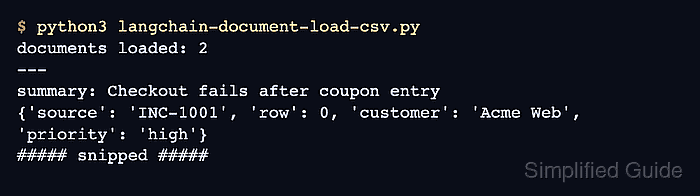
The loader reads the header row through Python's csv parser, formats selected content columns as field: value lines, and attaches metadata such as source, row, and configured metadata columns. Choosing a stable source column before indexing helps later answers point back to a ticket ID, product SKU, or record key instead of only the file path.
The official CSV integration still imports the loader from the langchain_community package. Community document loaders are separate from the main langchain package and can emit migration warnings while LangChain moves integrations into standalone packages, so pin and retest the loader before using it in long-lived ingestion jobs.
Related: How to load a text file in LangChain
Related: How to load a web page in LangChain
Related: How to configure a text splitter in LangChain
Steps to load CSV data in LangChain:
- Open an activated Python project environment.
- Install the LangChain community loader package.
$ python3 -m pip install --upgrade langchain-community
langchain-community provides the CSVLoader import path used by the CSV integration. LangChain packages require Python 3.10 or newer.
Related: How to install LangChain with pip - Create the sample CSV file.
$ cat > support_tickets.csv <<'CSV'
ticket_id,customer,summary,priority
INC-1001,Acme Web,"Checkout fails after coupon entry",high
INC-1002,Northwind,"Invoice export missing tax column",medium
CSV
Check your own file for a header row and consistent columns before loading it.
Tool: Comma-Separated Values (CSV) Converter - Create the loader script.
$ cat > langchain-document-load-csv.py <<'PY'
from langchain_community.document_loaders.csv_loader import CSVLoader

loader = CSVLoader(
    file_path="support_tickets.csv",
    source_column="ticket_id",
    metadata_columns=["customer", "priority"],
    content_columns=["summary"],
)

documents = loader.load()

print(f"documents loaded: {len(documents)}")
for document in documents:
    print("---")
    print(document.page_content)
    print(document.metadata)
PY
source_column replaces the default file-path source with the ticket ID. metadata_columns keeps selected fields searchable as metadata, while content_columns limits the document text to the summary field.
- Run the loader script.
$ python3 langchain-document-load-csv.py
documents loaded: 2
---
summary: Checkout fails after coupon entry
{'source': 'INC-1001', 'row': 0, 'customer': 'Acme Web', 'priority': 'high'}
---
summary: Invoice export missing tax column
{'source': 'INC-1002', 'row': 1, 'customer': 'Northwind', 'priority': 'medium'}
The document count should match the data rows, and each metadata dictionary should include the row number plus the configured metadata columns.
If Python prints a langchain-community sunset warning before the output, the import still succeeded. Recheck the upstream CSV integration before pinning the package for production ingestion.
- Remove the temporary files.
$ rm support_tickets.csv langchain-document-load-csv.py