How to create a GraphQL request in JMeter
GraphQL APIs usually expose one endpoint while the query text, variables, and operation name decide which data is requested. JMeter provides a GraphQL HTTP Request sampler so a load test can send those pieces as a normal HTTP request without hand-building the JSON body for every sampler.
The sampler is a GUI variation of the HTTP Request sampler. It keeps Query, Variables, and Operation Name in dedicated fields, converts them into HTTP arguments under the hood, and defaults to POST for GraphQL over HTTP. Request headers such as Content-Type and Accept still belong in an HTTP Header Manager.
Start with one thread and one loop against a disposable or read-only GraphQL operation before raising load. A small smoke test with a named operation, a JSON variables object, and a response assertion proves that JMeter sent the expected request and recorded a successful JSON response.
Steps to create a JMeter GraphQL request:
- Open the test plan in the JMeter GUI and select the Thread Group that should send the GraphQL request.
- Set the shared GraphQL endpoint in HTTP Request Defaults.
Protocol: https
Server Name or IP: api.example.net
Port Number: 443
Keep shared protocol, host, and port values in HTTP Request Defaults when several samplers target the same API. Put the endpoint path on the sampler so each request remains easy to identify.
Related: How to configure HTTP Request Defaults in JMeter - Add an HTTP Header Manager under the Thread Group.
Content-Type: application/json
Accept: application/json
Authorization: Bearer ${api_token}
Omit Authorization when the endpoint is public. Store secret tokens in a variable source instead of pasting live credentials into a shared .jmx file.
Related: How to add HTTP headers in JMeter
Related: How to add a bearer token header in JMeter - Add a GraphQL HTTP Request sampler under the Thread Group from Thread Group → Add → Sampler → GraphQL HTTP Request.
- Name the sampler and set the endpoint path.
Name: POST /graphql GetCustomer
Method: POST
Path: /graphql
POST is selected by default for GraphQL HTTP Request samplers. Use GET only when the target API explicitly supports GraphQL queries through the URL.
- Paste the GraphQL operation into Query.
query GetCustomer($id: ID!) {
  customer(id: $id) {
    id
    name
    tier
  }
}
Tool: GraphQL Formatter
- Enter the variables object in Variables.
{
  "id": "C-1001"
}
Variables must contain valid JSON. JMeter ignores invalid variable JSON for the request body and writes an error to the run log.
- Set Operation Name when the query document contains a named operation.
GetCustomer
Use the exact operation name from the query text when the document contains more than one operation.
- Add a Response Assertion under the sampler for a field that should appear in the JSON response.
"tier":"gold"
Use a JSON Assertion when the response should be checked by JSON path instead of a text fragment.
Related: How to add a response assertion in JMeter
Related: How to add a JSON assertion in JMeter - Save the test plan.
graphql-request-create.jmx
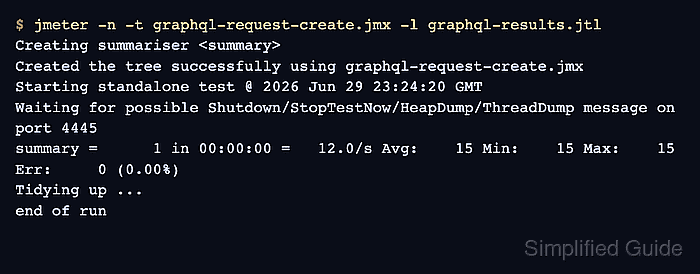
- Run a one-user non-GUI smoke test.
$ jmeter -n -t graphql-request-create.jmx -l graphql-results.jtl
Creating summariser <summary>
Created the tree successfully using graphql-request-create.jmx
Starting standalone test @ 2026 Jun 29 23:24:20 GMT
Waiting for possible Shutdown/StopTestNow/HeapDump/ThreadDump message on port 4445
summary =      1 in 00:00:00 =   12.0/s Avg:    15 Min:    15 Max:    15 Err:     0 (0.00%)
Tidying up ...
... end of run
- Check the .jtl result for a successful GraphQL sample.
$ cat graphql-results.jtl
timeStamp,elapsed,label,responseCode,responseMessage,threadName,dataType,success,failureMessage,bytes,sentBytes,grpThreads,allThreads,URL,Latency,IdleTime,Connect
1782775460596,15,POST /graphql GetCustomer,200,OK,GraphQL smoke users 1-1,text,true,,163,362,1,1,https://api.example.net/graphql,13,0,10
- Check the GraphQL service log, mock endpoint, or request inspector for the operation and variables.
$ cat graphql-server.log
method=POST path=/graphql operation=GetCustomer variable_id=C-1001 query_field=customer status=200
response={"data":{"customer":{"id":"C-1001","name":"Ada Lovelace","tier":"gold"}}}