How to run JMeter in GitHub Actions
Continuous integration is a good place to run a small JMeter smoke test before a load script becomes part of a release gate. GitHub Actions can start a saved .jmx plan on an Ubuntu runner, keep the sampler results with the workflow run, and give reviewers one place to inspect the CI evidence.
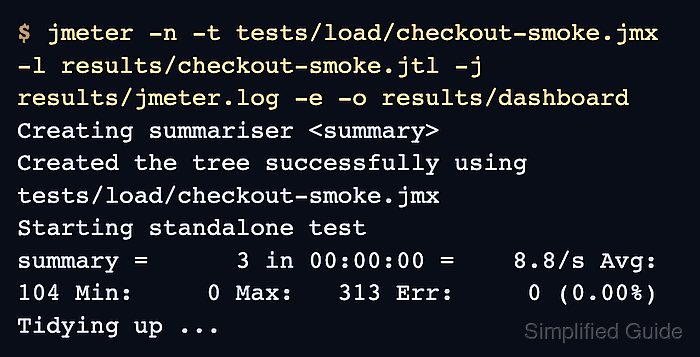
A GitHub Actions job can cache the extracted Apache JMeter directory, prepare Java, and run JMeter in non-GUI mode. The run writes a .jtl result file, a dedicated jmeter.log file, and a static HTML dashboard directory before the artifact upload step collects them.
Keep the first CI version small enough for pull-request feedback. A smoke-sized plan with assertions and a short thread count belongs in GitHub Actions; sustained load, production traffic, and long soak tests should run from runners or load agents sized for that traffic.
Steps to run JMeter in GitHub Actions:
- Save the non-GUI test plan in the repository.
Repository file: tests/load/checkout-smoke.jmx
JMeter artifact directory: results/
Build and debug the .jmx plan outside CI first, then commit the version that can run without visual listeners or local-only paths.
- Create .github/workflows/jmeter-smoke.yml.
name: JMeter smoke

on:
  workflow_dispatch:
  pull_request:

permissions:
  contents: read

env:
  JMETER_VERSION: 5.6.3

jobs:
  jmeter:
    runs-on: ubuntu-latest
    timeout-minutes: 15
    steps:
      - name: Check out repository
        uses: actions/checkout@v6

      - name: Set up Java
        uses: actions/setup-java@v4
        with:
          distribution: temurin
          java-version: '21'

      - name: Cache Apache JMeter
        id: cache-jmeter
        uses: actions/cache@v4
        with:
          path: ~/.jmeter/apache-jmeter-5.6.3
          key: ubuntu-jmeter-5.6.3

      - name: Install Apache JMeter
        if: steps.cache-jmeter.outputs.cache-hit != 'true'
        run: |
          mkdir -p "$HOME/.jmeter"
          curl --location --fail --show-error \
            --output /tmp/apache-jmeter.tgz \
            "https://archive.apache.org/dist/jmeter/binaries/apache-jmeter-${JMETER_VERSION}.tgz"
          tar --extract --gzip \
            --file /tmp/apache-jmeter.tgz \
            --directory "$HOME/.jmeter"

      - name: Add JMeter to PATH
        run: echo "$HOME/.jmeter/apache-jmeter-${JMETER_VERSION}/bin" >> "$GITHUB_PATH"

      - name: Run JMeter smoke test
        run: |
          mkdir -p results/dashboard
          jmeter -n \
            -t tests/load/checkout-smoke.jmx \
            -l results/checkout-smoke.jtl \
            -j results/jmeter.log \
            -e \
            -o results/dashboard

      - name: Upload JMeter results
        if: always()
        uses: actions/upload-artifact@v4
        with:
          name: jmeter-results
          path: |
            results/checkout-smoke.jtl
            results/jmeter.log
            results/dashboard
          retention-days: 14
The pinned JMETER_VERSION value, cache path, and cache key must change together when moving to another JMeter release.
- Review the cache path before committing the workflow.
Cache path: ~/.jmeter/apache-jmeter-5.6.3
Cache key: ubuntu-jmeter-5.6.3
Do not cache tokens, SSH keys, environment files, or repository secrets.
Tool: GitHub Actions Cache Config Generator - Stage the workflow and test plan.
$ git add .github/workflows/jmeter-smoke.yml tests/load/checkout-smoke.jmx
- Commit the workflow change.
$ git commit -m "Run JMeter smoke test in GitHub Actions"
- Push the branch to GitHub.
$ git push origin jmeter-smoke
- Start the JMeter smoke workflow from the Actions tab or open a pull request from the pushed branch.
- Open the Run JMeter smoke test step in the workflow log.
Run jmeter -n \
  -t tests/load/checkout-smoke.jmx \
  -l results/checkout-smoke.jtl \
  -j results/jmeter.log \
  -e \
  -o results/dashboard
Creating summariser <summary>
Created the tree successfully using tests/load/checkout-smoke.jmx
Starting standalone test
summary +      1 in 00:00:00 =    3.0/s Avg:   313 Min:   313 Max:   313 Err:     0 (0.00%) Active: 1 Started: 1 Finished: 0
summary +      2 in 00:00:00 =  500.0/s Avg:     0 Min:     0 Max:     1 Err:     0 (0.00%) Active: 0 Started: 1 Finished: 1
summary =      3 in 00:00:00 =    8.8/s Avg:   104 Min:     0 Max:   313 Err:     0 (0.00%)
Tidying up ...
... end of run
A zero process status confirms that the JMeter engine finished. The Err count and .jtl rows still need review because sampler failures are workload evidence, not repository setup evidence.
- Download the jmeter-results artifact and list the saved files.
$ ls -R results
results:
checkout-smoke.jtl
dashboard
jmeter.log

results/dashboard:
content
index.html
sbadmin2-1.0.7
statistics.json

results/dashboard/content:
css
js
pages
##### snipped #####
The artifact should include the raw result file, jmeter.log, and results/dashboard/index.html so the run can be reviewed after the runner is gone.
- Check the downloaded .jtl file for failed samples.
$ cat results/checkout-smoke.jtl
timeStamp,elapsed,label,responseCode,responseMessage,threadName,dataType,success,failureMessage,bytes,sentBytes,grpThreads,allThreads,URL,Latency,IdleTime,Connect
1782774482785,313,checkout-smoke,200,OK,Thread Group 1-1,text,true,,21,0,1,1,null,0,0,0
1782774483099,1,checkout-smoke,200,OK,Thread Group 1-1,text,true,,21,0,1,1,null,0,0,0
1782774483100,0,checkout-smoke,200,OK,Thread Group 1-1,text,true,,21,0,1,1,null,0,0,0
The success column should show true for each accepted smoke sample. Add a parser or assertion gate if the workflow must fail automatically when any row is false.