How to save values in localStorage with JavaScript
Browser-side preferences often need to survive a reload without being sent back to the server on every request. localStorage gives JavaScript a same-origin storage area for small string values such as a theme choice, layout density, or a dismissed banner state.
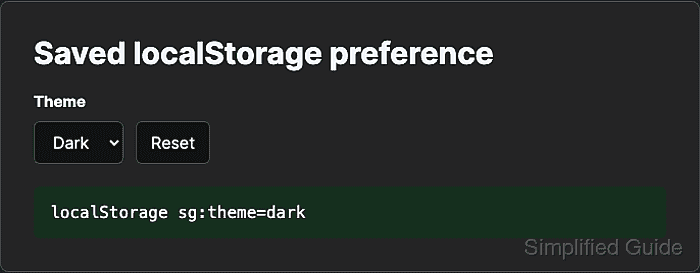
The Storage methods keep the code explicit: setItem() writes a key, getItem() returns a string or null, and removeItem() deletes one key. A stable application prefix, such as sg:theme, avoids collisions with unrelated values from the same origin.
Use localStorage only for non-sensitive client state that the application can recreate. Browser privacy settings, private sessions, storage quotas, and direct file: URLs can change whether storage is available or how long values remain, so server-side authorization, secrets, and required data belong somewhere else.
Steps to save a localStorage value with JavaScript:
- Define the storage key, fallback value, and UI update function.
const storageKey = "sg:theme";
const fallbackTheme = "light";
const themeSelect = document.querySelector("#theme");
const status = document.querySelector("#theme-status");

function applyTheme(theme) {
  document.documentElement.dataset.theme = theme;
  themeSelect.value = theme;
  status.textContent = `localStorage ${storageKey}=${theme}`;
}
localStorage is scoped by origin, including scheme, host, and port. A page on https://example.com does not share the same storage object as http://example.com.
- Read the saved value during page startup.
const savedTheme = localStorage.getItem(storageKey) ?? fallbackTheme;

applyTheme(savedTheme);
getItem() returns null when the key does not exist. The nullish coalescing operator keeps the fallback only for missing values.
- Save the selected value when the control changes.
themeSelect.addEventListener("change", (event) => {
  const selectedTheme = event.target.value;
  localStorage.setItem(storageKey, selectedTheme);
  applyTheme(selectedTheme);
});
Do not store passwords, access tokens, personal records, or authorization state in localStorage. Any script running on the same origin can read the stored value.
- Remove the saved value when the user resets the preference.
const resetButton = document.querySelector("#reset-theme");

resetButton.addEventListener("click", () => {
  localStorage.removeItem(storageKey);
  applyTheme(fallbackTheme);
});
- Select Dark in the page and confirm the key exists in the browser console.
> localStorage.getItem("sg:theme") "dark" - Reload the same-origin page and confirm the saved value is still applied.
> localStorage.getItem("sg:theme") "dark" - Open the same URL in another tab and confirm the key is shared by origin.
> localStorage.getItem("sg:theme") "dark" - Click Reset and confirm the key is gone.
> localStorage.getItem("sg:theme")
null