JavaScript often receives structured data as text from APIs, storage, configuration files, and message queues. JSON.parse() crosses that boundary into JavaScript values, while JSON.stringify() prepares selected values for another text-based handoff.
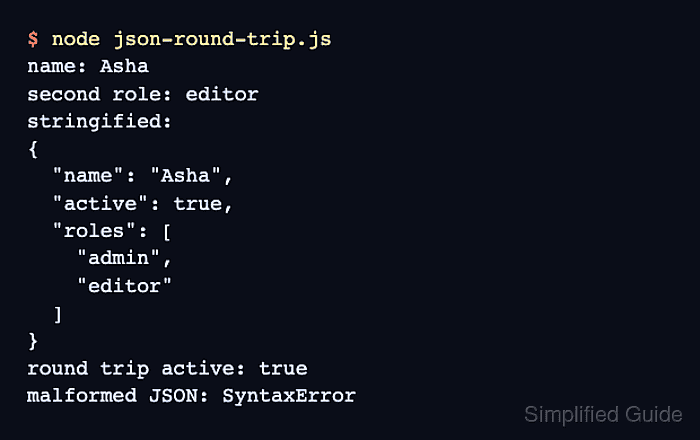
Strict JSON is narrower than a JavaScript object literal. Object keys and strings require double quotes, comments and trailing commas are invalid, and malformed input makes JSON.parse() throw a SyntaxError before it returns a value.
Application code should parse input once, work with the returned value, and build an explicit outbound object before stringifying it. Parsing the generated text again and comparing the result with that outbound object confirms that the chosen data survives the round trip.
Steps to parse and stringify JSON in JavaScript:
- Create json-round-trip.mjs with strict JSON input and parsed-field reads.
- json-round-trip.mjs
import assert from "node:assert/strict";

const incomingJson = '{"name":"Asha","roles":["admin","editor"],"active":true}';
const profile = JSON.parse(incomingJson);

console.log(`parsed name: ${profile.name}`);
console.log(`second role: ${profile.roles[1]}`);
JSON.parse() throws when the input is not valid JSON. A boundary-level catch can reject the payload or return a deliberate fallback.
Related: How to handle JavaScript errors with try-catch
Tool: JSON Validator - Add the outbound object after the parsed-field reads.
const outgoingProfile = {
  name: profile.name,
  active: profile.active,
  roles: profile.roles,
};
An explicit outbound object limits the handoff to the selected fields instead of copying every incoming property.
- Append the stringification block after outgoingProfile.
const outboundJson = JSON.stringify(outgoingProfile, null, 2);
console.log("stringified JSON:");
console.log(outboundJson);
The space argument of 2 adds indentation for readable output. Compact JSON uses JSON.stringify(outgoingProfile) without the optional replacer and space arguments.
JSON.stringify() throws for circular references and raw BigInt values. It also omits object properties whose values are undefined, functions, or symbols; unsupported values need deliberate conversion before the handoff.
- Append the round-trip assertion after the stringified output.
const roundTripProfile = JSON.parse(outboundJson);
assert.deepStrictEqual(roundTripProfile, outgoingProfile);
console.log("round trip: matched");
assert.deepStrictEqual() stops the script if parsing the generated JSON does not reproduce the selected outbound data.
- Run the completed module with Node.js.
$ node json-round-trip.mjs parsed name: Asha second role: editor stringified JSON: { "name": "Asha", "active": true, "roles": [ "admin", "editor" ] } round trip: matched - Confirm that the parsed fields, generated JSON, and round trip: matched line all appear.
The matched line is printed only after assert.deepStrictEqual() compares the reparsed data with outgoingProfile.

Mohd Shakir Zakaria is a cloud architect with deep roots in software development and open-source advocacy. Certified in AWS, Red Hat, VMware, ITIL, and Linux, he specializes in designing and managing robust cloud and on-premises infrastructures.


