How to find Java processes on Linux
A Linux host can run several JVMs at once, and process names such as java rarely identify which application owns a PID. Start with a Java-aware listing, then fall back to normal process tools when the JDK tools are missing or the process runs in another namespace.
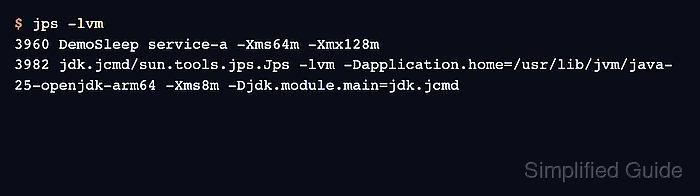
The JDK includes jps and jcmd for HotSpot JVM discovery. jps -lvm shows the local JVM identifier, main class or JAR, application arguments, and JVM arguments, but Oracle documents jps as experimental and not a stable scripting interface. Use it for operator inspection, not fragile automation.
Linux process tools still matter because many production hosts have only a JRE, a stripped runtime image, or container boundaries that hide JVMs from host-side JDK tools. The examples were verified in an Ubuntu 26.04 container with OpenJDK 25 and procps; run the Java-aware commands as the same Linux user as the target JVM when attach permissions matter.
Steps to find Java processes on Linux:
- List JVMs visible to the current user with jps.
$ jps -lvm
3960 DemoSleep service-a -Xms64m -Xmx128m
3982 jdk.jcmd/sun.tools.jps.Jps -lvm -Dapplication.home=/usr/lib/jvm/java-25-openjdk-arm64 -Xms8m -Djdk.module.main=jdk.jcmd
The first column is the local JVM identifier, which is normally the Linux PID. Ignore the row for sun.tools.jps.Jps or jdk.jcmd/sun.tools.jps.Jps because that is the listing command itself.
- Use pgrep when JDK tools are unavailable or when a broad Linux process scan is enough.
$ pgrep -A -af java
3960 java -Xms64m -Xmx128m DemoSleep service-a
-a prints the command line, -f searches the full command line, and -A avoids ancestor shell matches. A wrapper script or service command may still contain java without being the JVM process, so confirm the PID before attaching diagnostic tools.
- Inspect one candidate with ps to see its parent process, user, runtime age, and full command.
$ ps -p 3960 -o pid,ppid,user,etime,cmd
    PID    PPID USER         ELAPSED CMD
   3960       1 root           00:02 java -Xms64m -Xmx128m DemoSleep service-a
If ps truncates the command on a narrow terminal, widen the terminal or use a larger output capture rather than guessing from the visible prefix.
- Confirm the JVM command line with jcmd before taking heavier diagnostics from the process.
$ jcmd 3960 VM.command_line
3960:
VM Arguments:
jvm_args: -Xms64m -Xmx128m
java_command: DemoSleep service-a
java_class_path (initial): .
Launcher Type: SUN_STANDARD
jcmd must attach to a visible JVM on the same host and normally needs the same effective Linux user and group identifiers as the target process. Run it inside the same container or service namespace when host-side discovery does not show the process.