How to enable Java garbage collection logging
Garbage collection logging must be enabled when the JVM starts, before a memory spike or pause has already passed. Current HotSpot builds write garbage collection evidence through unified logging, so the startup command needs an -Xlog option that names the gc tags, the output file, and the fields that should appear on each log line.
The -Xlog:gc* selector records the normal gc summary lines plus related initialization, heap, phase, CPU, and exit details. Sending the output to a file keeps the application console readable, and filecount plus filesize keep long-running processes from filling a filesystem with one unbounded log.
Place the logging option before -jar, the main class name, or the module launcher target because those later arguments belong to the application. The log directory must already exist and be writable by the account that starts the Java process, and GC logs can expose heap sizes, pause timing, host capacity, and workload behavior that should stay inside the same evidence-handling boundary as other production diagnostics.
Steps to enable Java garbage collection logging:
- Create or choose a writable directory for the GC log.
$ mkdir -p logs
The JVM can create the log file, but it does not create missing parent directories for the file= target.
- Add the unified GC logging option before the application target in the Java startup command.
$ java -Xlog:gc*:file=logs/gc.log:time,uptime,level,tags:filecount=5,filesize=20m -jar app.jar
For a service, put the same -Xlog:gc*:file=... option in the service's existing JVM options layer, not after application arguments. The filecount and filesize values control log rotation for the selected file output.
- Create a small local class when a disposable syntax check is needed before changing a real application.
public class GcLogDemo {
    public static void main(String[] args) {
        byte[][] blocks = new byte[12][];
        for (int i = 0; i < blocks.length; i++) {
            blocks[i] = new byte[1024 * 1024];
        }
        blocks = null;
        System.gc();
        System.out.println("GC logging test finished");
    }
}
The sample allocates a small amount of memory and calls System.gc() only to produce visible GC records for the log check. It is not an application tuning pattern.
- Compile the sample class.
$ javac GcLogDemo.java
- Start the sample class with GC logging enabled.
$ java -Xmx32m -Xlog:gc*:file=logs/gc.log:time,uptime,level,tags:filecount=5,filesize=5m GcLogDemo
GC logging test finished
-Xmx32m is used only to make the disposable sample produce GC activity quickly. Keep heap-size changes separate from GC logging when updating a real application command.
- Confirm that the JVM created the configured log file.
$ ls -lh logs/gc.log
-rw-r--r-- 1 app app 9.3K Jun  8 08:21 logs/gc.log
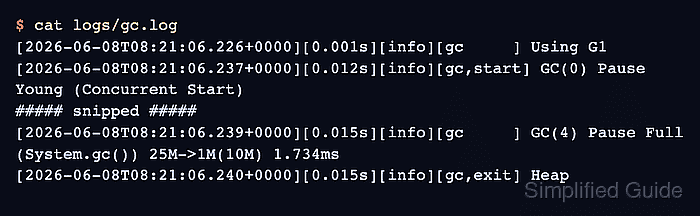
- Inspect the GC log and look for gc records, pause lines, and heap-exit details.
$ cat logs/gc.log
[2026-06-08T08:21:06.226+0000][0.001s][info][gc,init] CardTable entry size: 512
[2026-06-08T08:21:06.226+0000][0.001s][info][gc     ] Using G1
##### snipped #####
[2026-06-08T08:21:06.239+0000][0.015s][info][gc     ] GC(4) Pause Full (System.gc()) 25M->1M(10M) 1.734ms
[2026-06-08T08:21:06.240+0000][0.015s][info][gc,exit] Heap
Legacy Java 8 commands used flags such as -XX:+PrintGCDetails and -Xloggc. Current HotSpot logging uses -Xlog, where -Xlog:gc* is the unified logging equivalent for detailed GC output.
- Remove the disposable sample files if they were created only for this check.
$ rm GcLogDemo.java GcLogDemo.class logs/gc.log