How to back up and restore iptables rules
Firewall rule backups matter before maintenance because a mistaken flush, package change, or migration can remove the runtime rules that still protect the host. The backup must capture the active iptables ruleset and prove that the saved file can be parsed, restored, and compared against the live firewall state afterward.
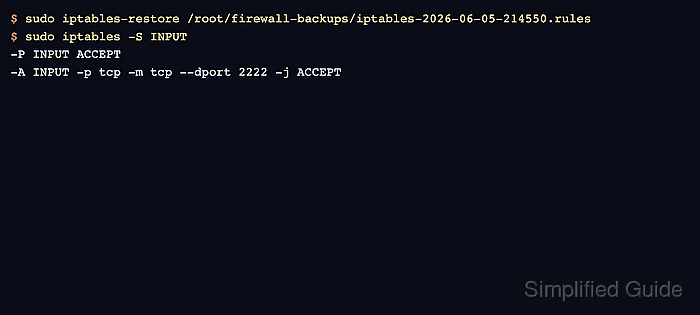
iptables-save writes the current rules in the format that iptables-restore reads back into the kernel packet-filter layer. The --test restore check parses the file without committing it, while the normal restore command applies the saved ruleset from the file.
Use a console, out-of-band session, or a second confirmed login before changing rules on a remote server. Restoring a full saved ruleset replaces the active table contents by default, so persistence across reboot is a separate step after the recovered runtime rules are known good.
Steps to back up and restore iptables rules:
- Confirm the active iptables backend before saving the firewall state.
$ sudo iptables --version
iptables v1.8.11 (nf_tables)
The backend matters when moving rules between hosts. Restore nf_tables backups with the same compatible iptables backend unless migration is the goal. Related: How to check the active iptables backend
- Create a protected directory for firewall backup files.
$ sudo install -d -m 700 /root/firewall-backups
- Save the current runtime ruleset to a timestamped backup file.
$ sudo iptables-save -f /root/firewall-backups/iptables-2026-06-05-214550.rules
Use ip6tables-save as a separate backup when the host has IPv6 firewall rules.
- Confirm that the backup file exists before changing the firewall.
$ sudo ls -l /root/firewall-backups/iptables-2026-06-05-214550.rules
-rw-r--r-- 1 root root 241 Jun  5 21:45 /root/firewall-backups/iptables-2026-06-05-214550.rules
The file can be world-readable because the directory is mode 700, but store backups outside shared paths when rule comments or addresses are sensitive.
- Parse the backup file without applying it.
$ sudo iptables-restore --test /root/firewall-backups/iptables-2026-06-05-214550.rules
No output means iptables-restore accepted the file syntax without committing changes.
- Restore the saved ruleset during the maintenance or recovery window.
$ sudo iptables-restore /root/firewall-backups/iptables-2026-06-05-214550.rules
This restore replaces the previous contents of the restored tables unless --noflush is used deliberately. Keep the current management session open until the final rule and traffic checks pass.
- List the restored chain that contains the rule being recovered.
$ sudo iptables -S INPUT
-P INPUT ACCEPT
-A INPUT -p tcp -m tcp --dport 2222 -j ACCEPT
Use the chain and table that matter for the saved policy. For example, add -t nat when checking restored NAT rules. Related: How to list iptables rules with counters
- Save the restored runtime ruleset to a temporary comparison file.
$ sudo iptables-save -f /tmp/iptables-after-restore.rules
- Compare the restored runtime ruleset with the original backup.
$ sudo cmp /root/firewall-backups/iptables-2026-06-05-214550.rules /tmp/iptables-after-restore.rules
No output from cmp means the restored runtime rules match the backup file exactly.