How to insert an iptables rule at a specific position
When an iptables rule must override a broader rule below it, appending the new rule can leave traffic blocked or accepted by the wrong match. Insert by line number when the chain already contains a default-deny rule, a temporary exception, or another rule that should stay lower in the evaluation order.
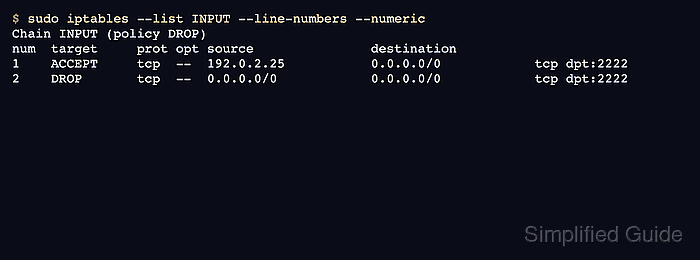
The --insert operation places a rule before the numbered rule in the selected chain. If no number is given, iptables inserts at the top of the chain. Line numbers come from the live ruleset, start at 1, and shift as soon as a rule is added or removed, so take a fresh listing immediately before the insert.
The examples use the filter table's INPUT chain and add a narrow TCP source exception above a broader DROP for the same port. Keep an existing management session open when changing remote access, repeat the equivalent rule with ip6tables for IPv6 traffic, and save the ruleset only after a connection test and counters show the inserted rule is matching.
Steps to insert an iptables rule at a specific position:
- List the current chain with line numbers and counters.
$ sudo iptables --list INPUT --line-numbers --numeric --verbose
Chain INPUT (policy DROP 0 packets, 0 bytes)
num   pkts bytes target     prot opt in     out     source               destination
1        0     0 ACCEPT     all  --  *      *       0.0.0.0/0            0.0.0.0/0            ctstate RELATED,ESTABLISHED
2        0     0 DROP       tcp  --  *      *       0.0.0.0/0            0.0.0.0/0            tcp dpt:2222
The default table is filter. Add --table nat, --table mangle, or another table name only when the rule belongs outside filter.
- Choose the line number the new rule must appear before.
Inserting at line 2 places the new rule above the current line 2. Omitting the number inserts at line 1, which can be too broad when established-connection, loopback, or management rules should stay first.
- Check whether the exact rule already exists.
$ sudo iptables --check INPUT --source 192.0.2.25 --protocol tcp --match tcp --destination-port 2222 --jump ACCEPT
iptables: Bad rule (does a matching rule exist in that chain?).
No output with exit status 0 means the rule already exists. The error above means the rule still needs to be inserted.
- Insert the rule at the selected line number.
$ sudo iptables --insert INPUT 2 --source 192.0.2.25 --protocol tcp --match tcp --destination-port 2222 --jump ACCEPT
Use the real trusted source, service port, chain, and table. A rule inserted below the broader DROP will still not match the allowed client, and a rule inserted above required safety rules can change more traffic than intended.
- Confirm that the inserted rule appears before the broader rule.
$ sudo iptables --list INPUT --line-numbers --numeric
Chain INPUT (policy DROP)
num  target     prot opt source               destination
1    ACCEPT     all  --  0.0.0.0/0            0.0.0.0/0            ctstate RELATED,ESTABLISHED
2    ACCEPT     tcp  --  192.0.2.25           0.0.0.0/0            tcp dpt:2222
3    DROP       tcp  --  0.0.0.0/0            0.0.0.0/0            tcp dpt:2222
- Test the service from the allowed source.
$ nc -vz -w 2 server.example.net 2222
Connection to server.example.net 2222 port [tcp/*] succeeded!
Run the test from the client represented by 192.0.2.25 or from an equivalent controlled source on the same network path.
- Check exact counters after the traffic test.
$ sudo iptables --list INPUT --line-numbers --numeric --verbose --exact
Chain INPUT (policy DROP 0 packets, 0 bytes)
num      pkts      bytes target     prot opt in     out     source               destination
1           7      552 ACCEPT     all  --  *      *       0.0.0.0/0            0.0.0.0/0            ctstate RELATED,ESTABLISHED
2           1       60 ACCEPT     tcp  --  *      *       192.0.2.25           0.0.0.0/0            tcp dpt:2222
3           0        0 DROP       tcp  --  *      *       0.0.0.0/0            0.0.0.0/0            tcp dpt:2222
The inserted rule's packet counter should increase after the allowed client connects. The broader drop rule should stay unchanged for that allowed test.
- Delete the inserted rule before retrying if it landed in the wrong position.
$ sudo iptables --delete INPUT 2
List the chain again before reinserting. Rule numbers shift immediately after a delete or insert.
Related: How to delete an iptables rule
- Save the runtime rules only after the connection and counter checks pass.
$ sudo netfilter-persistent save
run-parts: executing /usr/share/netfilter-persistent/plugins.d/15-ip4tables save
run-parts: executing /usr/share/netfilter-persistent/plugins.d/25-ip6tables save
Do not save a misplaced rule. Correct the runtime order first, verify the traffic again, and then save through the persistence method used by the host.