How to configure InfluxDB 3 Core for systemd
Configuring InfluxDB 3 Core for systemd keeps the packaged service using explicit storage, node, and plugin settings instead of relying on generated startup defaults. It is the right pass after installing the DEB or RPM package and before starting the service for workloads that need predictable local file storage.
The Linux package reads /etc/influxdb3/influxdb3-core.conf through the packaged influxdb3-core unit. The unit runs an InfluxDB launcher that converts TOML keys into INFLUXDB3_* environment variables before it invokes influxdb3 serve, while command-line flags in the unit still override values from the TOML file.
Keep writable paths under /var/lib/influxdb3 unless the systemd sandbox is changed too. The packaged unit runs as the influxdb3 user, uses ProtectSystem=strict, writes logs to journald, and has no reload action, so every saved TOML change needs a service restart plus a runtime health check.
Steps to configure InfluxDB 3 Core for systemd:
- Confirm the packaged service reads the TOML file.
$ systemctl cat influxdb3-core
# /usr/lib/systemd/system/influxdb3-core.service
[Service]
ExecStart=/usr/lib/influxdb3/python/bin/python3 /usr/lib/influxdb3/influxdb3-launcher --exec=/usr/bin/influxdb3 --flavor=core --stamp-dir=/var/lib/influxdb3 --config-toml=/etc/influxdb3/influxdb3-core.conf -- serve
ExecReload=
WorkingDirectory=/var/lib/influxdb3
StateDirectory=influxdb3
User=influxdb3
Group=influxdb3
ProtectSystem=strict
##### snipped #####
The packaged unit is enabled on fresh package install, but it is not started until the host is configured.
- Back up the packaged TOML file before changing it.
$ sudo cp -a /etc/influxdb3/influxdb3-core.conf /etc/influxdb3/influxdb3-core.conf.bak
- Create the local data and plugin directories with service ownership.
$ sudo install -o influxdb3 -g influxdb3 -m 0750 -d /var/lib/influxdb3/data /var/lib/influxdb3/plugins
If data-dir or plugin-dir must live outside /var/lib/influxdb3, add a systemd drop-in with ReadWritePaths= for those directories before restarting. The packaged sandbox otherwise leaves most host paths read-only.
- Open the TOML configuration file in a privileged editor.
$ sudoedit /etc/influxdb3/influxdb3-core.conf
- Set the local file-backed service values.
node-id="core-01"
object-store="file"
data-dir="/var/lib/influxdb3/data"
plugin-dir="/var/lib/influxdb3/plugins"
log-filter="info"
Use a node-id that identifies this server. For cloud object storage, set object-store and its required bucket or credential keys instead of only changing data-dir.
- Restart the service to apply the TOML changes.
$ sudo systemctl restart influxdb3-core
influxdb3 serve does not reload configuration in place, and the packaged unit has no reload command.
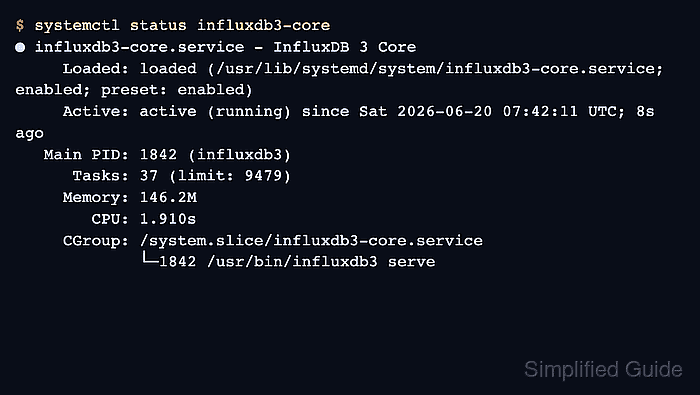
- Confirm the service is active after the restart.
$ systemctl status influxdb3-core ● influxdb3-core.service - InfluxDB 3 Core Loaded: loaded (/usr/lib/systemd/system/influxdb3-core.service; enabled; preset: enabled) Active: active (running) since Sat 2026-06-20 07:42:11 UTC; 8s ago Main PID: 1842 (influxdb3) ##### snipped ##### - Check the recent service log for TOML parsing or path permission errors.
$ sudo journalctl --unit influxdb3-core -n 20 --no-pager
Jun 20 07:42:11 db01 systemd[1]: Started influxdb3-core.service - InfluxDB 3 Core.
Jun 20 07:42:12 db01 influxdb3[1842]: InfluxDB 3 Core server started
##### snipped #####
If the restart fails, fix the first TOML, storage, or permission error in the journal before retrying.
- Confirm the HTTP health endpoint answers after the restart.
$ curl --request GET http://127.0.0.1:8181/health \
  --header "Authorization: Bearer INFLUX_TOKEN"
OK
Replace INFLUX_TOKEN with an admin or service token. The health and ping endpoints require authentication by default on InfluxDB 3 Core.