How to check InfluxDB server health
Checking InfluxDB server health confirms that the HTTP API is reachable and the database process is answering lightweight server information requests. It is a read-only check for restarts, deployments, load-balancer decisions, and quick confirmation that the responding server is the release you expect.
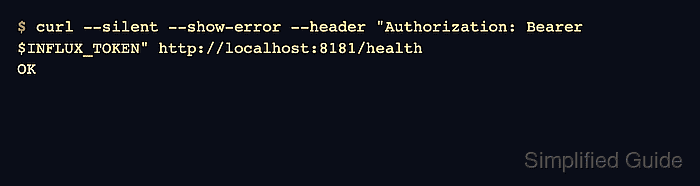
InfluxDB 3 Core listens on port 8181 by default and exposes /health for process health and /ping for version and build details. The health response is intentionally small, so use /ping when the decision depends on the exact version or build.
InfluxDB 3 Core requires authentication on these endpoints by default. Use an existing monitoring or admin token in INFLUX_TOKEN, and replace localhost with the client-facing URL when the check must cover TLS, reverse-proxy, or load-balancer routing.
Steps to check InfluxDB server health:
- Check the InfluxDB 3 Core health endpoint.
$ curl --silent --show-error --header "Authorization: Bearer $INFLUX_TOKEN" http://localhost:8181/health
OK
OK means the server accepted the health request. A 401 response usually points to a missing token or header, not an unreachable database process.
- Check the InfluxDB 3 Core server version.
$ curl --silent --show-error --header "Authorization: Bearer $INFLUX_TOKEN" http://localhost:8181/ping
{"product_name":"InfluxDB 3 Core","version":"3.10.0","revision":"a1e8994464","process_id":"58bb48d4-788d-4829-970d-eab4f9f72b54"}
Use a GET request for /ping. HEAD requests can return 404 Not Found on this endpoint.
- Check the older InfluxDB OSS v2 health response only when the target server is a v2 deployment.
$ curl --silent --show-error http://localhost:8086/health
{"name":"influxdb", "message":"ready for queries and writes", "status":"pass", "checks":[], "version": "v2.9.1", "commit": "d4fa1941fd"}
InfluxDB OSS v2 returns JSON from /health and includes status, message, version, and commit in the response.
- Check InfluxDB OSS v2 startup readiness when an orchestrator or load balancer needs a readiness probe.
$ curl --silent --show-error http://localhost:8086/ready
{
    "status": "ready",
    "started": "2026-06-20T03:30:37Z",
    "up": "34s"
}
Use this readiness probe for InfluxDB OSS v2 startup checks. Keep InfluxDB 3 Core health and version checks on /health and /ping unless the deployed Core release explicitly documents /ready.