InfluxDB exposes server runtime metrics through an HTTP /metrics endpoint so operators can confirm whether monitoring systems can read memory, request, storage, and query activity. Checking the endpoint directly is useful after a deployment, an auth change, or a scrape failure because it separates an InfluxDB metrics problem from a Prometheus or Telegraf configuration problem.
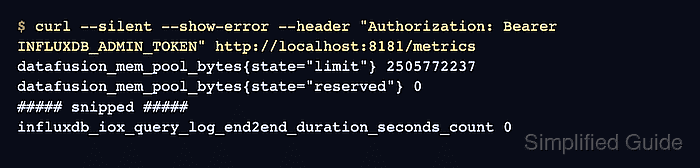
InfluxDB 3 Core serves the metrics endpoint on the same HTTP listener as the API, usually http://localhost:8181/metrics. Default Core servers require an accepted bearer token unless authorization has been disabled for the metrics resource.
InfluxDB OSS v2 exposes Prometheus-format internal metrics at /metrics on the v2 API listener, usually port 8086. Use the scheme, host, port, token, and proxy path that the monitoring scraper will use; a successful response contains metric descriptors and samples instead of JSON.
Related: How to check InfluxDB server health
Related: How to run InfluxDB 3 Core with Docker
Steps to check InfluxDB server metrics:
- Set the InfluxDB HTTP base URL.
$ export INFLUXDB_URL=http://localhost:8181
Use http://localhost:8086 for an InfluxDB OSS v2 server on the default listener, or the external URL that Prometheus, Telegraf, or another scraper reaches through a proxy.
- Set a token that the server accepts for metrics access.
$ export INFLUXDB_TOKEN='INFLUXDB_ADMIN_TOKEN'
InfluxDB 3 Core requires authentication for /metrics by default. If the server was started with --disable-authz metrics, skip the header in the request only on a trusted listener.
- Request the metrics endpoint with the bearer token.
$ curl --silent --show-error --request GET --header "Authorization: Bearer $INFLUXDB_TOKEN" "$INFLUXDB_URL/metrics"
# HELP datafusion_mem_pool_bytes Number of bytes within the datafusion memory pool
# TYPE datafusion_mem_pool_bytes gauge
datafusion_mem_pool_bytes{state="limit"} 2505772237
datafusion_mem_pool_bytes{state="reserved"} 0
##### snipped #####
influxdb_iox_query_log_end2end_duration_seconds_count 0
Prometheus exposition text commonly includes # HELP, # TYPE, and sample lines in the form metric_name{label="value"} number. A JSON error body or HTML proxy page means the scraper is not reaching the metrics response.
- Check the unauthenticated response when a scraper reports authorization errors.
$ curl --silent --show-error --include --request GET "$INFLUXDB_URL/metrics"
HTTP/1.1 401 Unauthorized
##### snipped #####

{"error": "the request was not authenticated"}
A 401 Unauthorized response confirms that the endpoint exists but the scraper is missing an accepted authentication header. Configure the scraper with a bearer token, or intentionally expose only /metrics without authorization by using the server's metrics-specific authz setting.
- Confirm the scraper target uses the same endpoint values that returned metrics.
Keep the scraper path as /metrics and keep the token out of dashboards, screenshots, shared logs, and shared configuration snippets. If the direct request works but the scraper target stays down, check network reachability, proxy rewrites, TLS trust, and the scraper's bearer-token setting before changing InfluxDB.

Mohd Shakir Zakaria is a cloud architect with deep roots in software development and open-source advocacy. Certified in AWS, Red Hat, VMware, ITIL, and Linux, he specializes in designing and managing robust cloud and on-premises infrastructures.


