How to troubleshoot InfluxDB query errors
InfluxDB query errors usually come from the request layer that selected the database, language, table, or column before the engine read any data. Replaying the failing request with the same token and database keeps the investigation anchored to the error that the application or dashboard saw.
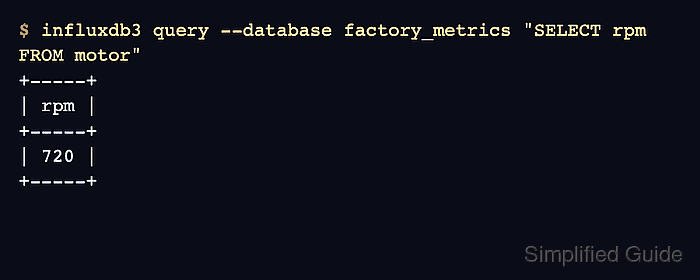
InfluxDB 3 Core treats SQL as the default language for influxdb3 query, while InfluxQL must be selected with --language influxql. A query copied from an older client, Chronograf panel, or migrated dashboard can look valid but fail in the SQL parser if the language is not set.
Schema checks make the next boundary visible. SHOW TABLES exposes user tables under the iox schema, and SHOW COLUMNS shows the names and types that a corrected query must use.
Steps to troubleshoot InfluxDB query errors:
- Set the token for the query session.
$ export INFLUXDB3_AUTH_TOKEN='AUTH_TOKEN'
Use a token with read permission on the target InfluxDB 3 Core database. Do not paste real tokens into shared transcripts, screenshots, shell history, or issue comments.
- Set the host URL when the failing client does not use the default local listener.
$ export INFLUXDB3_HOST_URL=http://localhost:8181
Skip this when querying the default local listener at http://127.0.0.1:8181. Keep the host, proxy, or TLS URL aligned with the application that produced the error.
- Replay the failing SQL query against the same database.
$ influxdb3 query --token "$INFLUXDB3_AUTH_TOKEN" --database factory_metrics "SELECT site, speed FROM motor"
Query command failed: server responded with error [500 Internal Server Error]: Schema error: No field named speed. Valid fields are motor.rpm, motor.site, motor.temperature, motor.time.
A database not found response points to --database or INFLUXDB3_DATABASE_NAME, not the SELECT list. Fix the database target before editing table names, columns, or time predicates.
- List the tables in the same database.
$ influxdb3 query --token "$INFLUXDB3_AUTH_TOKEN" --database factory_metrics "SHOW TABLES"
+---------------+--------------------+---------------------+------------+
| table_catalog | table_schema       | table_name          | table_type |
+---------------+--------------------+---------------------+------------+
| public        | iox                | motor               | BASE TABLE |
| public        | system             | distinct_caches     | BASE TABLE |
##### snipped #####
| public        | information_schema | columns             | VIEW       |
+---------------+--------------------+---------------------+------------+
Rows with table_schema set to iox are user data tables. system and information_schema rows describe server metadata.
- Inspect the columns for the table named in the failing query.
$ influxdb3 query --token "$INFLUXDB3_AUTH_TOKEN" --database factory_metrics "SHOW COLUMNS IN motor"
+---------------+--------------+------------+-------------+-------------------------+-------------+
| table_catalog | table_schema | table_name | column_name | data_type               | is_nullable |
+---------------+--------------+------------+-------------+-------------------------+-------------+
| public        | iox          | motor      | rpm         | Int64                   | YES         |
| public        | iox          | motor      | site        | Dictionary(Int32, Utf8) | YES         |
| public        | iox          | motor      | temperature | Float64                 | YES         |
| public        | iox          | motor      | time        | Timestamp(ns)           | NO          |
+---------------+--------------+------------+-------------+-------------------------+-------------+
Use the listed column_name values exactly. A migrated measurement name maps to an InfluxDB 3 table, while tags and fields appear as columns.
- Replace the missing column with a column that exists.
$ influxdb3 query --token "$INFLUXDB3_AUTH_TOKEN" --database factory_metrics "SELECT site, rpm FROM motor"
+---------+-----+
| site    | rpm |
+---------+-----+
| plant-1 | 720 |
+---------+-----+
- Match an InfluxQL duration or measurement query to the InfluxQL engine.
$ influxdb3 query --token "$INFLUXDB3_AUTH_TOKEN" --database factory_metrics "SELECT rpm FROM motor WHERE time >= now() - 1h"
Query command failed: server responded with error [400 Bad Request]: SQL error: ParserError("Expected: end of statement, found: h at Line: 1, Column: 46")
influxdb3 query defaults to SQL. Duration syntax such as 1h is usually a sign that the query text should be sent as InfluxQL before the predicate is rewritten.
- Re-run the InfluxQL query with the language set explicitly.
$ influxdb3 query --token "$INFLUXDB3_AUTH_TOKEN" --language influxql --database factory_metrics "SELECT rpm FROM motor"
+------------------+---------------------+-----+
| iox::measurement | time                | rpm |
+------------------+---------------------+-----+
| motor            | 2024-03-09T16:00:00 | 720 |
+------------------+---------------------+-----+
- Reproduce an InfluxQL timestamp quoting error before changing the time range.
$ influxdb3 query --token "$INFLUXDB3_AUTH_TOKEN" --language influxql --database factory_metrics 'SELECT rpm FROM motor WHERE time >= "2024-03-09T16:00:00Z"'
Query command failed: server responded with error [400 Bad Request]: rewriting statement
caused by
split condition
caused by
Error during planning: found symbol '"2024-03-09T16:00:00Z"', expected now() or a literal duration, float, integer and timestamp string
InfluxQL uses double quotes for identifiers and single quotes for RFC3339 timestamp strings.
- Verify the same InfluxQL query with the timestamp in single quotes.
$ influxdb3 query --token "$INFLUXDB3_AUTH_TOKEN" --language influxql --database factory_metrics "SELECT rpm FROM motor WHERE time >= '2024-03-09T16:00:00Z'"
+------------------+---------------------+-----+
| iox::measurement | time                | rpm |
+------------------+---------------------+-----+
| motor            | 2024-03-09T16:00:00 | 720 |
+------------------+---------------------+-----+