How to write line protocol with the InfluxDB HTTP API
Writing line protocol through the InfluxDB HTTP API lets an application, agent, or shell test send time series data without using the influxdb3 write command. The native InfluxDB 3 Core write endpoint accepts plain line protocol in the request body and returns an HTTP status that a script can check immediately.
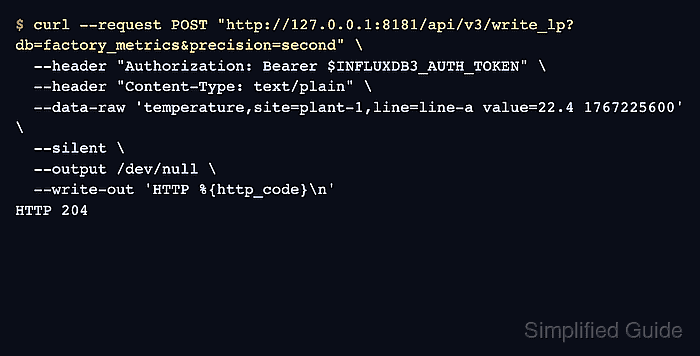
The v3 write endpoint is POST /api/v3/write_lp. The db query parameter selects the database, the Authorization header carries a bearer token, and Content-Type: text/plain tells InfluxDB to parse the body as line protocol instead of JSON.
Use a token with write permission on the target database and keep production tokens out of shared terminals, screenshots, and task reports. A successful write returns HTTP 204 with no response body, so a follow-up query against the table is the clearest proof that the point was stored.
Steps to write line protocol with the InfluxDB HTTP API:
- Choose the API URL, database, and timestamp precision for the write.
API URL: http://127.0.0.1:8181
Database: factory_metrics
Precision: second
The sample point uses temperature as the table, site and line as tags, value as a field, and a Unix-second timestamp.
- Set the write token for the current terminal session.
$ export INFLUXDB3_AUTH_TOKEN='AUTH_TOKEN'
Use an InfluxDB 3 Core token with write permission on the target database. Do not paste a real token into shared transcripts, screenshots, or shell history.
- Post one line protocol point to the v3 write endpoint.
$ curl --request POST "http://127.0.0.1:8181/api/v3/write_lp?db=factory_metrics&precision=second" \
  --header "Authorization: Bearer $INFLUXDB3_AUTH_TOKEN" \
  --header "Content-Type: text/plain" \
  --data-raw 'temperature,site=plant-1,line=line-a value=22.4 1767225600' \
  --silent \
  --output /dev/null \
  --write-out 'HTTP %{http_code}\n'
HTTP 204
HTTP 204 means InfluxDB accepted the batch and has no response body to print. Failed writes can return JSON details for syntax, authorization, schema, or payload problems.
Related: How to troubleshoot InfluxDB line protocol writes - List databases to confirm the db parameter resolved to the expected database.
$ influxdb3 show databases --token "$INFLUXDB3_AUTH_TOKEN"
+-----------------+
| iox::database   |
+-----------------+
| _internal       |
| factory_metrics |
+-----------------+
The v3 write endpoint can create the database if it does not already exist, using the default retention behavior. Create the database first when a specific retention period is required.
Related: How to create an InfluxDB 3 Core database - Query the written point from the target database.
$ influxdb3 query --token "$INFLUXDB3_AUTH_TOKEN" --database factory_metrics "SELECT time, site, line, value FROM temperature WHERE site = 'plant-1' ORDER BY time"
+---------------------+---------+--------+-------+
| time                | site    | line   | value |
+---------------------+---------+--------+-------+
| 2026-01-01T00:00:00 | plant-1 | line-a | 22.4  |
+---------------------+---------+--------+-------+