How to set a Hyperledger Fabric endorsement policy
Setting a Hyperledger Fabric endorsement policy changes which channel organizations must endorse writes for a chaincode. Operators use it when a smart contract needs an explicit organization rule instead of relying on the channel's default endorsement policy.
Fabric stores the chaincode-level endorsement policy in the lifecycle chaincode definition. A policy-only change does not require repackaging or reinstalling the chaincode, but it does require a new lifecycle sequence and matching approvals from the organizations governed by the channel lifecycle policy.
The sample flow assumes a deployed chaincode named basic on mychannel with Org1MSP and Org2MSP admins. Replace the channel name, MSP IDs, orderer endpoint, peer addresses, certificate paths, package ID, and smoke-test transaction before changing a production channel.
Steps to set a Hyperledger Fabric chaincode endorsement policy:
- Change to the Fabric channel-admin workspace.
$ cd fabric-samples/test-network
The channel and chaincode definition must already exist. Deploy the chaincode first when querycommitted does not find the chaincode.
Related: How to deploy Hyperledger Fabric chaincode - Add the Fabric binaries and sample config directory to the current shell.
$ export PATH="$PWD/../bin:$PATH"
$ export FABRIC_CFG_PATH="$PWD/../config"
- Set the channel, chaincode, orderer, and peer certificate values.
$ export CHANNEL_NAME=mychannel
$ export CC_NAME=basic
$ export CC_VERSION=1.0
$ export ORDERER_ADDRESS=localhost:7050
$ export ORDERER_HOST=orderer.example.com
$ export ORDERER_CA="$PWD/organizations/ordererOrganizations/example.com/orderers/orderer.example.com/msp/tlscacerts/tlsca.example.com-cert.pem"
$ export ORG1_TLS_ROOTCERT="$PWD/organizations/peerOrganizations/org1.example.com/peers/peer0.org1.example.com/tls/ca.crt"
$ export ORG2_TLS_ROOTCERT="$PWD/organizations/peerOrganizations/org2.example.com/peers/peer0.org2.example.com/tls/ca.crt"
- Query the current committed chaincode definition.
$ peer lifecycle chaincode querycommitted --channelID "$CHANNEL_NAME" --name "$CC_NAME"
Committed chaincode definition for chaincode 'basic' on channel 'mychannel':
Version: 1.0, Sequence: 1, Endorsement Plugin: escc, Validation Plugin: vscc, Approvals: [Org1MSP: true, Org2MSP: true]
Use the next integer after the committed sequence. A policy-only update can keep the same version when the chaincode package does not change.
- Query the installed package ID from an endorsing peer.
$ peer lifecycle chaincode queryinstalled
Installed chaincodes on peer:
Package ID: basic_1.0:8f65c6a2d4b1d8e6a4f9c1e0a77b5ed22a9569e8a1a4cf2d5bf2d1a29128a928, Label: basic_1.0
- Save the package ID, next sequence, and new endorsement policy.
$ export CC_PACKAGE_ID=basic_1.0:8f65c6a2d4b1d8e6a4f9c1e0a77b5ed22a9569e8a1a4cf2d5bf2d1a29128a928
$ export CC_SEQUENCE=2
$ export CC_POLICY="AND('Org1MSP.member','Org2MSP.member')"
Use --channel-config-policy instead of --signature-policy when the chaincode should follow a channel policy such as Channel/Application/Endorsement. Use Org1MSP.peer style principals only when the channel MSPs support peer role classification.
- Load the Org1 admin identity.
$ export CORE_PEER_TLS_ENABLED=true
$ export CORE_PEER_LOCALMSPID=Org1MSP
$ export CORE_PEER_MSPCONFIGPATH="$PWD/organizations/peerOrganizations/org1.example.com/users/Admin@org1.example.com/msp"
$ export CORE_PEER_TLS_ROOTCERT_FILE="$ORG1_TLS_ROOTCERT"
$ export CORE_PEER_ADDRESS=localhost:7051
- Approve the new policy for Org1.
$ peer lifecycle chaincode approveformyorg \
  -o "$ORDERER_ADDRESS" \
  --ordererTLSHostnameOverride "$ORDERER_HOST" \
  --channelID "$CHANNEL_NAME" \
  --name "$CC_NAME" \
  --version "$CC_VERSION" \
  --package-id "$CC_PACKAGE_ID" \
  --sequence "$CC_SEQUENCE" \
  --signature-policy "$CC_POLICY" \
  --tls \
  --cafile "$ORDERER_CA"
2026-06-21 07:20:14.512 UTC [chaincodeCmd] ClientWait -> INFO 001 txid [7a8a37fb9f6fbf01e59e4512b0dff188b1ff24d3201d3c60cc0eb386512af19f] committed with status (VALID) at localhost:7051
- Load the Org2 admin identity.
$ export CORE_PEER_LOCALMSPID=Org2MSP
$ export CORE_PEER_MSPCONFIGPATH="$PWD/organizations/peerOrganizations/org2.example.com/users/Admin@org2.example.com/msp"
$ export CORE_PEER_TLS_ROOTCERT_FILE="$ORG2_TLS_ROOTCERT"
$ export CORE_PEER_ADDRESS=localhost:9051
- Approve the same policy for Org2.
$ peer lifecycle chaincode approveformyorg \
  -o "$ORDERER_ADDRESS" \
  --ordererTLSHostnameOverride "$ORDERER_HOST" \
  --channelID "$CHANNEL_NAME" \
  --name "$CC_NAME" \
  --version "$CC_VERSION" \
  --package-id "$CC_PACKAGE_ID" \
  --sequence "$CC_SEQUENCE" \
  --signature-policy "$CC_POLICY" \
  --tls \
  --cafile "$ORDERER_CA"
2026-06-21 07:20:49.088 UTC [chaincodeCmd] ClientWait -> INFO 001 txid [2df57c017a57017b948f1545d58a610ac79324ce426791c6609f4e0625edb2a8] committed with status (VALID) at localhost:9051
Every approving organization must use the same chaincode name, version, sequence, collection configuration, and endorsement policy. A mismatch leaves that organization's readiness status at false.
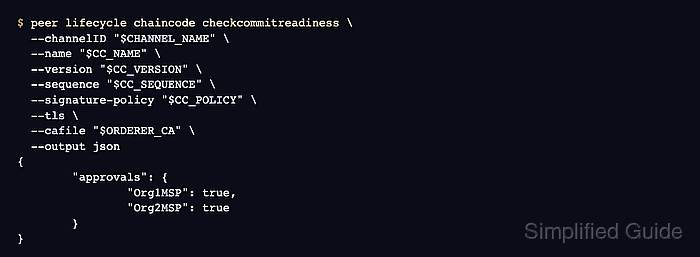
- Check whether the channel is ready to commit the policy definition.
$ peer lifecycle chaincode checkcommitreadiness \
  --channelID "$CHANNEL_NAME" \
  --name "$CC_NAME" \
  --version "$CC_VERSION" \
  --sequence "$CC_SEQUENCE" \
  --signature-policy "$CC_POLICY" \
  --tls \
  --cafile "$ORDERER_CA" \
  --output json
{
        "approvals": {
                "Org1MSP": true,
                "Org2MSP": true
        }
}
The approval map must satisfy the channel's LifecycleEndorsement policy before the commit can succeed.
- Commit the policy definition to the channel.
$ peer lifecycle chaincode commit \
  -o "$ORDERER_ADDRESS" \
  --ordererTLSHostnameOverride "$ORDERER_HOST" \
  --channelID "$CHANNEL_NAME" \
  --name "$CC_NAME" \
  --version "$CC_VERSION" \
  --sequence "$CC_SEQUENCE" \
  --signature-policy "$CC_POLICY" \
  --tls \
  --cafile "$ORDERER_CA" \
  --peerAddresses localhost:7051 \
  --tlsRootCertFiles "$ORG1_TLS_ROOTCERT" \
  --peerAddresses localhost:9051 \
  --tlsRootCertFiles "$ORG2_TLS_ROOTCERT"
2026-06-21 07:21:22.794 UTC [chaincodeCmd] ClientWait -> INFO 001 txid [a64e5c4e30e62dce419fd3ca6d6fe67a8b2783a2dd5fd0a2e8d7768996db738a] committed with status (VALID) at localhost:7051
2026-06-21 07:21:22.795 UTC [chaincodeCmd] ClientWait -> INFO 002 txid [a64e5c4e30e62dce419fd3ca6d6fe67a8b2783a2dd5fd0a2e8d7768996db738a] committed with status (VALID) at localhost:9051
- Query the committed definition after the policy update.
$ peer lifecycle chaincode querycommitted --channelID "$CHANNEL_NAME" --name "$CC_NAME"
Committed chaincode definition for chaincode 'basic' on channel 'mychannel':
Version: 1.0, Sequence: 2, Endorsement Plugin: escc, Validation Plugin: vscc, Approvals: [Org1MSP: true, Org2MSP: true]
- Invoke a write transaction through peers that satisfy the new policy.
$ peer chaincode invoke \
  -o "$ORDERER_ADDRESS" \
  --ordererTLSHostnameOverride "$ORDERER_HOST" \
  --tls \
  --cafile "$ORDERER_CA" \
  -C "$CHANNEL_NAME" \
  -n "$CC_NAME" \
  --peerAddresses localhost:7051 \
  --tlsRootCertFiles "$ORG1_TLS_ROOTCERT" \
  --peerAddresses localhost:9051 \
  --tlsRootCertFiles "$ORG2_TLS_ROOTCERT" \
  -c '{"function":"CreateAsset","Args":["asset-policy-1","silver","6","Jordan","620"]}'
2026-06-21 07:22:06.341 UTC [chaincodeCmd] chaincodeInvokeOrQuery -> INFO 001 Chaincode invoke successful. result: status:200
A policy that requires both Org1MSP and Org2MSP must target peers from both organizations for writes. Fabric marks a write invalid when the collected endorsements do not satisfy the committed policy.
Related: How to invoke Hyperledger Fabric chaincode - Query the asset written after the policy update.
$ peer chaincode query -C "$CHANNEL_NAME" -n "$CC_NAME" -c '{"Args":["ReadAsset","asset-policy-1"]}'
{"ID":"asset-policy-1","color":"silver","size":6,"owner":"Jordan","appraisedValue":620}
The query confirms that a transaction endorsed under the new policy reached world state.