How to install Hyperledger Fabric on Ubuntu or Debian
Installing Hyperledger Fabric on Ubuntu or Debian prepares a local fabric-samples workspace with Fabric command-line binaries, default configuration files, and Docker images for the sample network. Developers and platform operators use this Linux baseline before running Fabric tutorials, testing chaincode, or inspecting peer and certificate authority commands locally.
The official install-fabric.sh script clones fabric-samples into the directory where it runs, downloads Linux binaries into fabric-samples/bin, places default configuration files under fabric-samples/config, and pulls the Fabric container images through Docker. On current Ubuntu releases, the Compose v2 plugin is packaged as docker-compose-v2 and used through docker compose.
Keep the Fabric workspace in a project directory you plan to reuse. Docker group changes affect new login sessions, and the install is complete when peer, fabric-ca-client, and a Fabric peer container all report the expected Fabric versions.
Steps to install Hyperledger Fabric on Ubuntu or Debian:
- Open a terminal with sudo privileges.
- Refresh the APT package index.
$ sudo apt update
- Install the Fabric prerequisite packages.
$ sudo apt install --assume-yes ca-certificates curl git jq docker.io docker-compose-v2
Git clones fabric-samples, curl downloads the installer and binary archives, jq is used by Fabric sample scripts, and docker-compose-v2 provides the docker compose command. On an older Debian release where docker-compose-v2 is unavailable, install Docker Engine with the Compose plugin from Docker's repository before continuing.
- Start and enable the Docker service.
$ sudo systemctl enable --now docker
- Add your user to the Docker group.
$ sudo usermod --append --groups docker "$USER"
The docker group can control the Docker daemon. Add only trusted local users.
- Log out and back in so the Docker group membership applies.
- Confirm Docker can reach the daemon.
$ docker ps
CONTAINER ID   IMAGE     COMMAND   CREATED   STATUS    PORTS     NAMES
- Confirm the Docker Compose plugin is available.
$ docker compose version
Docker Compose version 2.40.3+ds1-0ubuntu1
- Create a Fabric workspace.
$ mkdir -p "$HOME/fabric"
- Enter the Fabric workspace.
$ cd "$HOME/fabric"
- Download the official Fabric installer script.
$ curl -fsSLO https://raw.githubusercontent.com/hyperledger/fabric/main/scripts/install-fabric.sh
- Make the installer executable.
$ chmod +x install-fabric.sh
- Review the installer options and version defaults.
$ ./install-fabric.sh -h
Usage: ./install-fabric.sh [-f|--fabric-version <arg>] [-c|--ca-version <arg>] <comp-1> [<comp-2>] ... [<comp-n>] ...
        <comp> Component to install, one or more of  docker | binary | samples | podman  First letter of component also accepted; If none specified docker | binary | samples is assumed
        -f, --fabric-version: FabricVersion (default: '2.5.16')
        -c, --ca-version: Fabric CA Version (default: '1.5.17')
The script help from the downloaded copy is the version source for that install run. Pin versions with --fabric-version and --ca-version only when matching a specific Fabric lab or release line.
- Install the samples, Fabric binaries, and Docker images.
$ ./install-fabric.sh docker binary samples

Clone hyperledger/fabric-samples repo

===> Cloning hyperledger/fabric-samples repo
##### snipped #####

Pull Hyperledger Fabric binaries

===> Downloading version 2.5.16 platform specific fabric binaries
==> Done.
===> Downloading version 1.5.17 platform specific fabric-ca-client binary
==> Done.

Pull Hyperledger Fabric docker images

FABRIC_IMAGES: peer orderer ccenv baseos
===> Pulling fabric Images
##### snipped #####
===> Pulling fabric ca Image
##### snipped #####
===> List out hyperledger images
The Docker image pull can take several minutes. Rerun the same command after fixing any network, registry, or Docker daemon error.
- Enter the samples directory created by the installer.
$ cd fabric-samples
- Add the Fabric binaries to the current shell.
$ export PATH="$PWD/bin:$PATH"
- Set the Fabric configuration path for local commands.
$ export FABRIC_CFG_PATH="$PWD/config"
These exports change only the current terminal session. Add equivalent lines to a shell profile only when you want Fabric commands available in every new terminal.
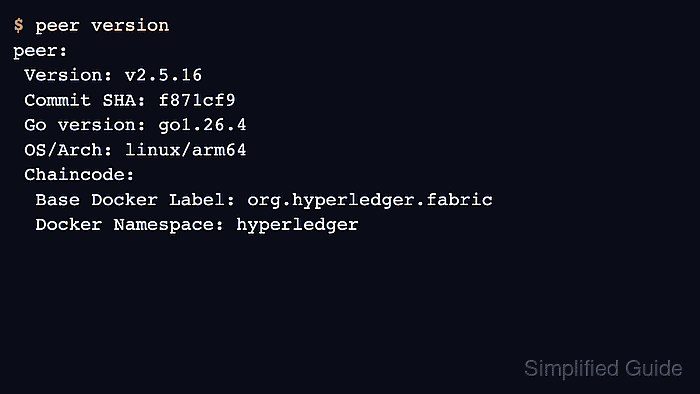
- Verify the Fabric peer binary.
$ peer version
peer:
 Version: v2.5.16
 Commit SHA: f871cf9
 Go version: go1.26.4
 OS/Arch: linux/arm64
 Chaincode:
  Base Docker Label: org.hyperledger.fabric
  Docker Namespace: hyperledger
OS/Arch shows linux/amd64 on x86_64 Ubuntu or Debian hosts.
- Verify the Fabric CA client binary.
$ fabric-ca-client version
fabric-ca-client:
 Version: v1.5.17
 Go version: go1.25.7
 OS/Arch: linux/arm64
- Confirm the Fabric Docker images are tagged locally.
$ docker image ls --filter reference='hyperledger/fabric-*:2.5.16' --filter reference='hyperledger/fabric-ca:1.5.17'
IMAGE                               ID             DISK USAGE   CONTENT SIZE   EXTRA
hyperledger/fabric-baseos:2.5.16    109b4a15b282        245MB         80.2MB
hyperledger/fabric-ca:1.5.17        453a0a727e82        358MB          116MB
hyperledger/fabric-ccenv:2.5.16     807493f095f6        972MB          248MB
hyperledger/fabric-orderer:2.5.16   1d918fc7e1e0        167MB         46.8MB
hyperledger/fabric-peer:2.5.16      58979b65744b        215MB           62MB
- Run the Fabric peer image as a smoke test.
$ docker run --rm hyperledger/fabric-peer:2.5.16 peer version
peer:
 Version: v2.5.16
 Commit SHA: f871cf9
 Go version: go1.26.4
 OS/Arch: linux/arm64
 Chaincode:
  Base Docker Label: org.hyperledger.fabric
  Docker Namespace: hyperledger
After these checks pass, start the sample network from fabric-samples/test-network/network.sh in the same workspace.
Related: Run the Hyperledger Fabric test network