How to create a Qdrant document store in Haystack
A retrieval application needs its indexed documents to survive beyond one Python process. QdrantDocumentStore connects Haystack to Qdrant, where embeddings and metadata remain available for later semantic searches.
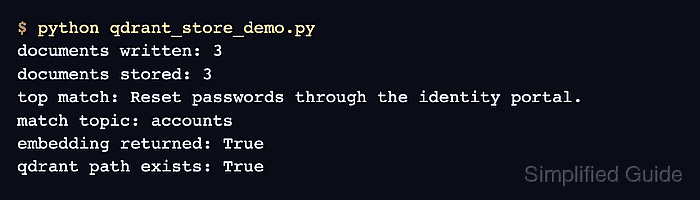
The qdrant-haystack integration supports a disk-backed local mode through the path parameter. Local mode keeps this smoke test self-contained while exercising the same document-store and QdrantEmbeddingRetriever handoff used with a Qdrant server.
The sample uses three-dimensional vectors so it needs neither an embedding model nor an API key. A production index must use the dimension produced by its document and query embedders, and recreate_index=True must be removed before opening a collection whose existing documents must be preserved.
Steps to create a Qdrant document store in Haystack:
- Install the qdrant-haystack integration beside haystack-ai in the Python environment that runs the application.
$ python -m pip install qdrant-haystack
Related: How to install Haystack with pip
- Create qdrant_store_demo.py with the imports and disk-backed document store.
- qdrant_store_demo.py
from pathlib import Path

from haystack import Document
from haystack_integrations.components.retrievers.qdrant import QdrantEmbeddingRetriever
from haystack_integrations.document_stores.qdrant import QdrantDocumentStore


document_store = QdrantDocumentStore(
    path="support-qdrant-demo",
    index="support_articles",
    embedding_dim=3,
    similarity="cosine",
    recreate_index=True,
    return_embedding=True,
    progress_bar=False,
)
recreate_index=True replaces an existing collection with the same index name. Using this value with a retained collection deletes its indexed documents.
- Append the three embedded support documents below the QdrantDocumentStore block.
documents = [
    Document(
        content="Reset passwords through the identity portal.",
        meta={"topic": "accounts"},
        embedding=[0.99, 0.03, 0.01],
    ),
    Document(
        content="Restart the search service after changing the index.",
        meta={"topic": "operations"},
        embedding=[0.02, 0.98, 0.02],
    ),
    Document(
        content="Archive old invoices from the billing dashboard.",
        meta={"topic": "billing"},
        embedding=[0.01, 0.02, 0.99],
    ),
]
Each embedding has the three values required by embedding_dim=3, and the vectors point in different directions so the retrieval result is unambiguous.
- Append the document write and embedding retrieval below the document list.
written = document_store.write_documents(documents)

retriever = QdrantEmbeddingRetriever(
    document_store=document_store,
    top_k=1,
    return_embedding=True,
)
match = retriever.run(query_embedding=[1.0, 0.0, 0.0])["documents"][0]
- Append the stored-state and retrieval checks below the match assignment.
print(f"documents written: {written}")
print(f"documents stored: {document_store.count_documents()}")
print(f"top match: {match.content}")
print(f"match topic: {match.meta['topic']}")
print(f"embedding returned: {match.embedding is not None}")
print(f"qdrant path exists: {Path('support-qdrant-demo').is_dir()}")
- Confirm the assembled qdrant_store_demo.py matches the complete program before execution.
- qdrant_store_demo.py
from pathlib import Path

from haystack import Document
from haystack_integrations.components.retrievers.qdrant import QdrantEmbeddingRetriever
from haystack_integrations.document_stores.qdrant import QdrantDocumentStore


document_store = QdrantDocumentStore(
    path="support-qdrant-demo",
    index="support_articles",
    embedding_dim=3,
    similarity="cosine",
    recreate_index=True,
    return_embedding=True,
    progress_bar=False,
)

documents = [
    Document(
        content="Reset passwords through the identity portal.",
        meta={"topic": "accounts"},
        embedding=[0.99, 0.03, 0.01],
    ),
    Document(
        content="Restart the search service after changing the index.",
        meta={"topic": "operations"},
        embedding=[0.02, 0.98, 0.02],
    ),
    Document(
        content="Archive old invoices from the billing dashboard.",
        meta={"topic": "billing"},
        embedding=[0.01, 0.02, 0.99],
    ),
]

written = document_store.write_documents(documents)

retriever = QdrantEmbeddingRetriever(
    document_store=document_store,
    top_k=1,
    return_embedding=True,
)
match = retriever.run(query_embedding=[1.0, 0.0, 0.0])["documents"][0]

print(f"documents written: {written}")
print(f"documents stored: {document_store.count_documents()}")
print(f"top match: {match.content}")
print(f"match topic: {match.meta['topic']}")
print(f"embedding returned: {match.embedding is not None}")
print(f"qdrant path exists: {Path('support-qdrant-demo').is_dir()}")
- Run the completed smoke test from the directory that will retain the local Qdrant data.
$ python qdrant_store_demo.py
documents written: 3
documents stored: 3
top match: Reset passwords through the identity portal.
match topic: accounts
embedding returned: True
qdrant path exists: True
The write and stored counts confirm the collection contains all three documents. The matching account article, returned embedding, and persistent directory confirm that QdrantEmbeddingRetriever can read the created store.