How to render prompt templates with PromptBuilder in Haystack
Language-model components accept a finished prompt string, while application data usually arrives as documents, questions, and other separate values. PromptBuilder converts those values into one string by rendering a Jinja template before the prompt reaches a generator.
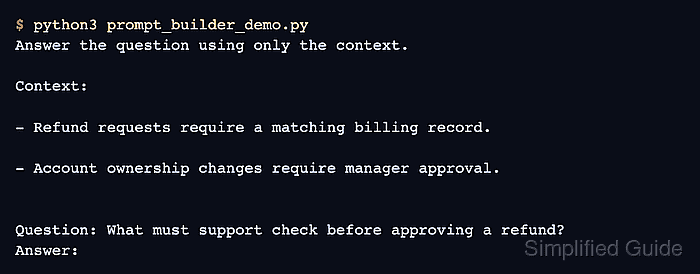
Running PromptBuilder by itself exposes the rendered text without requiring an API key or model request. The same prompt output can later connect to a generator inside a Haystack pipeline.
Every value referenced by the template is marked as required. Setting required_variables to * makes a missing documents or question input stop the run instead of silently rendering an incomplete prompt.
Related: How to install Haystack with pip
Related: How to use ChatPromptBuilder in Haystack
Related: How to run a pipeline in Haystack
Steps to render prompt templates with PromptBuilder in Haystack:
- Create prompt_builder_demo.py with the Haystack imports and runtime values.
- prompt_builder_demo.py
from haystack import Document
from haystack.components.builders import PromptBuilder


documents = [
    Document(content="Refund requests require a matching billing record."),
    Document(content="Account ownership changes require manager approval."),
]
question = "What must support check before approving a refund?"
- Append the Jinja prompt template after the question assignment.
jinja_open = "{" + "{"
jinja_close = "}" + "}"

template = (
    "Answer the question using only the context.\n\n"
    "Context:\n"
    "{% for document in documents %}\n"
    "- " + jinja_open + " document.content " + jinja_close + "\n"
    "{% endfor %}\n\n"
    "Question: " + jinja_open + " question " + jinja_close + "\n"
    "Answer:"
)
The loop reads each Document.content value, while the question expression inserts the question once after the context.
- Append the rendering section after the template.
builder = PromptBuilder(template=template, required_variables="*")
result = builder.run(documents=documents, question=question)

print(result["prompt"])
PromptBuilder.run() returns a dictionary whose prompt value contains the rendered string expected by a text generator.
- Run prompt_builder_demo.py to verify that both documents and the question replace their template variables.
$ python3 prompt_builder_demo.py
Answer the question using only the context.

Context:

- Refund requests require a matching billing record.

- Account ownership changes require manager approval.


Question: What must support check before approving a refund?
Answer: