How to rate limit HTTP requests with HAProxy
A backend can stay technically available while one client or script sends enough HTTP requests to crowd out normal traffic. An HAProxy request-rate limit stops that burst at the frontend, returns a clear limit response, and keeps the backend from doing application work for requests that already crossed the configured threshold.
HAProxy handles this with a stick table, which is an in-memory table of client keys and counters. The example below tracks each IPv4 client source address with http-request track-sc0 src, stores the client request rate with http_req_rate(10s), and denies requests with 429 Too Many Requests when the measured rate is above the chosen ceiling.
Choose the limit from backend capacity and real traffic, then test it on a staging listener before applying it to a public frontend. If HAProxy is behind another proxy or CDN, src may be the previous hop rather than the real client, so only rate limit by a forwarded address after the trusted header path has been configured and sanitized.
Steps to rate limit HTTP requests with HAProxy:
- Choose the key, window, threshold, and response before editing HAProxy.
Setting Example Purpose Table key src with type ip Tracks each IPv4 client address separately. Rate window http_req_rate(10s) Counts the client's HTTP request rate over a 10-second window. Threshold gt 20 Limits clients after more than 20 requests in the window. Response deny_status 429 Returns 429 Too Many Requests instead of the default 403 denial. Use a lower threshold only on a staging listener when a short proof is needed. Production limits should come from backend capacity, expected bursts, and false-positive tolerance.
- Open the active HAProxy configuration file.
$ sudoedit /etc/haproxy/haproxy.cfg
- Add a stick table, track the client source address, and deny over-threshold requests in the HTTP frontend.
defaults
    mode http
    timeout connect 5s
    timeout client 30s
    timeout server 30s

frontend fe_web
    bind :80
    stick-table type ip size 100k expire 30s store http_req_rate(10s)
    http-request track-sc0 src
    acl exceeds_rate_limit sc_http_req_rate(0) gt 20
    http-request deny deny_status 429 if exceeds_rate_limit
    default_backend be_web

backend be_web
    balance roundrobin
    server app01 10.0.10.11:8080 check
    server app02 10.0.10.12:8080 check
The table type must match the value being tracked. This example uses type ip for IPv4 source addresses; validate an IPv6-specific table design separately before applying the same policy to IPv6 traffic.
Place the track-sc0 rule before the deny rule that reads sc_http_req_rate(0), so HAProxy updates the current client's table entry before testing the rate.
- Validate the edited configuration before reloading HAProxy.
$ sudo haproxy -c -f /etc/haproxy/haproxy.cfg
Current HAProxy packages may print little or no output for a valid file. Treat the command's successful exit as the syntax check, and fix any fatal parser errors before reloading.
- Reload HAProxy to apply the rate limit without dropping existing traffic.
$ sudo systemctl reload haproxy
Related: How to reload HAProxy gracefully
- Send an ordinary request through a staging listener and confirm it still reaches the backend.
$ curl -sS -o /dev/null -w "%{http_code}\n" http://127.0.0.1:8080/
200
The local transcript uses a disposable listener on 127.0.0.1:8080 and a deliberately low staging threshold of three requests per 10 seconds. Use the real public URL and production threshold when testing an actual deployment.
- Repeat the request quickly enough to cross the staging threshold, then confirm HAProxy returns 429.
$ curl -sS -o /dev/null -w "%{http_code}\n" http://127.0.0.1:8080/
200
$ curl -sS -o /dev/null -w "%{http_code}\n" http://127.0.0.1:8080/
200
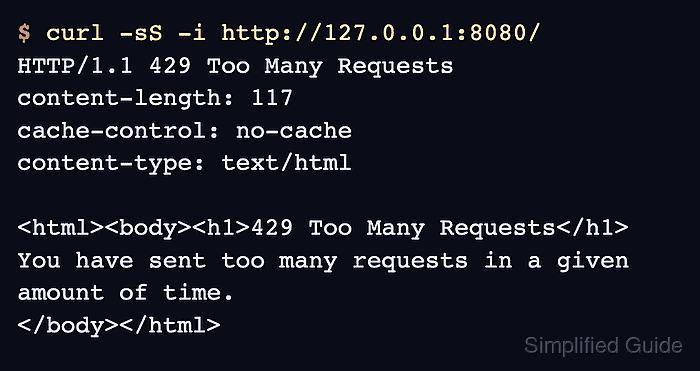
$ curl -sS -i http://127.0.0.1:8080/
HTTP/1.1 429 Too Many Requests
content-length: 117
cache-control: no-cache
content-type: text/html

<html><body><h1>429 Too Many Requests</h1>
You have sent too many requests in a given amount of time.
</body></html>
If every request still returns 200, confirm the test traffic is hitting the frontend that contains the stick table and that the threshold is low enough for the staging proof.
- Inspect the stick table through the runtime socket when it is enabled.
$ printf "show table fe_web\n" | sudo socat - /run/haproxy/admin.sock
# table: fe_web, type: ip, size:102400, used:1
0x7f2c9c019b50: key=203.0.113.25 use=0 exp=29997 shard=0 http_req_rate(10000)=21
The http_req_rate(10000)=21 field shows the tracked client above the gt 20 example threshold. The exp value is the remaining table-entry expiry time in milliseconds, not a permanent ban timer.
- Wait for the measured rate or table entry to fall below the threshold, then confirm normal requests pass again.
$ curl -sS -o /dev/null -w "%{http_code}\n" http://127.0.0.1:8080/
200
If a client remains limited longer than expected, check the table expire value, repeated retry traffic from the same client, and whether multiple clients are being collapsed into one source address by an upstream proxy.