How to change HAProxy backend server weight
Changing an HAProxy backend server weight is a live traffic-shaping action, not a general health check. The useful proof is the runtime value HAProxy is using after the change, because a command can succeed while the next reload still restores the weight from the saved configuration.
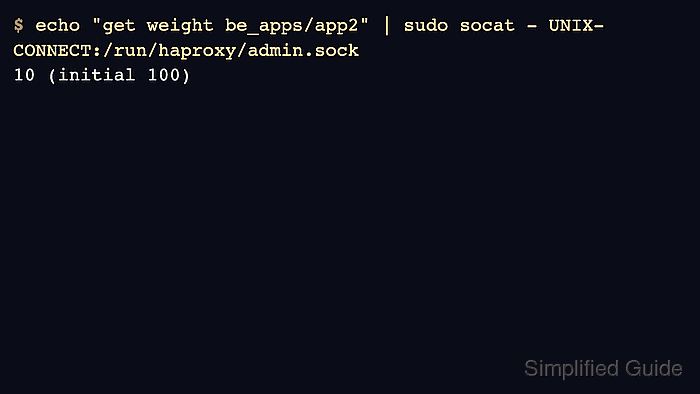
The Runtime API accepts set weight for a named backend/server pair and returns the current value with get weight. A lower weight makes a server receive a smaller share of eligible traffic under weight-aware balancing algorithms, while a weight of 0 keeps the server available for health checks but removes it from normal selection.
Runtime weight changes are in memory. Use them for temporary throttling, warmup, or incident response, and update /etc/haproxy/haproxy.cfg or the deployment template separately when the new weight should survive a reload.
Steps to change HAProxy backend server weight:
- Confirm that the runtime socket is enabled and reachable.
$ echo "show cli level" | sudo socat - UNIX-CONNECT:/run/haproxy/admin.sock
admin
The set weight command needs a socket level that allows state-changing runtime commands.
Related: How to enable the HAProxy runtime socket - Identify the exact backend and server names from the running stats.
$ echo "show stat" | sudo socat - UNIX-CONNECT:/run/haproxy/admin.sock
# pxname,svname,qcur,qmax,scur,smax,slim,stot,bin,bout ##### snipped #####
be_apps,app1,0,0,1,4,,142 ##### snipped ##### UP ##### snipped #####
be_apps,app2,0,0,1,4,,139 ##### snipped ##### UP ##### snipped #####
Use the pxname value as the backend name and the svname value as the server name.
- Check the current runtime weight.
$ echo "get weight be_apps/app2" | sudo socat - UNIX-CONNECT:/run/haproxy/admin.sock
100 (initial 100)
- Set the new runtime weight.
$ echo "set weight be_apps/app2 10" | sudo socat - UNIX-CONNECT:/run/haproxy/admin.sock
The command is silent on success. Use a number from 0 to 256, or use the percentage form supported by your HAProxy version when the change should be relative to the configured initial value.
- Confirm the updated runtime weight.
$ echo "get weight be_apps/app2" | sudo socat - UNIX-CONNECT:/run/haproxy/admin.sock
10 (initial 100)
- Check the backend row in stats or through a test request stream.
$ echo "show stat" | sudo socat - UNIX-CONNECT:/run/haproxy/admin.sock
be_apps,app2,0,0,0,4,,141 ##### snipped ##### UP ##### snipped ##### 10 ##### snipped #####
The exact CSV columns vary by HAProxy version and output width. The runtime get weight result is the clearer proof for the changed server.
Related: How to enable the HAProxy stats page
- Save the intended persistent weight in the HAProxy configuration when the change should survive reloads.
- /etc/haproxy/haproxy.cfg
backend be_apps
    balance roundrobin
    server app1 10.0.10.11:8080 check weight 100
    server app2 10.0.10.12:8080 check weight 10
Runtime API changes do not rewrite the configuration file. A later reload or restart can restore the initial configured weight unless the saved file or deployment template is updated.
- Validate the saved configuration before the next reload.
$ sudo haproxy -c -V -f /etc/haproxy/haproxy.cfg
Configuration file is valid