How to preview replacements with sed
A sed substitution can be tested without changing a file by leaving off the in-place edit option and reading the preview that sed prints to the terminal. Previewing first catches broad patterns, missing delimiters, and first-match-only behavior before the command is reused against a real file.
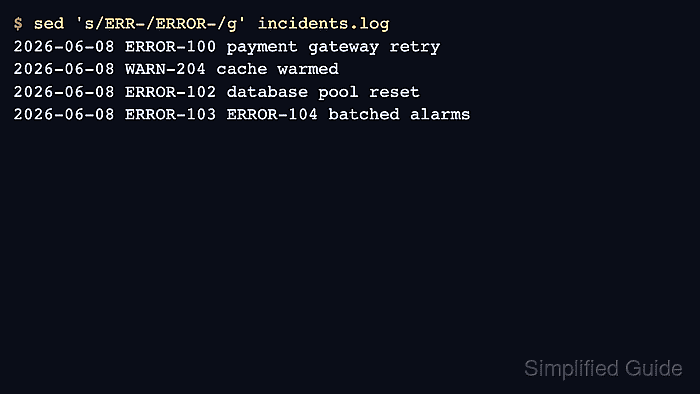
The basic form is sed 's/search/replace/' file. sed reads each line, writes the substituted version to standard output, and leaves the input file untouched unless an option such as -i tells it to write changes back.
The sample fixture uses matching, nonmatching, and repeated tokens. The unchanged second cat output proves the file was only read because the preview shows what would change while the source still contains the original ERR- values.
Related: How to replace text in files with sed
Related: How to print a line range with sed
Steps to preview replacements with sed:
- Create a small fixture that contains lines that should and should not match the replacement.
$ cat > incidents.log <<'EOF'
2026-06-08 ERR-100 payment gateway retry
2026-06-08 WARN-204 cache warmed
2026-06-08 ERR-102 database pool reset
2026-06-08 ERR-103 ERR-104 batched alarms
EOF
Use a copied sample or a task-local fixture when the real file must not be touched. The preview command can point at the real file later, but the first test is easier to review when the expected lines are small and known.
- Confirm the original text before testing the substitution.
$ cat incidents.log
2026-06-08 ERR-100 payment gateway retry
2026-06-08 WARN-204 cache warmed
2026-06-08 ERR-102 database pool reset
2026-06-08 ERR-103 ERR-104 batched alarms
- Run the substitution without -i to preview the output only.
$ sed 's/ERR-/ERROR-/' incidents.log
2026-06-08 ERROR-100 payment gateway retry
2026-06-08 WARN-204 cache warmed
2026-06-08 ERROR-102 database pool reset
2026-06-08 ERROR-103 ERR-104 batched alarms
The plain s/ERR-/ERROR-/ command changes only the first match on each line. The last output line still contains ERR-104 for that reason.
- Check the file again to confirm the preview did not edit it.
$ cat incidents.log
2026-06-08 ERR-100 payment gateway retry
2026-06-08 WARN-204 cache warmed
2026-06-08 ERR-102 database pool reset
2026-06-08 ERR-103 ERR-104 batched alarms
If the file already changed, an earlier command used -i, a redirect, or another editing step. Restore the source before using the preview result as evidence.
- Add the g flag when every occurrence on a line should be replaced in the preview.
$ sed 's/ERR-/ERROR-/g' incidents.log
2026-06-08 ERROR-100 payment gateway retry
2026-06-08 WARN-204 cache warmed
2026-06-08 ERROR-102 database pool reset
2026-06-08 ERROR-103 ERROR-104 batched alarms
When the search or replacement text contains slash characters, use another delimiter such as sed 's#http://old.example#https://new.example#' file so the preview stays readable.