Printing a known line range with sed helps inspect a small part of a long log, config file, or generated report without opening an editor or copying the whole file.
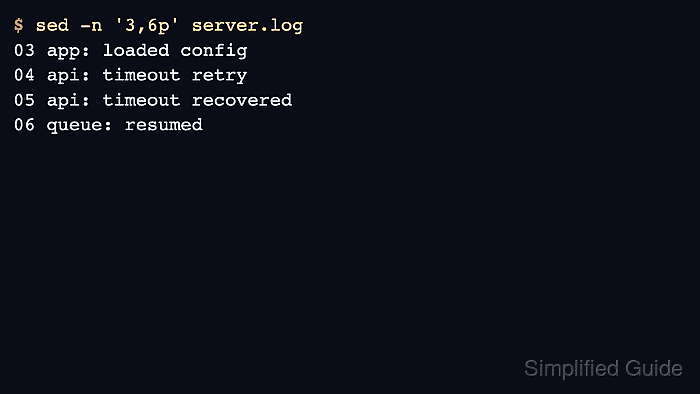
The sed -n '3,6p' file form combines quiet mode with an inclusive numeric address range. The -n option suppresses normal per-line output, and the p command prints only the lines selected by the addresses.
Line numbers count from the first input line, so confirm the boundaries before using the output in a handoff or script. The command prints to standard output and leaves the source file unchanged; use $ as the ending address when the range should continue through the final line.
Related: How to print context around grep matches
Related: How to preview replacements with sed
Steps to print a line range with sed:
- Use a file whose line boundaries are known.
- server.log
01 kernel: boot complete
02 net: interface up
03 app: loaded config
04 api: timeout retry
05 api: timeout recovered
06 queue: resumed
07 worker: flushed cache
08 backup: finished
- Print the inclusive range with quiet mode and the p command.
$ sed -n '3,6p' server.log
03 app: loaded config
04 api: timeout retry
05 api: timeout recovered
06 queue: resumed
Line 3 and line 6 are included. Lines 2 and 7 are outside the selected range.
- Print from a known start line through the final line when the ending line can move.
$ sed -n '5,$p' server.log
05 api: timeout recovered
06 queue: resumed
07 worker: flushed cache
08 backup: finished
The $ address means the last input line. Keep the comma before it so sed treats the command as a range.
- Recheck the starting and ending line numbers if the output begins too early or stops too late.
Use grep -n, editor line numbers, or an existing log marker to find the boundaries before running the range command against a large file.

Mohd Shakir Zakaria is a cloud architect with deep roots in software development and open-source advocacy. Certified in AWS, Red Hat, VMware, ITIL, and Linux, he specializes in designing and managing robust cloud and on-premises infrastructures.


