How to extract email addresses with grep
Email addresses copied from logs, support exports, or message headers often sit next to commas, angle brackets, and other text that should not become part of the extracted list. Use grep -E -o when the input shape is known and the job is to print email-like substrings, not to validate every address allowed by mail standards.
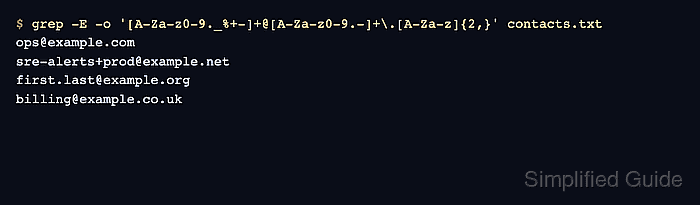
The -E option enables extended regular expressions, keeping + and {2,} readable, while -o prints only the matched part of each matching line. The pattern below accepts common ASCII local parts, dotted domains, and a two-or-more-letter final label.
Use the pattern for controlled text such as application logs, CSV exports, or reports where addresses follow a predictable format. It deliberately rejects values such as admin@localhost and malformed strings such as user@@example.com, and it is not a substitute for SMTP, DNS, or application-level email validation.
Related: How to test a regular expression with grep
Related: How to search files recursively with grep
Related: How to count matches with grep
Steps to extract email addresses with grep:
- Create a small sample file with email-like values and lookalikes that should stay out.
$ cat > contacts.txt <<'EOF'
Contact ops@example.com for incidents.
Escalate to sre-alerts+prod@example.net or first.last@example.org.
Ignore admin@localhost and user@@example.com while parsing.
Use billing@example.co.uk, but keep punctuation out.
EOF
- Print only email-like values from the sample file.
$ grep -E -o '[A-Za-z0-9._%+-]+@[A-Za-z0-9.-]+\.[A-Za-z]{2,}' contacts.txt
ops@example.com
sre-alerts+prod@example.net
first.last@example.org
billing@example.co.uk
-o strips the surrounding text. The comma after billing@example.co.uk is not printed because it is outside the matched pattern.
- Keep source line numbers when the extracted list needs to point back to the original text.
$ grep -E -n -o '[A-Za-z0-9._%+-]+@[A-Za-z0-9.-]+\.[A-Za-z]{2,}' contacts.txt
1:ops@example.com
2:sre-alerts+prod@example.net
2:first.last@example.org
4:billing@example.co.uk
-n prefixes each matched address with the input line number. Two addresses from line 2 print as two separate output rows because -o prints each match separately.
- Reuse the same pattern against the real source file after the sample output matches the intended address shape.
$ grep -E -o '[A-Za-z0-9._%+-]+@[A-Za-z0-9.-]+\.[A-Za-z]{2,}' exported-users.txtDo not use this pattern as full email validation. Tighten or loosen the local-part and domain character classes only after testing near misses from the actual source.
- Remove the sample file after testing.
$ rm contacts.txt