A grep pattern that matches one good line can still catch the same text inside a bad line, especially when a script later treats every matching row as valid. Testing the regex against nearby failures first shows whether the pattern is only finding a substring or really matching the intended line shape.
grep prints whole input lines that contain a match by default. Anchors such as ^ and explicit separators decide whether a match can start anywhere in the line or must begin at the line boundary and stop before the next field.
grep -E uses extended regular expressions, which keep interval counts such as {4} readable. Plain grep uses basic regular expressions by default, so the same count needs escaped braces as \{4\}. The sample uses [0-9] for an ASCII ticket-code prefix; browser regex testers and PCRE examples can use different syntax, so the final proof should come from grep in the same shell environment where the pattern will run.
Steps to test a regular expression with grep:
- Create a small fixture with intended matches and near misses.
- tickets.txt
OPS-2026 ready
ops-2026 lower-case prefix
OPS-20260 extra digit
DBA-4112 approved
WEB-2026 pending
OPS-20A6 typo
Keep at least one line that should match and several lines that look close but must stay out.
- Run the first candidate pattern with grep -E.
$ grep -E 'OPS-[0-9]{4}' tickets.txt
OPS-2026 ready
OPS-20260 extra digit
The second line proves the pattern is too broad for a ticket prefix check because it finds OPS-2026 inside OPS-20260.
- Add a start anchor and a field boundary to reject the near miss.
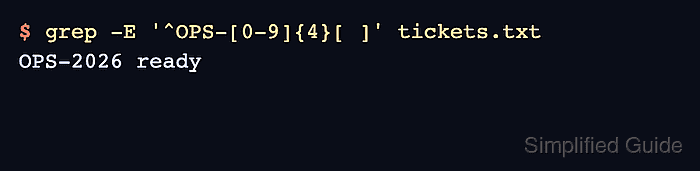
$ grep -E '^OPS-[0-9]{4}[ ]' tickets.txt
OPS-2026 ready
^ requires the match to start at the beginning of the line, [0-9]{4} requires exactly four digits, and [ ] requires a literal space after the code.
- Use basic regular expression escaping when the command must run as plain grep.
$ grep '^OPS-[0-9]\{4\}[ ]' tickets.txt
OPS-2026 ready
Use grep -E when the pattern needs unescaped ?, +, {}, |, or grouping characters. Use plain grep only when the deployed command expects basic regular expression notation.
- Remove the temporary fixture after the pattern is confirmed.
$ rm tickets.txt

Mohd Shakir Zakaria is a cloud architect with deep roots in software development and open-source advocacy. Certified in AWS, Red Hat, VMware, ITIL, and Linux, he specializes in designing and managing robust cloud and on-premises infrastructures.


