How to upgrade and roll back the LGTM stack
Upgrading and rolling back the LGTM stack keeps Grafana, Loki, Tempo, and Mimir current without losing the ability to recover from a bad release. Helm history and saved values provide the release boundary, while smoke tests prove that telemetry still works after the change.
Upgrade one backend at a time unless the release notes require a coordinated change. Back up values, read chart and application release notes, and run the same upgrade in staging before the production maintenance window.
Use –wait and –atomic where the chart supports it, but do not treat those flags as a complete rollback strategy. A production rollback plan should also include the previous chart version, previous values, compatible object storage state, and post-rollback smoke tests.
Steps to upgrade and roll back the LGTM stack:
- List the current release versions.
$ helm list --namespace monitoring
NAME      REVISION    STATUS      CHART
grafana   7           deployed    grafana-10.1.2
loki      6           deployed    loki-7.1.0
tempo     5           deployed    tempo-distributed-2.1.0
mimir     5           deployed    mimir-distributed-6.0.0
- Save current values before the upgrade.
$ mkdir -p ~/lgtm-upgrade-backup
$ helm get values loki --namespace monitoring --all \
  > ~/lgtm-upgrade-backup/loki-values-before.yaml
- Save the current release history.
$ helm history loki --namespace monitoring
REVISION    UPDATED                  STATUS      CHART
5           2026-06-01 09:00:00      superseded  loki-7.0.1
6           2026-06-15 09:00:00      deployed    loki-7.1.0
- Update the chart repository.
$ helm repo update
##### snipped #####
Update Complete.
- Review the target chart version.
$ helm search repo grafana/loki --versions
NAME          CHART VERSION    APP VERSION
grafana/loki 7.2.0            3.7.1
grafana/loki 7.1.0            3.7.0
##### snipped #####
- Render the target release before applying it.
$ helm template loki grafana/loki \
  --namespace monitoring \
  --version 7.2.0 \
  --values values/loki.yaml
##### snipped #####
kind: StatefulSet
metadata:
  name: loki-write
- Upgrade the release.
$ helm upgrade loki grafana/loki \
  --namespace monitoring \
  --version 7.2.0 \
  --values values/loki.yaml \
  --wait --atomic --timeout 15m
Release "loki" has been upgraded. Happy Helming!
- Check the upgraded revision.
$ helm history loki --namespace monitoring
REVISION    UPDATED                  STATUS      CHART
6           2026-06-15 09:00:00      superseded  loki-7.1.0
7           2026-06-21 08:45:00      deployed    loki-7.2.0
- Check pod readiness after the upgrade.
$ kubectl get pods --namespace monitoring -l app.kubernetes.io/instance=loki
NAME                READY   STATUS
loki-backend-0      2/2     Running
loki-read-0         1/1     Running
loki-write-0        2/2     Running
- Run the stack smoke checks.
$ curl --silent --get https://logs.example.com/loki/api/v1/query_range \ --data-urlencode 'query={service_name="checkout-api"}' {"status":"success","data":{"resultType":"streams","result":[]}} - Roll back if the upgrade breaks readiness or telemetry checks.
$ helm rollback loki 6 --namespace monitoring --wait --timeout 15m
Rollback was a success! Happy Helming!
Check component release notes before rollback when a version changes storage format, schema, or irreversible background jobs.
- Run the same smoke checks after rollback.
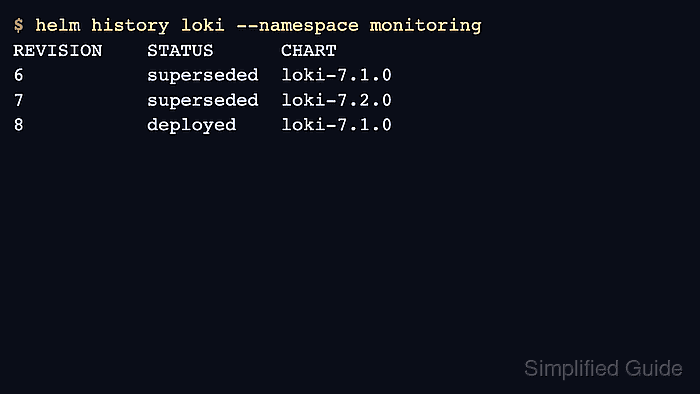
$ helm history loki --namespace monitoring
REVISION    STATUS      CHART
7           superseded  loki-7.2.0
8           deployed    loki-7.1.0