How to install GlusterFS on CentOS Stream or RHEL-compatible Linux
Installing GlusterFS on a RHEL-family storage node prepares the host to join a trusted storage pool and serve bricks to cluster volumes. Current community packages come through distribution or CentOS Storage SIG repositories rather than the retired Red Hat Gluster Storage product, so confirming the package source matters before building a cluster.
On CentOS Stream, the CentOS Storage SIG release package enables the GlusterFS RPM repository, and glusterfs-server installs the glusterd management daemon, gluster CLI, SELinux policy, firewalld service definition, and client components needed on a server node. RHEL-compatible rebuilds may use the same community repository only when that fits the host's support policy.
Use the same GlusterFS major version on every peer and keep management and brick ports on a trusted storage network. Red Hat Gluster Storage reached end of life on December 31, 2024, so RHEL hosts should treat community RPMs as an organization-approved compatibility choice rather than an actively supported Red Hat storage product.
Related: How to install GlusterFS on Ubuntu
Steps to install GlusterFS on CentOS Stream or RHEL-compatible Linux:
- Open a terminal with sudo privileges on each storage node.
- Search for available GlusterFS release packages.
$ sudo dnf search centos-release-gluster
===================== Name Matched: centos-release-gluster =====================
centos-release-gluster10.noarch : Gluster 10 packages from the CentOS Storage SIG repository
centos-release-gluster11.noarch : Gluster 11 packages from the CentOS Storage SIG repository
centos-release-gluster9.noarch : Gluster 9 packages from the CentOS Storage SIG repository
Choose a current or maintained major release that is available to every node in the pool; older release packages can remain visible even after that GlusterFS major version is no longer maintained.
- Enable the CentOS Storage SIG repository for the chosen GlusterFS major version.
$ sudo dnf install --assumeyes centos-release-gluster11
Dependencies resolved.
##### snipped #####
Complete!
If centos-release-gluster is not available, install the versioned package shown in the search results, such as centos-release-gluster10 or centos-release-gluster11, or skip this step and install from the distribution repositories.
- Install the GlusterFS server package.
$ sudo dnf install --assumeyes glusterfs-server
Dependencies resolved.
##### snipped #####
Complete!
- Verify the installed GlusterFS CLI version.
$ gluster --version
glusterfs 11.1
##### snipped #####
- Enable and start the glusterd service.
$ sudo systemctl enable --now glusterd
- Confirm glusterd is active.
$ sudo systemctl is-active glusterd
active
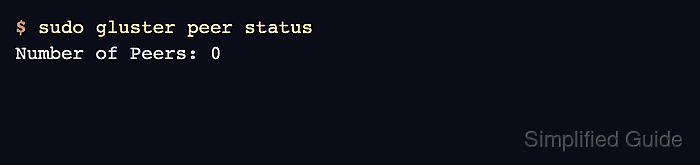
- Confirm the GlusterFS daemon answers local peer queries.
$ sudo gluster peer status
Number of Peers: 0
A new standalone server has no peers until it is joined to a trusted storage pool.
- Allow inbound GlusterFS traffic through firewalld when it protects the storage interface.
$ sudo firewall-cmd --permanent --add-service=glusterfs
success
Restrict access to the storage network; exposing GlusterFS to untrusted networks risks unauthorized access and disruption.
- Reload firewalld to apply the permanent rules.
$ sudo firewall-cmd --reload
success
- Create the trusted storage pool after every node uses the same GlusterFS major version.