How to run a default branch rename in Git
Renaming a shared repository's default branch moves the branch name that teammates, pull requests, automation, and fresh clones expect to use. Treat the change as a short migration window, not just a local git branch -m command, so old and new names do not both receive work.
The local rename keeps the same commit history and branch reflog, then the new branch name is pushed and tracked on origin. The remote default branch is a separate setting on the Git host, or the HEAD symbolic reference on a self-managed bare repository, and it must point at the new branch before the old branch is removed.
Default-branch renames can break rules, CI/CD triggers, deploy jobs, bookmarks, and scripts that still name master. Check those references before deletion, and ask collaborators to retarget existing clones after the remote default branch changes.
Related: Rename a Git branch
Related: Change the default branch for new Git repositories
Related: Set upstream tracking for a Git branch
Related: Delete a remote Git branch
Steps to run a default branch rename in Git:
- Pause pushes to the old default branch and open a terminal in the maintainer clone.
- Confirm that the active branch is the old default branch.
$ git branch --show-current
master
If another branch is active, switch to the old default branch before renaming it.
- Fetch the latest remote refs.
$ git fetch origin
- Confirm that the local branch is tracking the old remote default branch.
$ git status -sb
## master...origin/master
If status shows local commits ahead of or behind origin/master, resolve that difference before renaming so the old and new default branch names point at the intended commit.
- Rename the local default branch.
$ git branch -m master main
Git normally prints no output when the branch rename succeeds.
- Push the renamed branch and set upstream tracking.
$ git push -u origin main
To git@example.net:team/project.git
 * [new branch]      main -> main
branch 'main' set up to track 'origin/main'.
- Move the remote default branch to main.
$ git --git-dir=/srv/git/project.git symbolic-ref HEAD refs/heads/main
Hosted repositories such as GitHub and GitLab expose this as a repository default-branch setting or API value. Change that setting to main instead of running the bare-repository command.
- Fetch again after the remote default branch is changed.
$ git fetch origin
- Refresh the local origin/HEAD pointer from the remote.
$ git remote set-head origin -a
'origin/HEAD' has changed from 'master' and now points to 'main'
- Confirm that the remote HEAD resolves to the new branch.
$ git ls-remote --symref origin HEAD
ref: refs/heads/main	HEAD
7539b146757c3b2902e0a8d4f51070dc2d3b3a5b	HEAD
- Rename the default branch in each existing collaborator clone.
$ git branch -m master main
Skip this command in a clone that already renamed master to main during the maintainer migration.
- Fetch the new remote branch in each collaborator clone.
$ git fetch origin
- Attach each local main branch to the new upstream branch.
$ git branch -u origin/main main
branch 'main' set up to track 'origin/main'.
- Refresh origin/HEAD in each collaborator clone.
$ git remote set-head origin -a
'origin/HEAD' has changed from 'master' and now points to 'main'
- Confirm or update branch protection, rulesets, open pull request base branches, CI/CD rules, deployment settings, documentation links, and scripts that still name master.
- Delete the old remote branch after the new default branch and dependent references are confirmed.
$ git push origin --delete master
To git@example.net:team/project.git
 - [deleted]         master
If the host rejects deletion, the old branch may still be the default branch, protected by policy, or referenced by an integration that must be changed first.
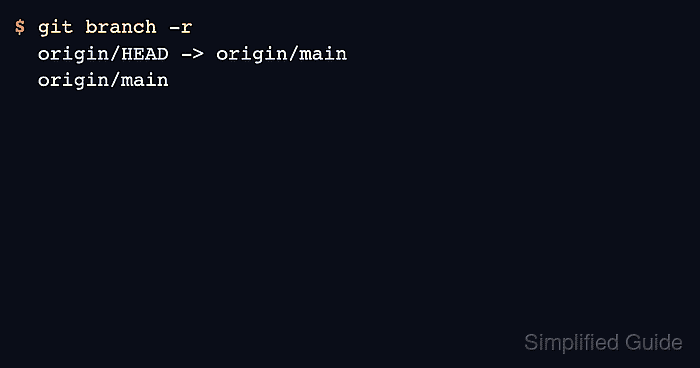
- Verify that the remote-tracking branch list now points at main only.
$ git branch -r
  origin/HEAD -> origin/main
  origin/main
Related: Prune stale remote branches in Git
- Confirm that the local branch tracks origin/main.
$ git status -sb
## main...origin/main