How to unmask a Gentoo package keyword
A Gentoo keyword mask appears when Portage can see a package version, but the version is not accepted by the system's current architecture keywords. On a stable amd64 system, a version marked only as ~amd64 stays hidden until that package or exact version is allowed through /etc/portage/package.accept_keywords.
package.accept_keywords changes accepted keywords for specific package atoms. It is safer than setting ACCEPT_KEYWORDS="~amd64" globally in /etc/portage/make.conf because only the named package, or the exact version named in the atom, can cross from testing keywords into the merge plan.
Use an exact package-version atom when trying one testing release, and use an unversioned package atom only when that package should keep following testing keywords. Keyword unmasking does not override a repository or profile package.mask entry; a package that is also hard-masked needs a separate package.unmask decision before Portage can merge it.
Related: How to install a package on Gentoo with emerge
Related: How to mask a Gentoo package
Related: How to update a Gentoo world set
Steps to unmask a Gentoo package keyword:
- Preview the target version and confirm that the blocker is a keyword mask.
$ emerge --pretend =dev-util/catalyst-4.1.1-r1
Calculating dependencies... done!

!!! All ebuilds that could satisfy "=dev-util/catalyst-4.1.1-r1" have been masked.
- dev-util/catalyst-4.1.1-r1::gentoo (masked by: ~amd64 keyword)
Replace the package atom with the exact package and version Portage reported on the Gentoo system. A keyword mask is different from a license, package.mask, EAPI, or dependency blocker.
- Create the package keyword configuration directory if it is missing.
$ sudo install -d /etc/portage/package.accept_keywords
- Open a package-specific keyword file.
$ sudoedit /etc/portage/package.accept_keywords/catalyst
The filename is for organization. Portage reads the entries inside /etc/portage/package.accept_keywords and does not require the filename to match the package name.
- Add the exact package version and testing keyword.
=dev-util/catalyst-4.1.1-r1 ~amd64
Use an exact =category/package-version atom when only one testing release should be accepted. Use dev-util/catalyst ~amd64 only when future testing versions of the same package should also be accepted.
- Confirm the saved keyword entry.
$ cat /etc/portage/package.accept_keywords/catalyst
=dev-util/catalyst-4.1.1-r1 ~amd64
Keep one package atom per line, followed by the keyword values. Lines without explicit keywords accept the unstable variant of the host architecture, but spelling out ~amd64 makes the local policy easier to review later.
- Preview the target version again and confirm that the keyword mask is gone.
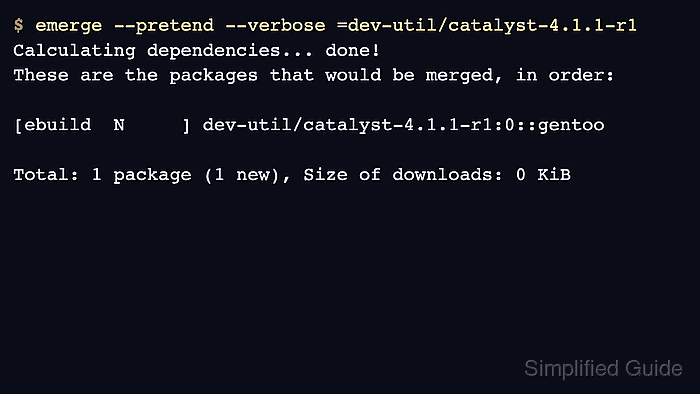
$ emerge --pretend --verbose =dev-util/catalyst-4.1.1-r1
Calculating dependencies... done!
These are the packages that would be merged, in order:

[ebuild  N     ] dev-util/catalyst-4.1.1-r1:0::gentoo USE="iso -doc -qcow2"

Total: 1 package (1 new), Size of downloads: 0 KiB
If Portage still reports a mask, read the new mask reason before adding more files. Do not use ** as a shortcut unless the package is intentionally being allowed regardless of its keyword state.
- Merge the package only after the pretend output shows the expected version and dependencies.
$ sudo emerge --ask =dev-util/catalyst-4.1.1-r1
Calculating dependencies... done!
These are the packages that would be merged, in order:

[ebuild  N     ] dev-util/catalyst-4.1.1-r1:0::gentoo

Would you like to merge these packages? [Yes/No]
Answer No if the plan includes unexpected downgrades, blockers, unrelated keyword changes, or hard-masked packages. Fix those decisions separately instead of broadening the keyword entry.
- Keep or remove the keyword entry based on the package's long-term role.
$ sudoedit /etc/portage/package.accept_keywords/catalyst
Leave the entry in place when the package should keep receiving that accepted keyword. Remove a version-specific entry after the package is no longer installed, has moved to a stable keyword, or was only needed for a short test.