How to run Espresso tests with a different locale
Locale-sensitive Android screens can pass in the default language while showing fallback strings, wrong plural forms, or clipped labels in another language. Running the same Espresso test on a dedicated emulator after changing the system locale checks the app through Android's resource selection path instead of reading translated copy by hand.
A dedicated emulator can be switched to fr-CA with adb, restarted, and used for one focused instrumented test class. The sample test selects views by resource ID and reads the expected label from the target app's string resources, so the selector remains stable when the visible text changes with the locale.
Use an emulator or disposable test device because the system locale affects every app on that device until it is restored. Choose a string whose target-locale translation differs from the default language; otherwise the assertion can pass while the app is still using fallback resources.
Steps to run Espresso tests with a different locale:
- Confirm adb sees the emulator used for locale testing.
$ adb devices
List of devices attached
emulator-5554	device
If more than one device or emulator is attached, use the serial from this output with adb -s <serial> in the locale commands.
- Change the emulator system locale to the target language tag.
$ adb -s emulator-5554 shell 'setprop persist.sys.locale fr-CA; stop; sleep 5; start'
This restarts the Android runtime and changes the locale for every app on the emulator. Use a dedicated test emulator, and replace fr-CA with the language tag covered by the test.
- Wait for the emulator to return after the runtime restart.
$ adb -s emulator-5554 wait-for-device
- Verify the active system locale before launching the app.
$ adb -s emulator-5554 shell getprop persist.sys.locale
fr-CA
- Create a locale-sensitive Espresso test under the app module's src/androidTest tree.
package com.example.app

import android.content.Context
import androidx.test.core.app.ApplicationProvider
import androidx.test.espresso.Espresso.onView
import androidx.test.espresso.assertion.ViewAssertions.matches
import androidx.test.espresso.matcher.ViewMatchers.withId
import androidx.test.espresso.matcher.ViewMatchers.withText
import androidx.test.ext.junit.rules.ActivityScenarioRule
import androidx.test.ext.junit.runners.AndroidJUnit4
import org.junit.Rule
import org.junit.Test
import org.junit.runner.RunWith

@RunWith(AndroidJUnit4::class)
class LocaleCheckoutTest {
    @get:Rule
    val activityRule =
        ActivityScenarioRule(MainActivity::class.java)

    @Test
    fun checkoutTitleUsesDeviceLocale() {
        val appContext =
            ApplicationProvider.getApplicationContext<Context>()
        val expectedTitle =
            appContext.getString(R.string.checkout_title)

        onView(withId(R.id.checkout_title))
            .check(matches(withText(expectedTitle)))
    }
}
Keep the matcher on a stable resource ID, then compare the visible text with the app resource resolved under the active locale. A hard-coded translated string makes the test brittle when localization copy changes.
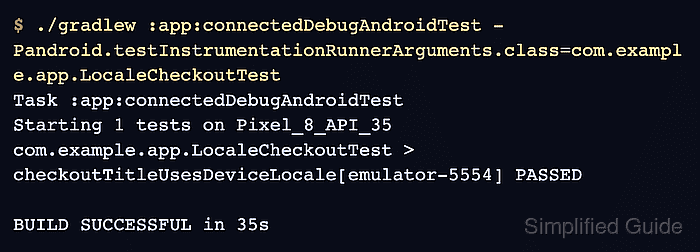
- Run only the locale-sensitive test class on the locale-switched emulator.
$ ./gradlew :app:connectedDebugAndroidTest \
-Pandroid.testInstrumentationRunnerArguments.class=com.example.app.LocaleCheckoutTest
> Task :app:connectedDebugAndroidTest
Starting 1 tests on Pixel_8_API_35
com.example.app.LocaleCheckoutTest > checkoutTitleUsesDeviceLocale[emulator-5554] PASSED

BUILD SUCCESSFUL in 35s
The task name changes with the module and variant. Use the connected test task that matches the app variant, such as :mobile:connectedFreeDebugAndroidTest.
Related: How to run Espresso tests locally - Restore the emulator to its previous locale after the targeted run.
$ adb -s emulator-5554 shell 'setprop persist.sys.locale en-US; stop; sleep 5; start'
Replace en-US with the locale recorded before the test when the emulator normally runs under a different language.
- Wait for the restored emulator to return.
$ adb -s emulator-5554 wait-for-device
- Verify the emulator locale is back to the expected default.
$ adb -s emulator-5554 shell getprop persist.sys.locale
en-US